To change color
74
Chapter 5
WM03
1. To change color
1-1. To change color manually (Manual Color Change)
[When the laser crosshair marker (option) is equipped]
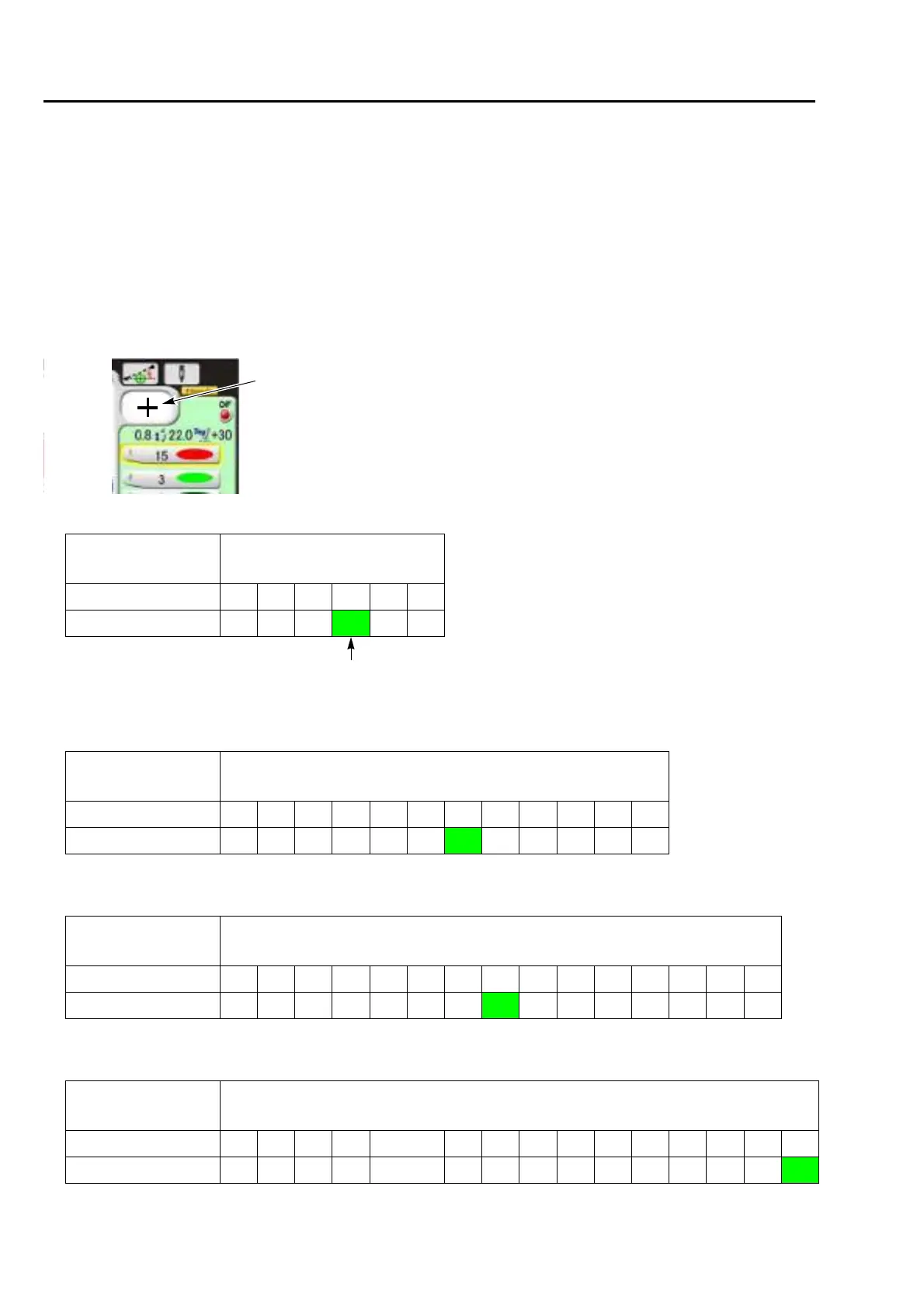
The needle bar No. becomes as the table below because the laser crosshair marker is equipped on the
center of the needle bar case. When selecting "+", the laser crosshair marker is lit, and the "+" is displayed
on the main screen.
For 6-needle machine
Laser Crosshair
Marker
Needle bar No.
No 654321
Yes 5 4 3
+
21
Laser Crosshair Marker
For 12-needle
machine
Laser Crosshair
Marker
Needle bar No.
No 121110987654321
Yes 11 10 9 8 7 6
+
54321
For 15-needle
machine
Laser Crosshair
Marker
Needle bar No.
No 15 14 13 12 11 10 9 8 7 6 5 4 3 2 1
Yes 1413121110 9 8
+
7654321
In case of 18-needle
machine
Laser Crosshair
Marker
Needle bar No.
No 18171615Omitted9876543210
Yes 18171615Omitted987654321
+



 To Next Page