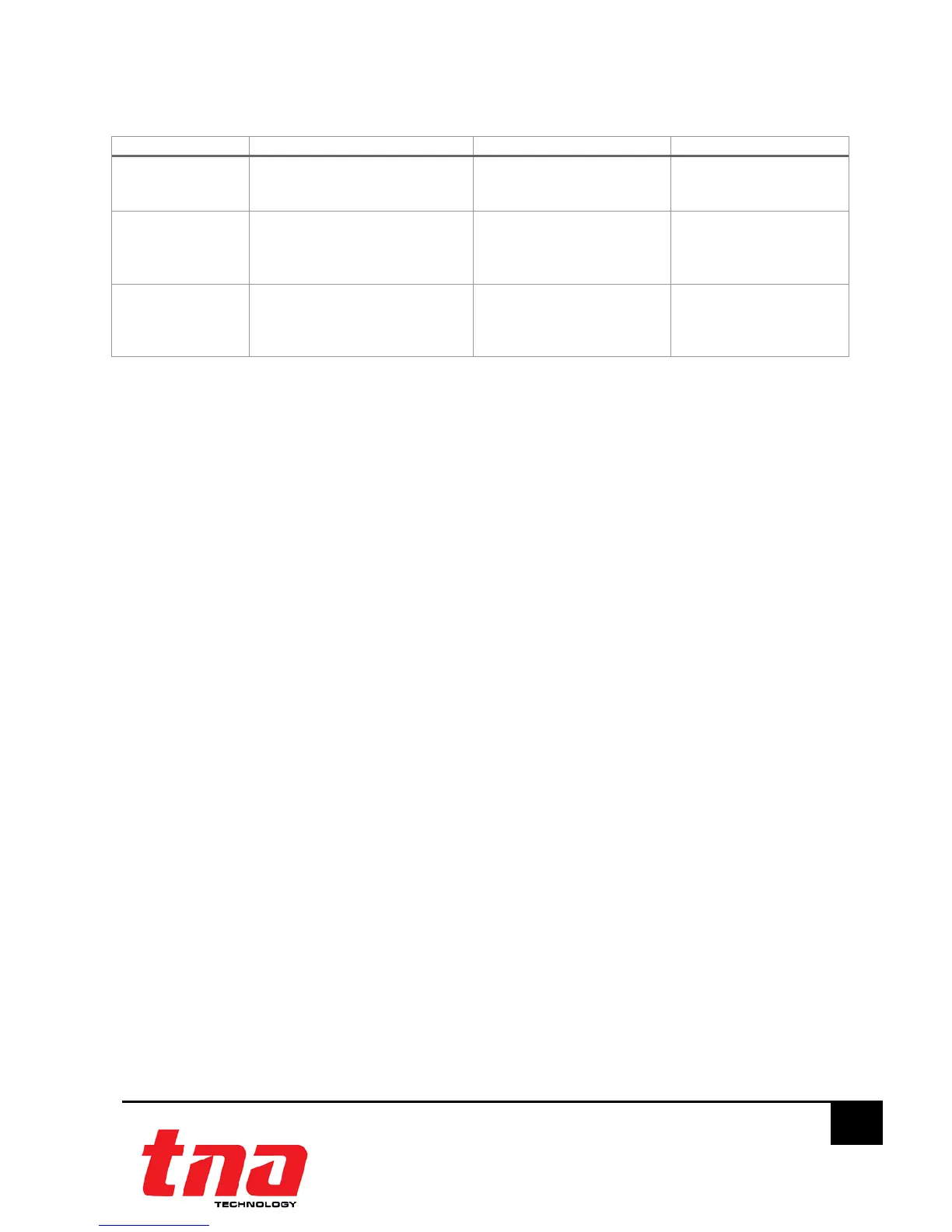
Input/output Parameters
Signal Feedback Input Check Output Check
Input - 3Y (Yes)- Fit with resistor -
4N (No)- No resistor is
required -–Default setting
-
Relay Output 1Y (Yes)- By the SELF
2N (No)- By the EXTERNAL –
(Note: in relation with the
Input signal ) Default setting
- -
Power Limited
Output
1Y (Yes)- By the SELF
2N (No)- By the EXTERNAL -
(Note: in relation with the
Input signal ) Default setting
- 5Y(Yes)-Supervise
24VDC continuity -
Default setting
6N(No)- No supervision
3 Interface Module Configuration
3.1 Preparation
The TX7930 handheld programmer is used to configure interface module soft address and
parameter. This tools are not included, must be purchased separately. The programmer is packed
with twin 1.5V AA battery and cable, ready for usage once received.
It is mandatory for the commissioning personnel to have programmer tool in order to adjust the
module conferring to the site situation and environmental requirements.
Program a unique address number for each device according to the project layout before placing
from the Terminal Base.
Warning: Disconnect the loop connection whilst connecting to the handheld programmer.
3.2 Write: Addressing
1. Connect the programming cable to Z1 and Z2 terminals (Figure 6). Press “Power” to switch on
the unit.
2. Switch-on the programmer, then press button “Write” or number “2” to enter Write Address
mode (Figure 7).
3. Input the desire device address value from 1 to 254, and then press “Write” to save the new
address (Figure 8).
Note:
If display “Success”, means the entered address is confirmed. If display “Fail”, means
failure to program the address (Figure 9).
4. Press “Exit” key to go back Main Menu. Press “Power” key to switch-off the programmer.



 To Next Page