EasyManua.ls Logo

Tangent Medix M24T - User Manual

Tangent Medix M24T
2 pages
Print Icon
To Next Page IconTo Next Page
Loading...
BASIC OPERATION GUIDE
Power bu on USB 3.0 ports
Programmable bu
ons Ethernet ports (RJ45)
Speakers Audio jack
DC-in USB 2.0 ports
HDMI output
COM ports
4
INTRODUCTION
Package Contents
Medix M24T Medical Grade Computer
AC-DC power adapter with power cord
Basic operaon guide
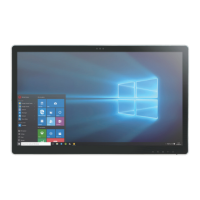
Thank you for acquiring Tangent’s Medix M24T. With a 24-inch TFT display and powered by
the Intel® Core™ i processor, the Medix M24T offers opmal combinaons of performance
and power saving. With fully-integrated point-of-care modules within an elegant,
space-saving design, This medical grade computer is the opmum soluon to enhance
workflow and service.
Please take a few moments review the contents of this document to ensure that the setup
and startup proceed smoothly. Medix M24T is ready for use, out of the box, in its default
configuraon when powered by the power source provided. The following documentaon
offers guidance on the hardware elements and features of the computer.
I/O Ports
Major Op ons
2 megapixel front camera
UPS ba
ery
Desktop stand
A
B
C
D
E
F
G
H
I
J
The Medix M24T has a comprehensive set I/O ports. The following ports are loacted along the boom
side of the unit.
Back
Front
Bo om
Cleaning the Screen
A screen cleaning solu on that is alcohol-free and non-abrasive can be used to clean the touch screen.
Cleaning with a micro-ber cloth is recommended.
Please spread the solu
on onto the cloth and then clean the touch screen.
Cleaning the An microbial Enclosure
Use a so /non-abrasive cloth moistened with water to clean the enclosure.
If using a cleaner, an alcohol-free and oxide-free cleaning liquid is recommended.
To prevent scratching the an
microbial coa ng, please wipe gently.
A C CD E H IB F G J
DT524T
Medix M24T
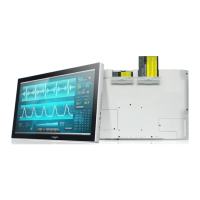
The Medix M24T has a number of oponal modules. These include:
Question and Answer IconNeed help?

Do you have a question about the Tangent Medix M24T and is the answer not in the manual?

Overview

The Medix M24T is a medical-grade computer designed to enhance workflow and service in healthcare environments. It features a 24-inch TFT display and is powered by an Intel® Core™ i processor, offering an optimal combination of performance and power saving. The device integrates point-of-care modules within an elegant, space-saving design, making it a comprehensive solution for various medical applications.

Technical Specifications and Features:

Display:

  • 24-inch TFT display.

Processor:

  • Intel® Core™ i processor.

I/O Ports (located on the bottom side of the unit):

  • USB Ports:
    • 2x USB 3.0 ports (F)
    • 2x USB 2.0 ports (I)
  • Video Output:
    • 1x HDMI output (E)
  • Networking:
    • Ethernet ports (RJ45) (G)
  • Audio:
    • Audio jack (H)
  • Power:
    • DC-in (D)
  • Serial Port:
    • COM ports (J)
  • Control:
    • Power button (A)
    • Programmable buttons (B)
  • Integrated Speakers:
    • Speakers (C)

Wireless Connectivity:

  • Wireless LAN: The Medix M24T often includes an embedded 802.11ac WLAN adapter with a hidden custom antenna. It supports typical WLAN adapters, allowing it to detect 802.11 access points. For secure access, the SSID and WEP/WPA/WPA2 (if enabled) parameters on the Medix M24T and the access points must match. Users may need to consult network administrators or networking equipment literature for proper configuration of settings like Authentication mode.
  • Bluetooth: The device features a built-in Bluetooth adapter that operates on the Microsoft Windows Bluetooth protocol. Configuration is managed via the System Tray or Control Panel. Note that Bluetooth devices or accessories incompatible with the Microsoft Windows Bluetooth protocol may not work with the Medix M24T.

Optional Modules:

  • 2 megapixel front camera
  • UPS battery
  • Desktop stand

Usage Features:

Powering ON and OFF:

  • Power Supply: Use the provided AC-DC adapter for power.
  • Turning On: Push and quickly release the Power Button (A). The display will turn on in a few seconds.
  • Standby Mode: Push and quickly release the Power Button (A) to put the device in Standby mode. Pushing briefly on the same button will wake the system within seconds. This conserves power when the device is not in use.
  • Turning Off (for extended storage): Power off the device safely using software functions (e.g., "shut down computer") provided in the operating system.
  • Avoid Force Shutdown: Do not use the "hold 4+ seconds" feature of the Power Button (A) for normal operation, as this is intended only for recovery from device lockups.

Tabletop Stand (Optional):

  • Attaching:
    1. Insert the top two tabs of the tabletop stand into the top two open slots on the back panel.
    2. Push the latch to pivot the two lower tabs of the tabletop stand.
    3. Push the two lower tabs into the two lower slots on the Medix M24T back panel. Ensure the latch locks back into position for secure attachment.
  • Detaching:
    1. Push the latch to pivot the two lower tabs.
    2. Pull out the two lower tabs, then the two upper tabs from the Medix M24T back panel.

Maintenance Features:

Precautions:

  • Always exercise care when operating and handling the Medix M24T.
  • Do not disassemble any portion of the enclosure, as this will void the product warranty.
  • Only use the AC/DC adapter provided with the device or a manufacturer-acquired replacement.
  • In case of smoke, abnormal noise, or strange odor, immediately power down the Medix M24T, disconnect all power sources, and report the problem to Tangent support.

Cleaning the Screen:

  • Use an alcohol-free and non-abrasive screen cleaning solution.
  • A micro-fiber cloth is recommended.
  • Spread the solution onto the cloth, then clean the touch screen.

Cleaning the Antimicrobial Enclosure:

  • Use a soft/non-abrasive cloth moistened with water.
  • If using a cleaner, an alcohol-free and oxide-free cleaning liquid is recommended.
  • Wipe gently to prevent scratching the antimicrobial coating.

Tangent Medix M24T Specifications

General IconGeneral
BrandTangent
ModelMedix M24T
CategoryDesktop
LanguageEnglish

Related product manuals