Need help?
Do you have a question about the Tangent Vita and is the answer not in the manual?
Details FCC rules for Class B digital devices, including measures to correct interference.
Lists registered trademarks and notes CE/FCC compliance for home or office use.
States manual is for information only, subject to change, and protected by copyright.
Provides essential safety guidelines for operating, placing, and maintaining the system.
Outlines safe procedures for cleaning the computer using a damp cloth.
Advises against self-servicing, recommends qualified personnel, and lists conditions requiring service.
Details the technical specifications of the Tangent VITA all-in-one PC.
Lists the items included in the Tangent VITA PC package.
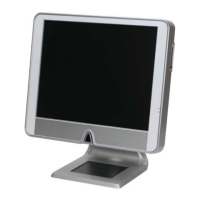
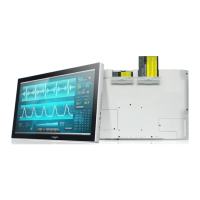
Identifies and describes the components visible on the front of the PC.
Details ventilation openings and USB 2.0 ports located on the rear of the PC.
Explains the function keys and card reader on the right side of the unit.
Describes the optical device bay on the left side of the PC.
Illustrates and explains ports, power socket, and fan grill on the bottom.
Details the mainboard, hard disk drive, power supply, and chassis design.
Provides detailed technical specifications for the 17" TFT-LCD monitor.
Guides on connecting VGA and speaker cables to activate monitor and audio.
Explains the function of power, menu, and adjustment keys on the monitor.
Details how to adjust brightness, contrast, color, position, and sharpness via OSD.
Instructions for adjusting OSD position and speaker volume or mute status.
Describes how to recall previous settings or save current adjustments and exit.
Provides initial recommendations for resolving system problems.
Addresses problems with the system not starting or having no display output.
Guides on troubleshooting errors related to hard drives or optical drives.
Provides steps to resolve issues with no sound output from speakers.
 General
| Dimensions | 330 x 89 x 297 mm |
|---|---|
| Type | Desktop |
| CPU | Intel Celeron J4105 |
| RAM | 4GB DDR4 |
| Storage | 128GB SSD |
| Operating System | Windows 10 Home |
| Graphics | Intel UHD Graphics 600 |
| Processor | Intel Celeron J4105 |
| Power Supply | 65W External Power Adapter |


 To Next Page