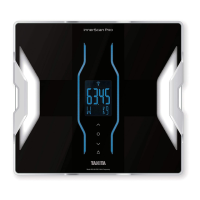
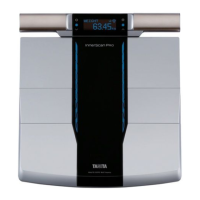
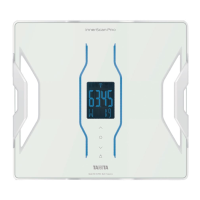
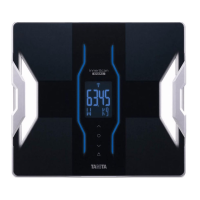
The Tanita innerScan DUAL RD-953 is a dual-frequency body composition monitor with integrated Bluetooth technology, designed for home use to help individuals monitor their health. It provides comprehensive body composition measurements and connects to a smartphone app for data management and analysis.
Function Description
The RD-953 utilizes Dual Frequency Bioelectrical Impedance Analysis (BIA) technology to calculate various body composition metrics. It passes safe, low-level electrical signals through the body via foot pads on the monitor platform. These signals flow easily through fluids in muscles and other body tissue but encounter resistance when passing through body fat, which contains less fluid. This resistance, known as impedance, is then used in conjunction with medically researched mathematical formulas to calculate body composition. The dual-frequency BIA technology provides essential data on a person's intracellular and extracellular status, enhancing accuracy.
The monitor measures and displays the following body composition metrics:
- Weight: Your total body weight.
- BMI (Body Mass Index): An indicator of the relationship between height and weight.
- Body Fat Percentage: The amount of body fat as a proportion of your total body weight.
- Muscle Mass: The weight of muscle in your body, including skeletal, smooth, and cardiac muscle, and the water contained within these muscles.
- Muscle Quality Score: An indicator of the "quality (state) of muscle," which changes with age and fitness.
- Physique Rating: An assessment of your physique based on the ratio of body fat and muscle mass.
- Bone Mass: The amount of bone (bone mineral level, calcium, or other minerals) in your body.
- Visceral Fat Rating: The amount of visceral fat surrounding vital organs in the abdominal area.
- Basal Metabolic Rate (BMR): The minimum energy level your body needs at rest to function effectively.
- Metabolic Age: The average age associated with your type of metabolism, derived from your BMR.
- Total Body Water Percentage: The total amount of fluid in your body as a percentage of your total weight.
The monitor is intended for adults aged 18-99 years. For children aged 5-17 years, it displays weight, body fat percentage, muscle mass, and bone mass. For children aged 4 or less and adults over 100, only weight is displayed. Pregnant women should only use the weight function.
Usage Features
The RD-953 offers several features to facilitate ease of use and accurate measurements:
- Personal Data Memory: The monitor can store personal data for up to four individuals. This allows for auto-recognition when a registered user steps on the monitor, automatically recalling their personal data for measurement. The backlight color changes according to the recognized personal data number (Blue, Pink, White, Light blue).
- Guest Mode: For one-time use without storing personal data, the guest mode allows users to input age, gender, and height for a single measurement.
- Weight-Only Mode: Users can choose to measure only their body weight by pressing a dedicated button.
- Smartphone Connectivity (Bluetooth): The monitor integrates with the "Health Planet" app via Bluetooth. This allows users to:
- Download the app and register as a member.
- Connect the monitor to their smartphone for automatic data transfer.
- Manage and analyze measurement data within the app.
- The app can store up to 10 sets of measurements, which are sent to the smartphone the next time it connects.
- The communication distance is approximately 5m in an unobstructed location.
- Location Code Setting: To ensure accurate weight readings, the monitor allows users to select a location code based on their geographical location, accounting for differences in gravitational pull.
- Weighing Unit Selection: The weighing unit can be switched between kilograms (kg), pounds (lb), and stone-pounds (stlb) using a dedicated switch on the back of the monitor. This also automatically adjusts height programming mode to centimeters or feet and inches.
- Date and Time Setting: Users can set the date and time on the monitor, which is important for tracking progress over time. If connected to a smartphone, the date and time settings on the monitor are overwritten by those from the smartphone.
- Measurement Guidance: The monitor provides visual cues and instructions on the display during the measurement process, such as "0.00kg" (or equivalent in other units) to indicate readiness for stepping on.
- Athlete Mode: An enhanced function for individuals with athletic lifestyles, including those who train regularly, bodybuilders, professional athletes, or those with a history of high fitness levels. This mode provides more accurate measurements for this specific user group.
- Assessment Color Indicators: Measurement results are indicated by backlight colors (e.g., green for normal, yellow for slightly high, red for high) to provide a quick visual assessment of health status for various metrics.
- Automatic Power Off: The monitor automatically turns off after a period of inactivity (e.g., 60 seconds during settings, 40 seconds after displaying results) to conserve battery life.
Maintenance Features
- Battery Replacement: The monitor uses four AA-size alkaline batteries. Users are advised to check battery orientation carefully and replace them promptly when the "Lo" indicator appears. For long-term storage, batteries should be removed.
- Cleaning: To clean the monitor, a soft cloth soaked in water or neutral household detergent should be used, wrung out thoroughly, and then wiped dry. Boiling water, benzene, or thinner should not be used. The monitor should not be washed or submerged in water.
- Storage and Placement: The monitor should be placed on a hard, flat surface with minimal vibration for accurate measurements. It should be stored away from direct sunlight, heaters, air conditioning units, severe temperature changes, high humidity, and excessive impact or vibration.
- Troubleshooting Guide: The manual includes a comprehensive troubleshooting section to address common issues such as display errors ("Lo," "OL," "Err"), measurement inaccuracies, and connectivity problems with smartphones.
Safety Precautions
- Medical Implants: Individuals with electronic medical implants (e.g., pacemakers) should not use the monitor due to the low-level electrical signal it passes through the body.
- Pregnancy: Pregnant women should only use the weight function; other functions are not intended for use during pregnancy.
- Slippery Surfaces: Do not place or use the monitor on wet or slippery surfaces to prevent falls and damage to internal components.
- Physical Safety: Avoid stepping on the edge of the platform, jumping on the monitor, or dropping objects on it to prevent injury and damage to the glass.
- Battery Safety: Do not use rechargeable batteries, mix old and new batteries, or mix different types of batteries. Ensure correct polarity to prevent leakage, overheating, or rupture.
- Child Safety: Infants or small children should not carry the monitor to prevent injury from dropping it.
- Professional Use: The monitor is intended for home use only and is not designed for professional settings like hospitals or fitness facilities. Using it in such environments will invalidate the warranty.
- Accurate Readings: For accurate readings, measurements should be taken without clothing, under consistent hydration conditions, with clean bare feet, and with feet aligned to the center of the platform. It is recommended to take readings at the same time of day, ideally about two hours after getting up, eating, or strenuous exercise.

 Need help?
 Measurement Features
 Power
Power Weight and Dimensions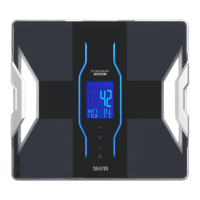



 To Next Page
