User's Guide Battery
Page 2-5
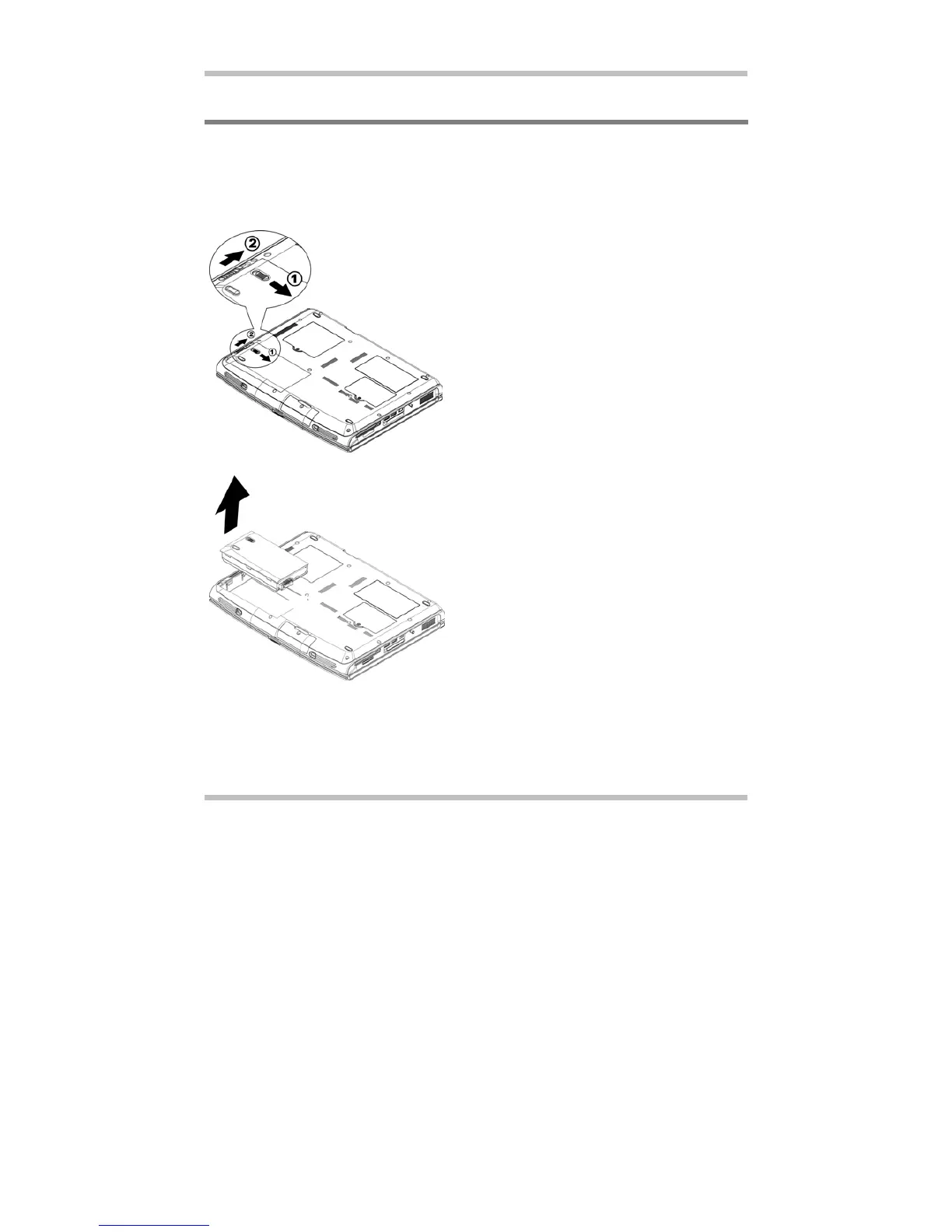
2.7 Removing The Battery Pack
This battery pack can easily be removed and replaced. Make sure that the computer is
properly shutdown before changing the battery pack. If you would like to change the
battery pack while power is on, make sure this battery pack is not the only electrical source
to the system unit. Follow the steps below to remove the battery pack.
To insert the battery pack, reverse the steps above.
• Make sure the system is properly
shutdown.
• Flip the system upside down.
• Push the two battery latches to the
unlock position as shown by #1 and #2
(Enlarged Diagram).
• Maintain the latch in the unlock position.
• Remove the battery pack as shown.



 To Next Page