User's Guide Mini-PCI Module
Page 4-1
Chapter 4 Mini-PCI Module
Your notebook is equipped with a Mini-PCI module. The Mini-PCI supports wireless
LAN function.
4.1 Removing Mini-PCI Module
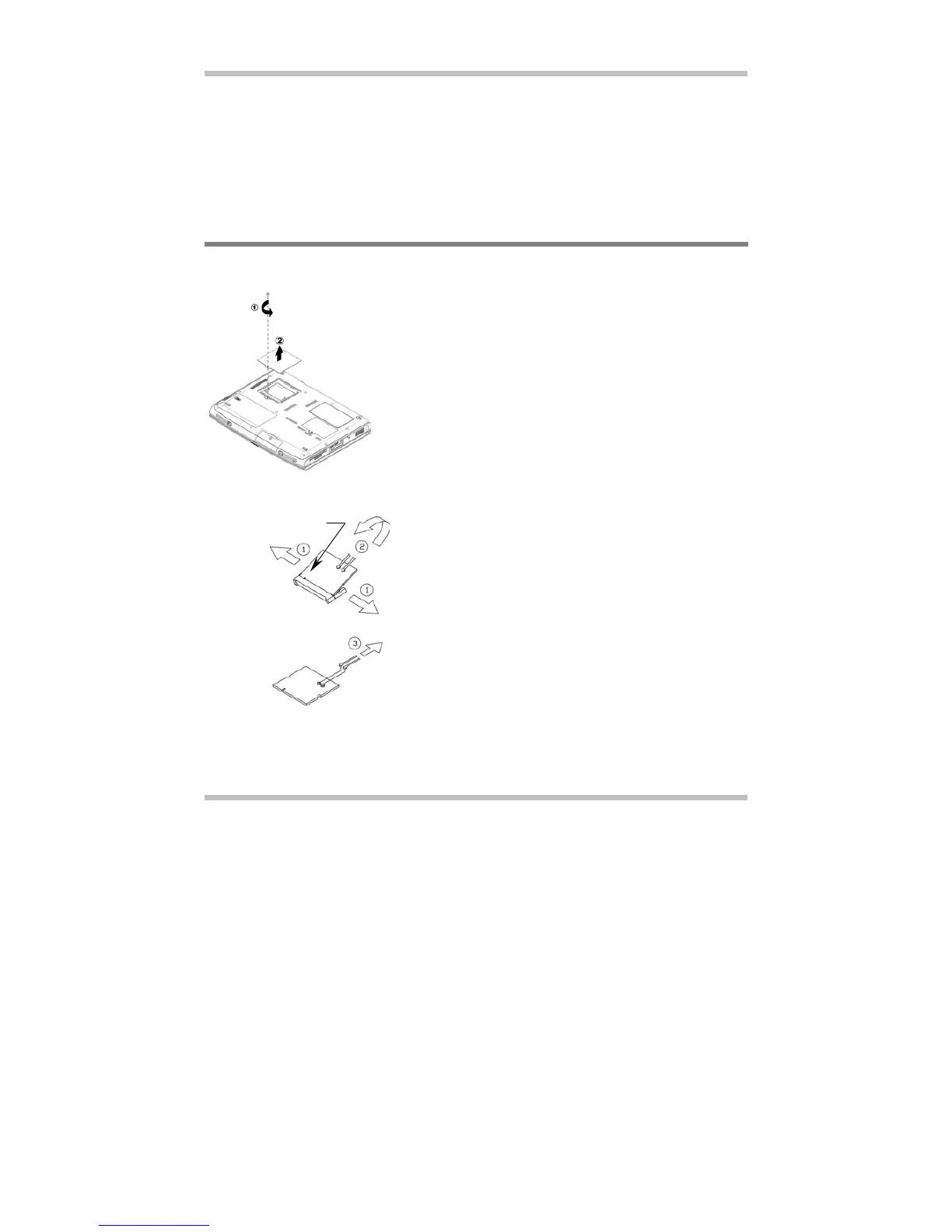
Below is the procedure on how to remove the Mini-PCI module.
To insert the Mini-PCI module, reverse the steps above.
• Make sure the system is properly
shutdown.
• Flip the system upside down.
• Remove the screw as shown by #1.
• Remove the compartment door as
shown by #2.
The Groove
• Press the spring locks sideways as
shown by #1.
• The Mini-PCI module would pop up as
shown by #2.
• Disconnect the two cables as shown by
#3. Note, there are two types of mini-PCI
module. Externally, they look slightly
different; especially on the locations of
the cable connections.



 To Next Page