14
REGISTRATION OF YOUR TARGET BLU EYE
After the installation of the Target Blu Eye has been completed and the system is
connected, you must register your Target Blu Eye on our website www.blu-eye.eu. After
finishing the registration process and downloading and installing the software your
Target Blu Eye is ready for use. For registration please follow the next steps:
1. Switch off the ignition of your car and your Target Blu Eye switch off automatically.
2. Insert the SD card into the SD card slot of your Target Blu Eye.
3. Switch on the ignition of your car.
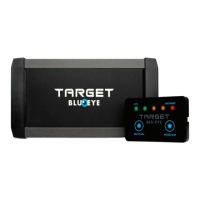
4. The ID of your Target Blu Eye will be copied to the SD card. All leds will light up for
five seconds. This step is completed if the leds on the signal strength meter go out
and only the two blue leds are lit.
5. Switch off the ignition of your car.
6. Remove the SD card from you Target Blu Eye.
7. Insert the SD card into the SD card slot of your PC or Mac.
8. Go to www.blu-eye.eu and click on “Register” and follow the intructions in order
to register your Blu Eye and to download the files to your SD card.
9. After finishing the registration process you remove the SD card from your PC.
10. Switch off the ignition of your car and your Target Blu Eye switch off automatically.
11. Insert the SD card again into the SD card slot of your Target Blu Eye.
12. Switch on the ignition of your car. IMPORTANT: Never disrupt the voltage to your
Target Blu Eye during the update process!
13. All leds will light up for five seconds. After five seconds the leds on the signal strenght
meter go out. In this first update process it takes about 30 seconds until the data
files have been copied. During this process the leds will light up from left to right
and right to left. At the end of this process the three leds on the right will light up,
followed by the two leds on the left. When all leds go out, the process is finished.
Please wait at least 15 seconds before switching off the system and removing the
SD card.


 To Next Page