5
MODE-DIM BUTTON
❷
• Select sensitivity mode: short press
• Set display brightness: press and hold the button
CITY MODE
Press button ❷ (a short press) to select the sensitivity mode. City Mode has 3 user
selectable levels varying from 1 to 3 leds. Press button ❷ (short press) to select the
desired sensitivity – 1, 2 or 3 leds. After 5 seconds from the last button press, the system
will set the sensitivity level selected. Your display will continuously show 1, 2 or 3 leds
in City Mode depending on your sensitivity selection. Only signals stronger than the
led that is continuously on, will lead to alerts from your Blu Eye. The use of City mode
is recommended in urban areas. Adjust the sensitivity (1, 2 or 3 leds ) to get the best
results from your Blu-Eye.
You may need to experiment to see which setting works best for you. Factors such as
antenna performance and the density of buidings near your vehicle will affect the Blu-
Eye detection capabilities.
HIGHWAY MODE
Highway mode has a much greater range of detection but may cause unhelpful alerts
in built up areas. To switch to Highway Mode press and hold button ❷ until the red
led ❺ starts flashing. Blu Eye is now in Highway Mode. The red led will go out after
5 seconds.
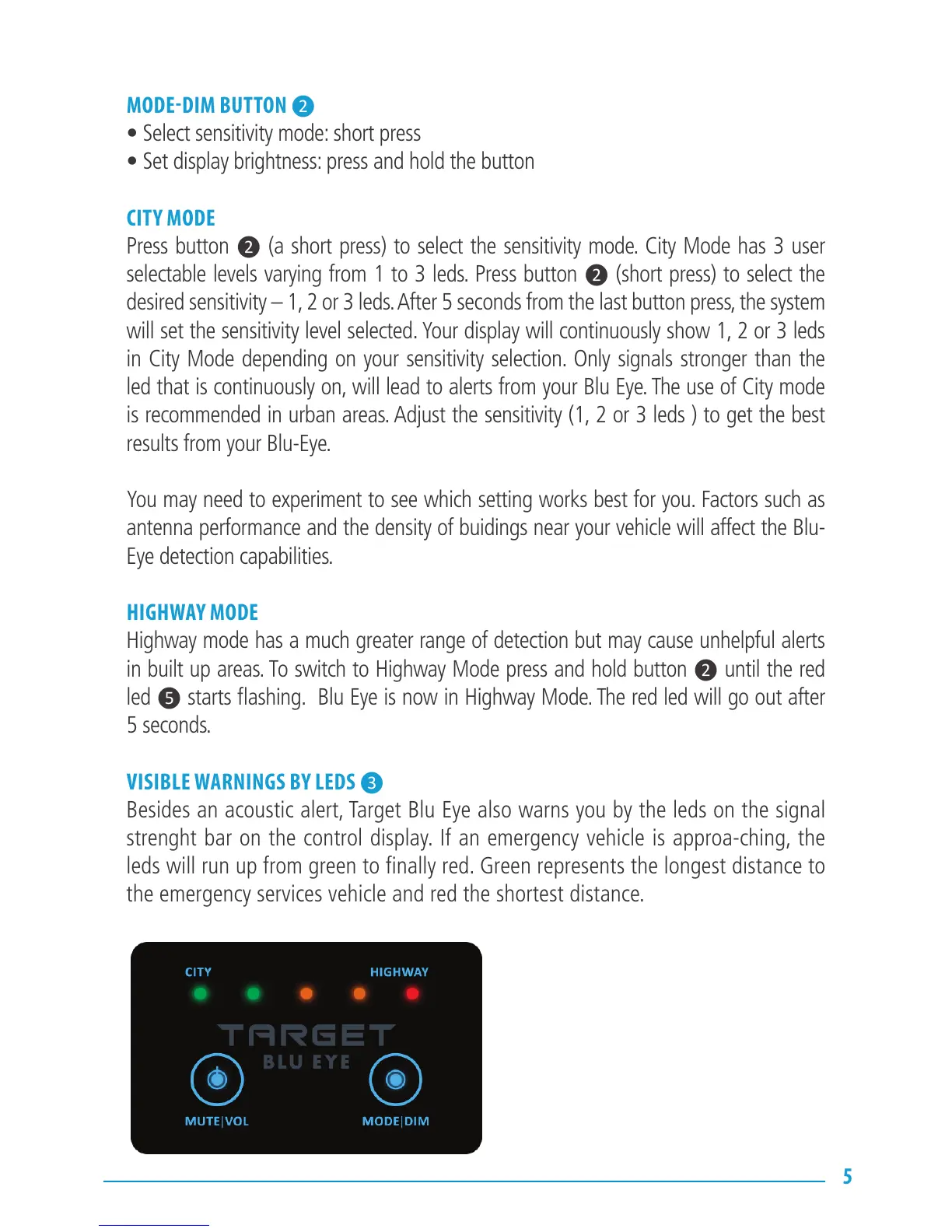
VISIBLE WARNINGS BY LEDS ❸
Besides an acoustic alert, Target Blu Eye also warns you by the leds on the signal
strenght bar on the control display. If an emergency vehicle is approa-ching, the
leds will run up from green to finally red. Green represents the longest distance to
the emergency services vehicle and red the shortest distance.


 To Next Page