4
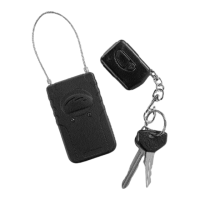
Targus Notebook Security DEFCON
®
Ultra Combination Cable Lock
You can use the DEFCON Ultra without batteries to pro-
vide physical security. To power the alarm siren, the
DEFCON Ultra requires three AAA batteries.
The alarm sounds when:
• The cable is severed.
• The DEFCON Ultra is tilted, shaken or moved while the
optional motion alarm feature is set. (This feature is
unsuitable for use in moving vehicles where vibration
can trigger the alarm.)
For information on fitting the batteries, see “Installing the
Batteries” on page
8. For details of the motion alarm
feature, see “Using the DEFCON Ultra Motion Alarm
Feature” on page 10.
Setting the Combination
1 Make sure the DEFCON Ultra is unlocked and the
cable is fully retracted.
2 Locate the combination dials at the top of the lock.
3 Using the dials, enter the current combination so that
the numbers align vertically with the embossed arrows
next to the first and last dial.
DEFCON Ultra top view
0
0
9
0
9
0
9
Combination
set button



 To Next Page