5
Connecting the Hub and Installing
the Drivers
To connect the hub to your computer and install the operating
system’s default drivers, follow the steps listed below for the
hub model that you purchased.
Model PAUH200
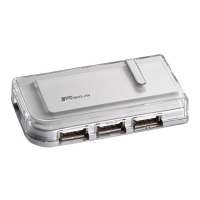
The model PAUH200 hub comes with two high-speed A/B
cables so that you can connect it to two host computers. If you
are connecting the hub to only one host computer, keep the
second cable in a safe, easy to remember place for future use.
1 Turn on your computer (if it’s off).
2 Plug the supplied cable’s USB type A connector end into a
USB port on your computer.
USB type A and B connector ends
3 Plug the cable’s USB type B connector end into the hub.
4 Repeat steps 2 and 3 using the second cable to connect the
hub to a second host computer.
5 Attach the supplied AC power adapter to the AC power
jack on the hub and plug the adapter into an available
electrical outlet.
Your computer’s operating system automatically detects
the new hardware and begins installing the appropriate
default drivers.
Type A
Type B



 To Next Page
 Loading...