8
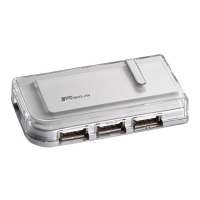
• When connecting a new device to the hub, you must run the
Setup or Install program for that device.
• When connecting a device to the hub, to avoid possible
damage, never force the cable connector into the port on the
hub. If the cable connector does not attach smoothly, remove
the connector, turn it over and try attaching it again.
LED Status Indicator Lights
Once the default drivers are installed, the LED status indicator
lights glow and you can connect devices to the hub.
The LED lights display as follows:
Model PAUH200
• Power light glows green when the hub is receiving power
from your computer and glows orange when it’s receiving
power from the AC power adapter.
• Hub status light A glows green when a host computer is
connected.
• Hub status light B glows red if a second host computer is
connected.
NOTE: Use only the supplied AC power adapter with the hub
to avoid possible damage.
Model PAUH210
• Power light glows green when the hub is receiving power
from your computer via the “Y” cable.



 To Next Page
 Loading...