5 – Program and cue playback
Editing cue point names
1. Press the MENU button to open the
MENU
screen.
2. Open the
PROGRAM/CUE
menu screen
3. Select
CUE LIST EDIT
.
4. Press the DATA dial to open the
CUE
screen.
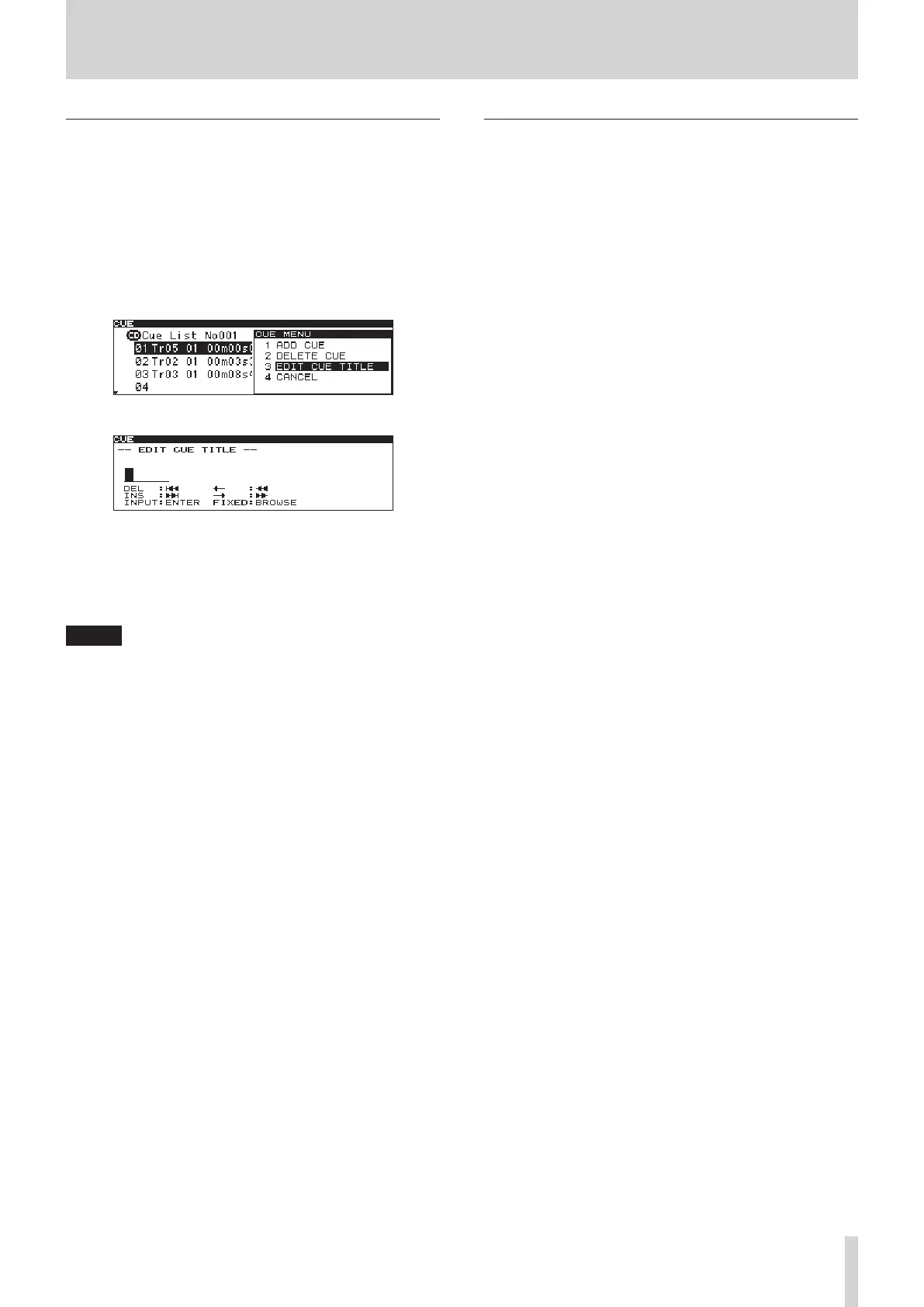
5. Turn the DATA dial to select the cue point with the name
to be edited, and press the DATA dial to open the
CUE
menu.
6. Turn the DATA dial to select
EDIT CUE TITLE
.
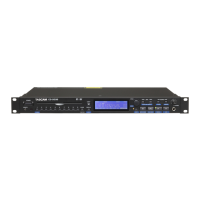
7. Press the DATA dial to open the
EDIT CUE TITLE
screen.
8. Edit the cue point name. See "Editing text" below for
instructions
9. When you are done editing the name, press the BROWSE
button to confirm the name change and return to the
CUE
list screen.
NOTE
Names containing characters other than the letters of the
•
alphabet, numbers and symbols cannot be edited.
The following symbols and punctuation marks cannot be
•
used in names.
¥ /: ;, * ? " < > |
Cue point names can be up to six single-byte characters in
•
length.
You can connect a USB computer keyboard to the
•
KEYBOARD connector on the rear panel of the unit and use it
to edit text. (See "9 – Operation using a computer keyboard"
on page 47.)
Editing text
Edit text using the following operations.
To move the editing (cursor) position
Use the SEARCH m/, buttons.
To change the character at the cursor position
Turn the DATA dial.
To confirm the character at the cursor position
Press the DATA dial.
To insert an empty space
Press the TRACK / button.
To delete a character
Press the TRACK . button.
To confirm and end editing
Press the BROWSE button.



 To Next Page