EasyManua.ls Logo

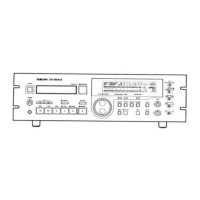
Tascam DA-30 mk II - User Manual

Tascam DA-30 mk II
63 pages
Print Icon
To Next Page IconTo Next Page
Loading...

Table of Contents

Question and Answer IconNeed help?

Do you have a question about the Tascam DA-30 mk II and is the answer not in the manual?

Summary

Instructions for Service Personnel

Specifications

Problems and Solutions

Coded Error Messages Explained

Explanation and remedies for specific error codes displayed by the unit.

Mounting the Hour Meter

Removal of Components

Cautions in Handling the Mechanism Assembly

Important safety and handling guidelines for the mechanism assembly.

Disassembly of the Main Block

Step-by-step instructions for disassembling the main mechanical block.

Disassembly of the Base Mechanism Unit - 1

Detailed steps for disassembling the base mechanism unit.

Disassembly of the Base Mechanism Unit - 2

Further steps for disassembling the base mechanism unit.

Disassembly of the Cassette Holder Unit - 1

Initial steps for disassembling the cassette holder unit.

Disassembly of the Cassette Holder Unit - 2

Further steps for disassembling the cassette holder unit.

Disassembly of the Cassette Holder Unit - 3

Final steps for disassembling the cassette holder unit.

Adjustment of the Mechanism

Back Tension Torque Adjustment

How to adjust the back tension torque of the tape.

Tape Travel Adjustment

Steps to ensure proper tape path and travel through the mechanism.

Electrical Adjustment

Adjustment of the Data Strobe System

Adjusting the data strobe system for proper data timing.

Adjustment and Confirmation of the Servo System

Adjusting and verifying the servo system's performance.

Checking FF;REW Torque

Verifying torque during Fast Forward and Rewind operations.

Checking the Tape Path

Steps to ensure proper tape path and travel through the mechanism.

Adjusting the TACH

Calibrating the TACH signal for accurate speed monitoring.

Adjusting Envelope Detection Level

Setting the signal level for envelope detection.

Checking and Adjusting Recording Current

Verifying and adjusting the current used for recording.

Checking and Adjusting PCM Record Level

Verifying and adjusting the record signal level for PCM data.

Checking ATF Play Level

Verifying playback signal level for ATF data.

Checking and Adjusting ATF Record Level

Verifying and adjusting the record signal level for ATF data.

Confirming and Adjusting Error Rates

Checking and adjusting error rates during recording and playback.

Confirmation of the Audio System

PB output level

Verifying the output level of the playback signal.

Playback frequency response

Checking the frequency response characteristics of the playback signal.

Playback distortion factor

Measuring the playback signal's distortion factor.

Playback S;N ratio

Measuring the signal-to-noise ratio of the playback signal.

Playback channel separation

Checking the channel separation of the playback audio.

LINE minimum input level

Setting the minimum input level for the LINE input.

LINE nominal input;ouptut level

Setting the nominal input and output levels for LINE.

Monitor frequency response

Checking the frequency response of the monitor system.

Confirming the level meter

Verifying the operation of the level meter indicator.

Headphone output level

Checking the output level for the headphone jack.

Record;play output level

Checking the output level during record/play operations.

Record;play frequency response

Checking the frequency response during record/play.

Recording S;N ratio

Measuring the signal-to-noise ratio during recording.

Record;play dynamic range

Measuring the dynamic range during record/play.

Record;play channel separetion

Checking channel separation during record/play.

Record;play distortion factor

Measuring the distortion factor during record/play.

Exploded Views and Parts List

Exploded View-1

Diagram showing the first part of the exploded assembly.

Exploded View-4 (Parts List)

Detailed list of parts for the fourth exploded view.

Exploded View-2

Diagram showing the second part of the exploded assembly.

Exploded View-3

Diagram showing the third part of the exploded assembly.

Included Accessories

List of accessories provided with the unit.

Exploded View-4 (Continued)

Continuation of the fourth exploded view diagram and parts list.

Exploded View-4

Diagram showing the fourth part of the exploded assembly.

Exploded View-4 (Parts Continuation)

Further continuation of the fourth exploded view parts list.

PC Boards and Parts List

Audio PCB Assembly Diagram

Component layout and identification for the Audio PCB.

Digital Servo PCB Assembly Diagram

Component layout and identification for the Digital Servo PCB.

Head Phones PCB Assembly Diagram

Component layout and identification for the Head Phones PCB.

Shuttle PCB Assembly Diagram

Component layout and identification for the Shuttle PCB.

Front PCB Assembly Diagram

Component layout and identification for the Front PCB.

Trans PCB Assembly Diagram

Component layout and identification for the Trans PCB.

Reg 1 PCB Assembly Diagram

Component layout and identification for the Reg 1 PCB.

Reg 2 PCB Assembly Diagram

Component layout and identification for the Reg 2 PCB.

Cylinder Head Assembly Replacement

Cylinder Head Assembly Removal

Steps for removing the cylinder head assembly from the unit.

Cylinder Head Assembly Installation

Steps for installing the cylinder head assembly, including precautions.

Mechanism Section Schematic Diagram

RF Amplifier Schematic Diagram

Audio PCB Schematic Diagram

Audio PCB Schematic Diagram (DA-25)

Front and Shuttle PCB Schematic Diagrams

Power Supply, Headphone, and Digital Servo PCB Schematics - Part 1

Digital Servo PCB Schematic Diagram - Part 2

Digital Servo PCB Schematic Diagram - Part 3

Digital Servo PCB Schematic Diagram - Part 4

Audio PCB Assembly Parts List

Digital;Servo PCB Assembly Parts List

Front PCB Assembly Parts List

Trans PCB Assembly Parts List

Summary

Instructions for Service Personnel

Specifications

Problems and Solutions

Coded Error Messages Explained

Explanation and remedies for specific error codes displayed by the unit.

Mounting the Hour Meter

Removal of Components

Cautions in Handling the Mechanism Assembly

Important safety and handling guidelines for the mechanism assembly.

Disassembly of the Main Block

Step-by-step instructions for disassembling the main mechanical block.

Disassembly of the Base Mechanism Unit - 1

Detailed steps for disassembling the base mechanism unit.

Disassembly of the Base Mechanism Unit - 2

Further steps for disassembling the base mechanism unit.

Disassembly of the Cassette Holder Unit - 1

Initial steps for disassembling the cassette holder unit.

Disassembly of the Cassette Holder Unit - 2

Further steps for disassembling the cassette holder unit.

Disassembly of the Cassette Holder Unit - 3

Final steps for disassembling the cassette holder unit.

Adjustment of the Mechanism

Back Tension Torque Adjustment

How to adjust the back tension torque of the tape.

Tape Travel Adjustment

Steps to ensure proper tape path and travel through the mechanism.

Electrical Adjustment

Adjustment of the Data Strobe System

Adjusting the data strobe system for proper data timing.

Adjustment and Confirmation of the Servo System

Adjusting and verifying the servo system's performance.

Checking FF;REW Torque

Verifying torque during Fast Forward and Rewind operations.

Checking the Tape Path

Steps to ensure proper tape path and travel through the mechanism.

Adjusting the TACH

Calibrating the TACH signal for accurate speed monitoring.

Adjusting Envelope Detection Level

Setting the signal level for envelope detection.

Checking and Adjusting Recording Current

Verifying and adjusting the current used for recording.

Checking and Adjusting PCM Record Level

Verifying and adjusting the record signal level for PCM data.

Checking ATF Play Level

Verifying playback signal level for ATF data.

Checking and Adjusting ATF Record Level

Verifying and adjusting the record signal level for ATF data.

Confirming and Adjusting Error Rates

Checking and adjusting error rates during recording and playback.

Confirmation of the Audio System

PB output level

Verifying the output level of the playback signal.

Playback frequency response

Checking the frequency response characteristics of the playback signal.

Playback distortion factor

Measuring the playback signal's distortion factor.

Playback S;N ratio

Measuring the signal-to-noise ratio of the playback signal.

Playback channel separation

Checking the channel separation of the playback audio.

LINE minimum input level

Setting the minimum input level for the LINE input.

LINE nominal input;ouptut level

Setting the nominal input and output levels for LINE.

Monitor frequency response

Checking the frequency response of the monitor system.

Confirming the level meter

Verifying the operation of the level meter indicator.

Headphone output level

Checking the output level for the headphone jack.

Record;play output level

Checking the output level during record/play operations.

Record;play frequency response

Checking the frequency response during record/play.

Recording S;N ratio

Measuring the signal-to-noise ratio during recording.

Record;play dynamic range

Measuring the dynamic range during record/play.

Record;play channel separetion

Checking channel separation during record/play.

Record;play distortion factor

Measuring the distortion factor during record/play.

Exploded Views and Parts List

Exploded View-1

Diagram showing the first part of the exploded assembly.

Exploded View-4 (Parts List)

Detailed list of parts for the fourth exploded view.

Exploded View-2

Diagram showing the second part of the exploded assembly.

Exploded View-3

Diagram showing the third part of the exploded assembly.

Included Accessories

List of accessories provided with the unit.

Exploded View-4 (Continued)

Continuation of the fourth exploded view diagram and parts list.

Exploded View-4

Diagram showing the fourth part of the exploded assembly.

Exploded View-4 (Parts Continuation)

Further continuation of the fourth exploded view parts list.

PC Boards and Parts List

Audio PCB Assembly Diagram

Component layout and identification for the Audio PCB.

Digital Servo PCB Assembly Diagram

Component layout and identification for the Digital Servo PCB.

Head Phones PCB Assembly Diagram

Component layout and identification for the Head Phones PCB.

Shuttle PCB Assembly Diagram

Component layout and identification for the Shuttle PCB.

Front PCB Assembly Diagram

Component layout and identification for the Front PCB.

Trans PCB Assembly Diagram

Component layout and identification for the Trans PCB.

Reg 1 PCB Assembly Diagram

Component layout and identification for the Reg 1 PCB.

Reg 2 PCB Assembly Diagram

Component layout and identification for the Reg 2 PCB.

Cylinder Head Assembly Replacement

Cylinder Head Assembly Removal

Steps for removing the cylinder head assembly from the unit.

Cylinder Head Assembly Installation

Steps for installing the cylinder head assembly, including precautions.

Mechanism Section Schematic Diagram

RF Amplifier Schematic Diagram

Audio PCB Schematic Diagram

Audio PCB Schematic Diagram (DA-25)

Front and Shuttle PCB Schematic Diagrams

Power Supply, Headphone, and Digital Servo PCB Schematics - Part 1

Digital Servo PCB Schematic Diagram - Part 2

Digital Servo PCB Schematic Diagram - Part 3

Digital Servo PCB Schematic Diagram - Part 4

Audio PCB Assembly Parts List

Digital;Servo PCB Assembly Parts List

Front PCB Assembly Parts List

Trans PCB Assembly Parts List

Tascam DA-30 mk II Specifications

General IconGeneral
TypeDAT Recorder
Tape Speed8.15 mm/s
Quantization16-bit linear
Power SupplyAC 120V, 60Hz
Frequency Response20Hz - 20kHz ±0.5dB
Signal to Noise Ratio92 dB
Dynamic Range92 dB
Analog InputsRCA, XLR
Analog OutputsRCA, XLR
Digital InputsCoaxial, Optical
Digital OutputsCoaxial, Optical
Sampling Frequency32 kHz, 44.1 kHz, 48 kHz
Remote ControlWired remote

Related product manuals