SECTION 8 : CONTROLLING THE DA-38 FRDM MENUS
8-4. Selectiql a TDIF Input 8it Length
To send and receive digital data through the TDIF-1 I/O
port on the rear panel of the unit, you have to select a bit
length in accordance to the one of an incoming digital
data.
The DA-38 offers three options : 16, 20, and 24. Factory
preset is 16.
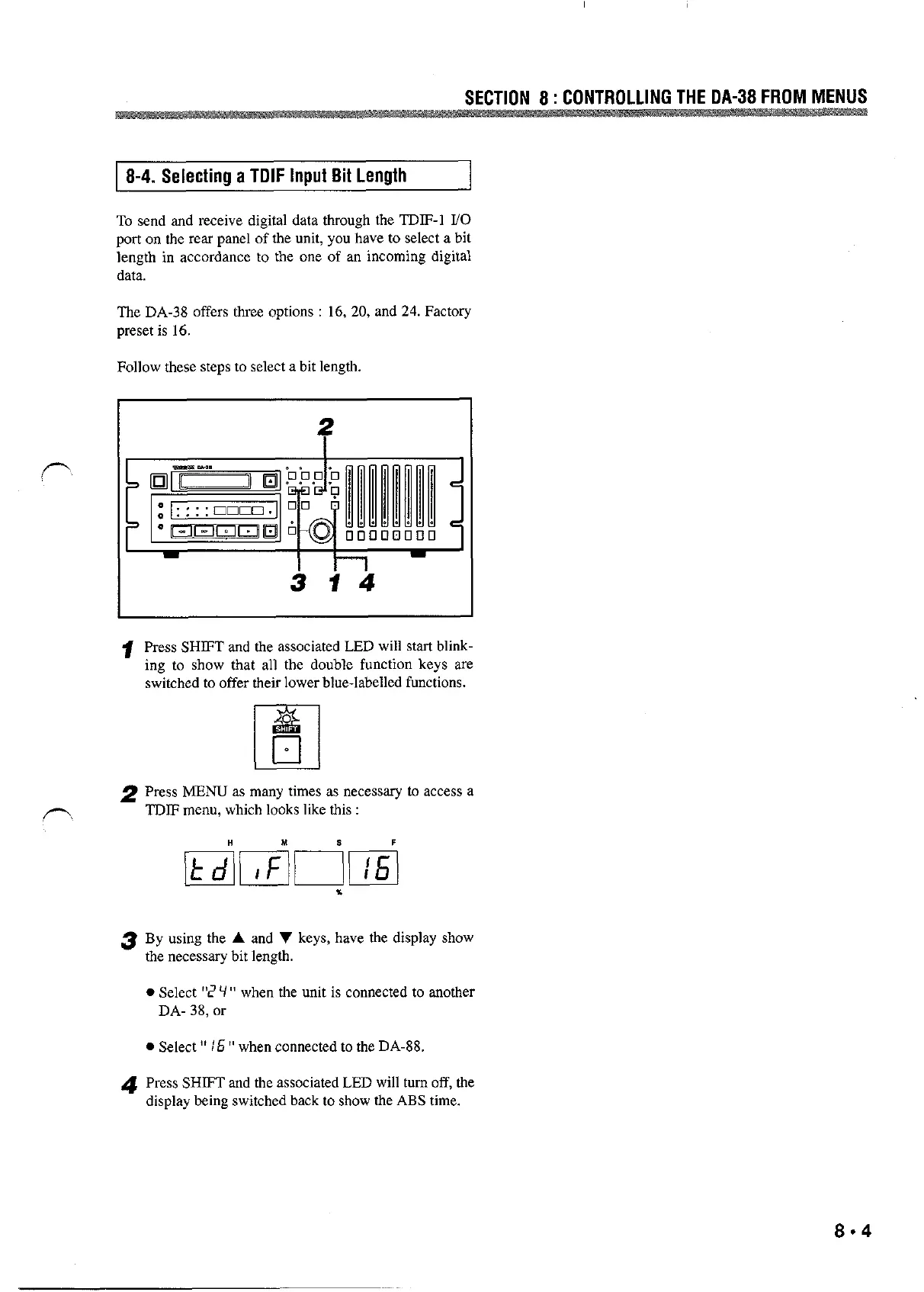
Follow these steps to select a bit length.
1 Press SHIFT and the associated LED will start blink-
ing to show that all the double function keys are
switched to offer their lower blue-labelled functions.
l
El
2 Press MENU as n~any times as necessary to access a
,-,
3
TDIF menu, which looks like this :
4
By using the A and V keys, have the display show
the necessary bit length.
. Select %’ V ” when the unit is connected to another
DA- 38, or
. Select ” /fi ” when connected to the DA-88.
Press SHIFT and the associated LED will turn off, the
display being switched back to show the ABS time.
8-4



 To Next Page