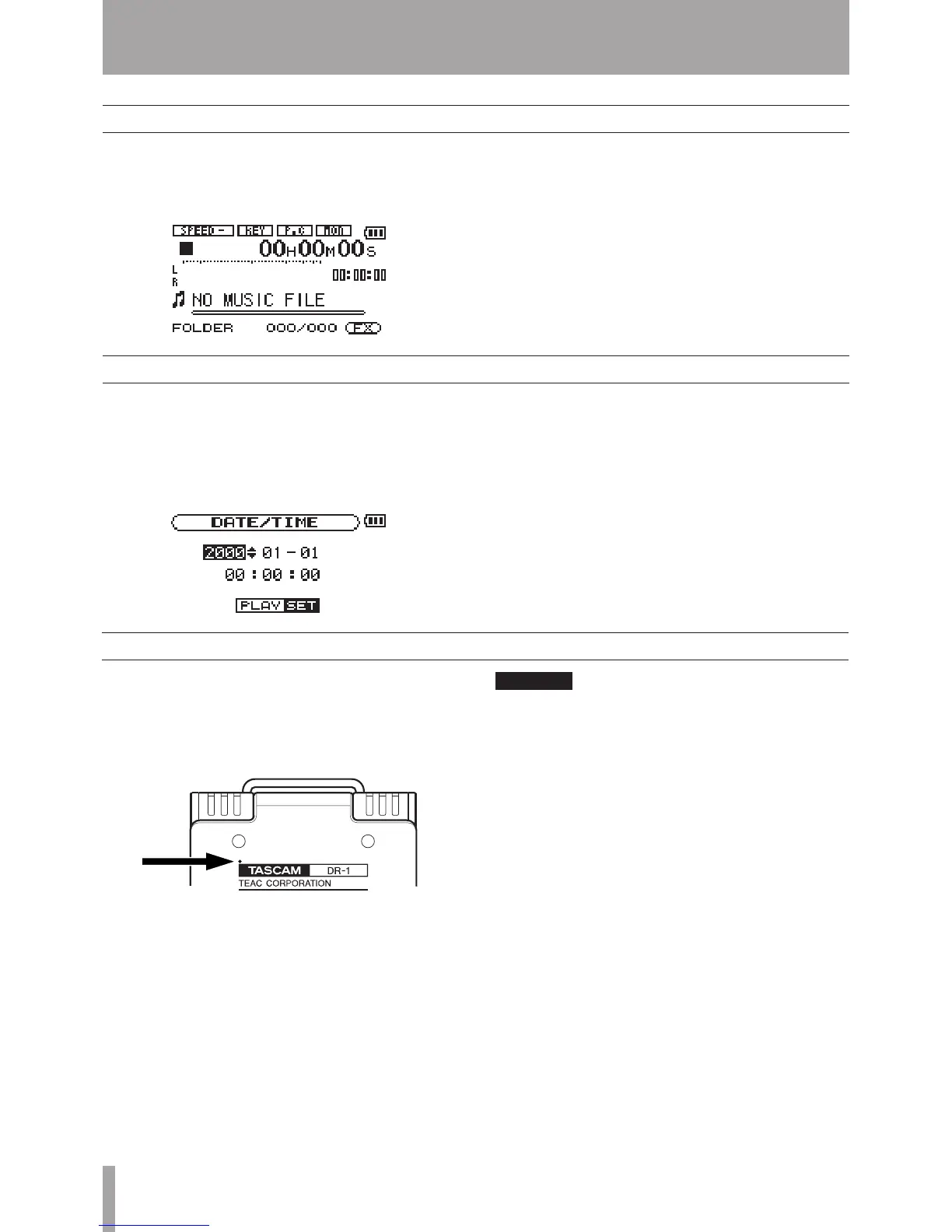
To turn the power ON, press and hold the POWER key
on the left side panel until “
TASCAM DR-1
” appears
on the display.
The Home Screen appears when the unit starts up.
To turn the power OFF, press and hold the POWER key
until “
PORTABLE DIGITAL RECORDER
” appears
on the display.
Turning the power on and off
Setting the date and time
Resetting the unit
Follow these procedures to set the date and time of the
built-in clock. When you create an audio le, date and
time information is included in the le data.
1 Press the MENU key to open the Menu Screen.
2 Use the wheel to select
DATE/TIME
and press the
¥/π key to open the Date/Time Screen.
The clock stops while this screen is displayed.
3 Use the
µ and ≤ keys to move the cursor (the
part highlighted in inverse) and use the wheel to
set the values.
4 After making the setting, press the
¥/π key to
restart the clock from the newly set value.
The display returns to the Menu Screen.
The back panel of the unit has a reset hole.
If the unit is operating abnormally, push the end of
a paperclip or similar item into this hole to press a
button inside the unit. This turns the power OFF and
resets the DR-1’s system.



 To Next Page