6 TASCAM MP-VT1
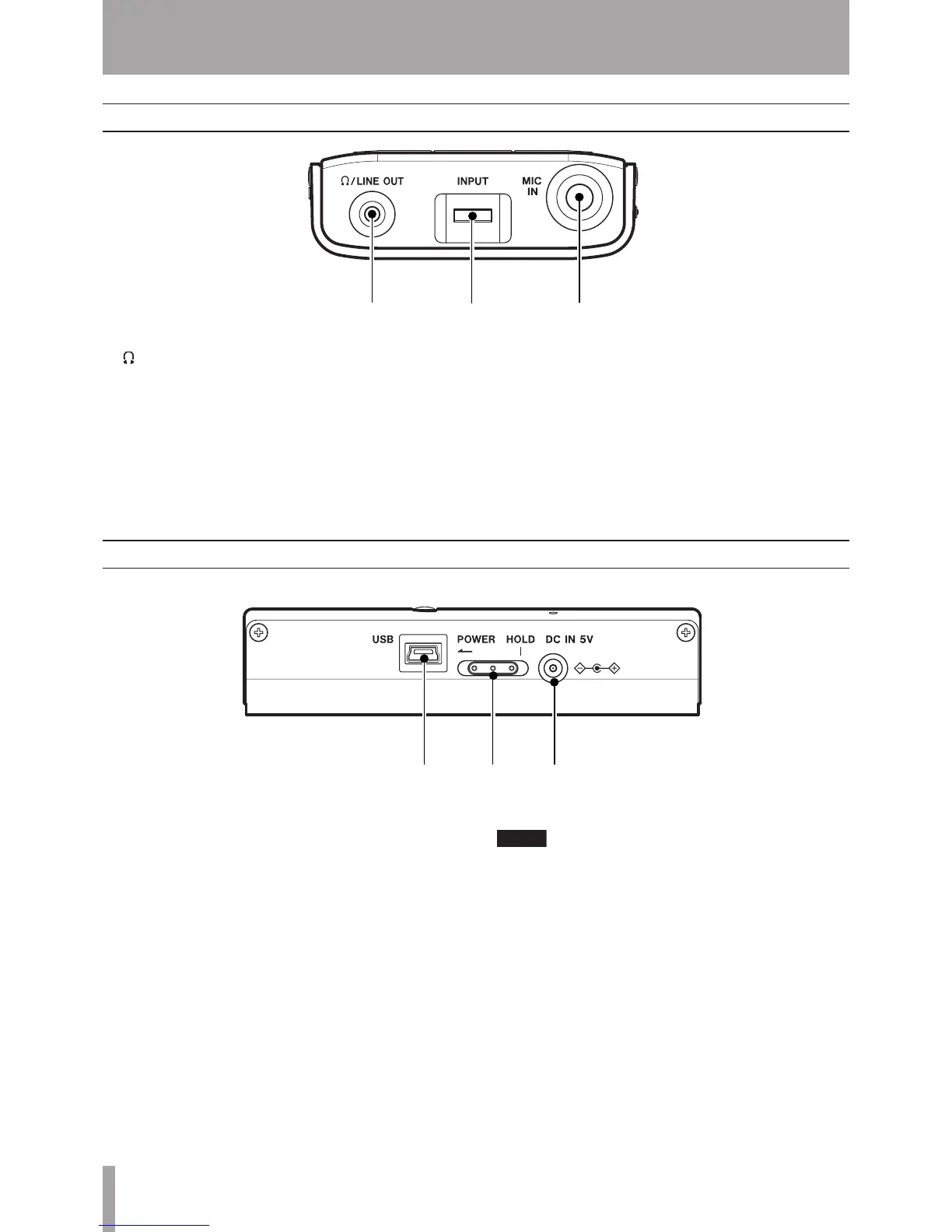
q /LINE OUT jack (stereo minijack)
Connect headphones to this jack to hear the playing
tracks and the sound of a connected mic.
This jack can also be used as a line output jack.
wINPUT volume
Use to adjust the input level of the Mic IN jack.
eMIC IN jack (standard phone jack)
Connect a mic or a contact mic attached to an
instrument.
Front Panel
Right Side Panel
rDC IN 5V jack
Connect an AC adapter (TASCAM PS-P520, sold
separately).
tPOWER switch
Slide and hold this switch in the direction of the
arrow (to the left) to turn the power ON and OFF.
Slide it to the right to engage the HOLD function.
When set to HOLD, all keys are disabled.
yUSB port
Connect the included USB cable to this port and
your computer.
Trouble-free use of a USB hub cannot be guaranteed.
If you experience trouble using a USB hub, connect
the unit directly with the computer.
2 – Part names and functions



 To Next Page