EasyManua.ls Logo

tau D705M - Logic Adjustments and Configuration; Trimmer Settings; Dip Switch Settings

tau D705M
11 pages
Print Icon
To Next Page IconTo Next Page
To Previous Page IconTo Previous Page
Loading...
16
D705M
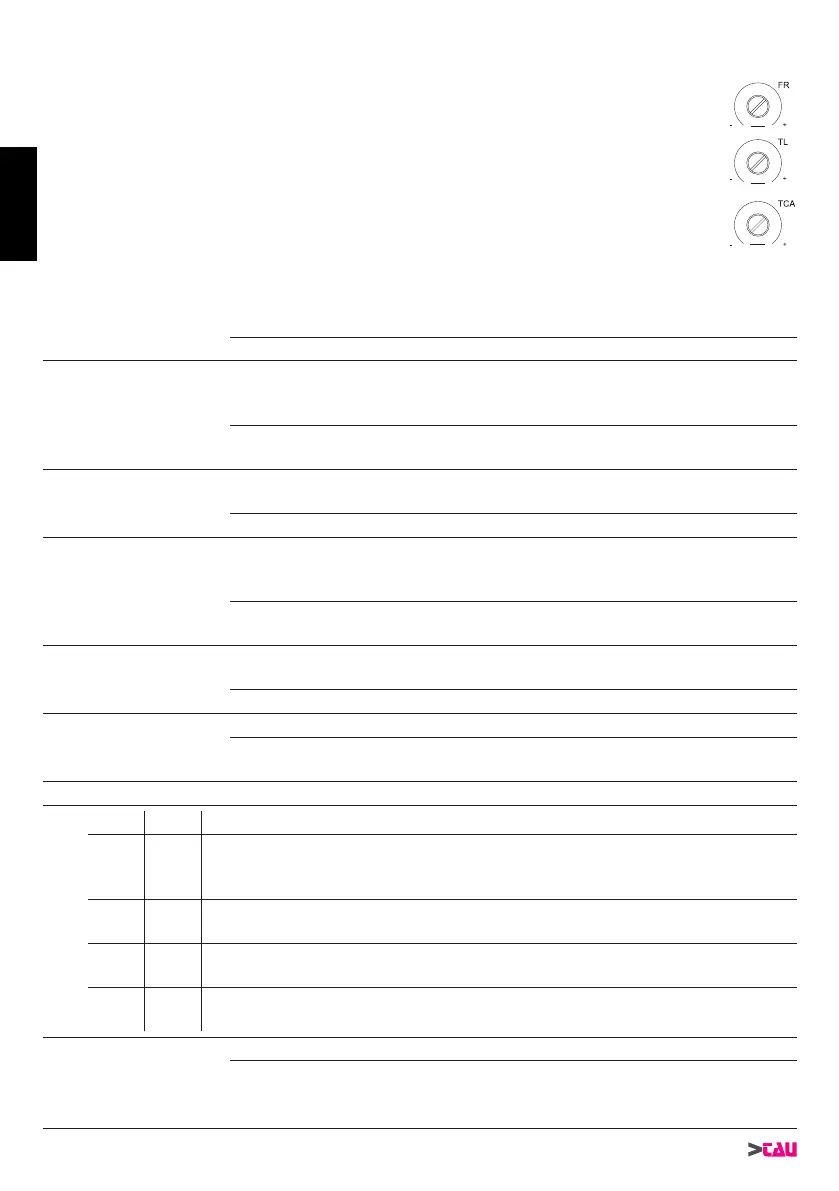
LOGIC ADJUSTMENTS
TRIMMER
T.L. 
T.C.A.
           

FR. obstacle detection sensitivity adjustment.

decrease.

1
AUTOMATIC
CLOSING
On


 
2 2 / 4 STROKE
On

        


in the same conditions, the same command sequence causes the gate

3
OPENING
PHOTOCELLS
OPERATION
On
during opening, the photocell cuts in to stop the gate until the obstacle

 during opening, the photocell does not cut in.
4 NO REVERSE
On
-
mands during opening and reversal of movement occurs only during


the open-close pushbutton reverses the direction of movement of the

5 ENCODER
On


 
6
PREFLASH. &
FOTOTEST
On


N.B.: to be used
when the photocells are not used.
7 - 8 
Dip 7 Dip 8 Function
 
Gate contact open: The contact activates on opening the gate and remains ac-

once the gate has completed its closure movement.
 On
Bistable function active: the radio control impulse causes the contact to activate
and remain active until the subsequent impulse.
On 
Monostable function active for 2 sec.: the radio control impulse causes the con-

On On
Monostable function active for 180 sec.: the radio control impulse causes the

9 BRAKING
On

 


ENGLISH

Related product manuals