EasyManua.ls Logo

tau K100M - User Manual

tau K100M
5 pages
Print Icon
To Next Page IconTo Next Page
Loading...
INSTALLATION GUIDE
WARNING!
Attention: This product may only be installed from professional installers. Only qualied and trained electricians may
connect, programme and service the controls.
No information given in this manual can be considered as being of interest to end users.
This manual is enclosed with control unit K100M and may therefore not be used for dierent products!
Important information:
Disconnect electric power to the system before making maintenance, repairs or removing covers
The K100M control unit has been designed to control a electromechanical sliding door operator.
Any other use is considered improper and is consequently forbidden by current laws.
Read all instructions carefully and completely before attempting to install and use this automatic gate operator!
INSTALLATION
Make sure the gate has been properly installed and slides freely in both directions. Repair or replace all worn or damaged
gate hardware prior to installation. A freely moving gate will require less force to operate and will enhance the performance
of the operator and safety devices used with the system.
Also check that the gate operator assembly has been installed according to the instructions.
WARNING: The automatic gate operator must be grounded - All Federal, State and local safety codes must be observed.
ATTENTION:
- do not use solid wire, use only multi threaded wire
- do not reuse pre-existing electric wire.
IF THE ABOVE INSTRUCTIONS ARE NOT FOLLOWED THE “MANUFACTURER” SHALL IN NO EVENT BE LIABLE FOR DIRECT, INDI-
RECT, INCIDENTAL, SPECIAL OR CONSEQUENTIAL DAMAGES OR LOSS OF PROFITS WHETHER BASED IN CONTRACT TORT OR
ANY OTHER LEGAL THEORY DURING THE COURSE OF THE WARRANTY OR AT ANY TIME THEREAFTER.
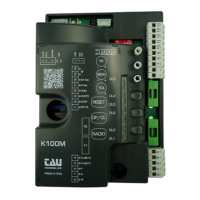
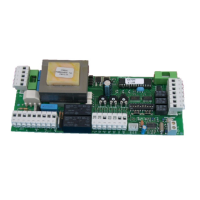
CONTROL PANEL FOR ONE 230 V AC MOTOR
MICROPROCESSOR-CONTROLLED LOGIC
STATUS LEDS
LINE FUSE
BUILT-IN FLASHING LIGHT CIRCUIT
BUILT-IN 433.92 MHz RADIO RECEIVER
MAX. OPERATING TIME 96
AUTOMATIC 50 / 60 HZ FREQUENCY DETECTION
ADJUSTABLE SOFT-STOP
AMPEROMETRIC OBSTACLE DETECTION
COMPATIBILITY WITH OUR APPS: TAUOPEN AND TAUAPP
ATTENTION:
- In case of long sections of cables (> 20 m) for N.O./N.C. controls (e.g. OPEN / CLOSE, STOP, PEDESTRIAN, etc.), in order to
avoid gate malfunctions, it will be necessary to uncouple the various controls using RELAYS or using our 750T-RELE devi-
ce.
TESTING
Once the connection has been completed:
All the green LEDs must be ON (each of them corresponds to a Normally Closed input). They will turn OFF when the controls
to which they are associated are operated.
The opening control red LED must be switched OFF (corresponding to a Normally Open input), it comes ON only when the
control it is associated with is involved; the DL1 red LED must be steady ON.
TECHNICAL CHARACTERISTICS
Power input – control board 230 V AC - 50-60 Hz
Nominal power 400 W
230 V AC Input protection fast blow fuse (F1 - 5x20) F 3,15 A
Power input – motors 230 V AC
Power input – auxiliary circuits 24 V AC
24 V AC Input (auxiliary circuits) fast blow fuse (F2 - 5x20) F 500 mA
Working temperature -20°C ÷ +55°C
Protection degree IP 44
English
K100M
TAU srl - Via Enrico Fermi, 43 - 36066 Sandrigo (VI) - Italy
Tel +39 0444 750190 - Fax +39 0444 750376 - www.tauitalia.com
Foglietto illustrativo - CARTA - Raccolta dierenziata
Segui le indicazioni del tuo comune.
Instruction leaet - PAPER - Waste separation
Follow the instruction s of your city hall
22
PAP
D-MNL0K100M
10-05-2021 - Rev.14
FW. 8.xx
Control panel for T-ONE5E gearmotor

Other manuals for tau K100M

Questions and Answers

Summary

Installation Guide and Panel Overview

Safety and General Information

General warnings, important information, and operational precautions for installation.

Installation Preparation and Requirements

Ensuring gate operability, grounding, and adherence to electrical guidelines.

Control Panel Features and Technical Specs

Details on the control panel's integrated functions and technical characteristics.

Testing Procedures

Steps to verify correct connections and initial operation after installation.

Diagnostics and Terminal Connections

Diagnostic LED Indicators

Explanation of LED statuses for error messages and operational feedback.

Terminal Board Connections

Detailed mapping of functions to terminal board connections for wiring.

Logic Adjustments and Soft-Stop Configuration

Logic Adjustment Trimmers

Adjustment of motor torque, obstacle detection sensitivity, and auto-closing time.

Dip Switch Settings

Configuration options for auto-closing, operation modes, opening direction, and braking.

Soft-Stop Setting Procedure

Guide to setting the gate's slowdown points for smooth operation.

K100 M Features and Advanced Functions

DL1 LED Error Messages

Interpreting DL1 LED flashes for various error conditions and operational states.

Advanced Functions Overview

Description of clock function and radio receiver capabilities.

Radio Transmitter Learning

Procedure for programming remote controls to the receiver.

Transmitter Management and Troubleshooting

Remote Programming and Erasure

Methods for remote learning and erasing all programmed transmitters.

Memory Capacity Expansion

Information on increasing the number of stored radio control codes.

Troubleshooting Common Issues

Guidance for resolving problems like operator not running or poor radio range.

Manufacturer Declaration and Specifications

Wiring Diagram Overview

Visual representation of the control panel's connections and components.

Manufacturers Declaration of Incorporation

Statement of conformity with relevant EU directives for machinery.

Summary

Installation Guide and Panel Overview

Safety and General Information

General warnings, important information, and operational precautions for installation.

Installation Preparation and Requirements

Ensuring gate operability, grounding, and adherence to electrical guidelines.

Control Panel Features and Technical Specs

Details on the control panel's integrated functions and technical characteristics.

Testing Procedures

Steps to verify correct connections and initial operation after installation.

Diagnostics and Terminal Connections

Diagnostic LED Indicators

Explanation of LED statuses for error messages and operational feedback.

Terminal Board Connections

Detailed mapping of functions to terminal board connections for wiring.

Logic Adjustments and Soft-Stop Configuration

Logic Adjustment Trimmers

Adjustment of motor torque, obstacle detection sensitivity, and auto-closing time.

Dip Switch Settings

Configuration options for auto-closing, operation modes, opening direction, and braking.

Soft-Stop Setting Procedure

Guide to setting the gate's slowdown points for smooth operation.

K100 M Features and Advanced Functions

DL1 LED Error Messages

Interpreting DL1 LED flashes for various error conditions and operational states.

Advanced Functions Overview

Description of clock function and radio receiver capabilities.

Radio Transmitter Learning

Procedure for programming remote controls to the receiver.

Transmitter Management and Troubleshooting

Remote Programming and Erasure

Methods for remote learning and erasing all programmed transmitters.

Memory Capacity Expansion

Information on increasing the number of stored radio control codes.

Troubleshooting Common Issues

Guidance for resolving problems like operator not running or poor radio range.

Manufacturer Declaration and Specifications

Wiring Diagram Overview

Visual representation of the control panel's connections and components.

Manufacturers Declaration of Incorporation

Statement of conformity with relevant EU directives for machinery.

tau K100M Specifications

General IconGeneral
Brandtau
ModelK100M
CategoryControl Panel
LanguageEnglish

Related product manuals