16
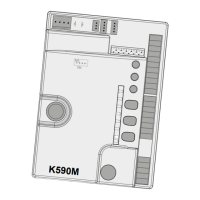
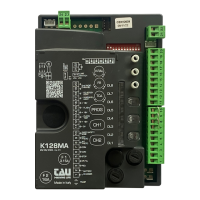
DL1 - Red OPEN/CLOSE button LED signal
DL2 - Green STOP button LED signal
DL3 - Green PHOTOCELLS button LED signal
DL4 - Green SENSITIVE EDGE button LED signal
LED - DL5
The DL5 LED indicates mistakes in the board logic with a series of pre-set ashes in dierent colours:
Key: led always on; led ashing;
1 ash every 4 seconds (green):
normal operation;
/ alternate ashing (red/green):
saving to be performed;
fast ashing (yellow):
saving in progress;
1 ash (red):
phototest error
1 ash (yellow):
unknown status, next operation REALIGNMENT;
2 ashes (red):
obstacle for motor 1;
Make sure there are no obstacles across the path of the automation
and that it slides smoothly;
2 ashes (yellow):
obstacle for motor 2
Make sure there are no obstacles across the path of the automation
and that it slides smoothly;
3 ashes (red):
no motor 1 encoder signal;
Check wiring, check encoder by TEST-ENCODER (optional);
3 ashes (yellow):
no motor 2 encoder signal;
Check wiring, check encoder by TEST-ENCODER (optional);
4 ashes (red):
no motor 1 signal;
Check wiring, check the motor rotates freely and is powered directly
by the battery;
4 ashes (yellow):
no motor 2 signal;
Check wiring, check the motor rotates freely and is powered directly
by the battery;
5 ashes (red):
max current limit for motor 1 exceeded;
Excessive absorption peaks of the gearmotor, check there are no obsta-
cles on the automation path, check the current absorption of the motor
when in a no-load condition and when applied to the gate;
5 ashes (yellow):
max current limit for motor 2 exceeded;
Excessive absorption peaks of the gearmotor, check there are no obsta-
cles on the automation path, check the current absorption of the motor
when in a no-load condition and when applied to the gate;
6 ashes (red):
auto-close failed after 5 unsuccessful attempts;
A command input is necessary to perform closing operation;
6 ashes (yellow):
MASTER/SLAVE error;
8 ashes (red):
Eeprom external memory fault;
Replace the external memory module;
8 ashes (yellow):
Eeprom data error (internal/external);
Apart from the logic mistakes, the DL5 LED indicates also the status of the control unit during the sav-
ing of the radio controls.
always on (green):
channel P1 waiting to be saved;
fast ashing (green):
P1 channel memory full;
always on (yellow):
channel P2 waiting to be saved;
ENGLISH



 To Next Page