MNL291
52
MODALITÀ RISOLUZIONE REFRESH RATE HFREQ. PIXEL FREQ. NOTE
VGA 640 x 350 70Hz 31.47KHz 25.175MHz Standard VESA
VGA 720 x 400 59.940Hz 31.469KHz 25.175MHz IBM VGA 3H
VGA 640 x 480 60Hz 31.5KHz 25.175MHz Standard Industria
VGA 640 x 480 72Hz 37.9KHz 31.500MHz Standard VESA
VGA 640 x 480 75Hz 37.5KHz 31.500MHz Standard VESA
SVGA 800 x 600 60Hz 37.9KHz 40.000MHz VESA linee guida
SVGA 800 x 600 72Hz 48.1.47KHz 50.000MHz Standard VESA
SVGA 800 x 600 75Hz 46.9KHz 49.500MHz Standard VESA
XGA 1024 x 768 60Hz 48.4KHz 65.000MHz VESA linee guida
XGA 1024 x 768 70Hz 56.5.47KHz 75.000MHz Standard VESA
XGA 1024 x 768 75Hz 60KHz 78.750MHz Standard VESA
SXGA 1280 x 1024 60Hz 64KHz 108.000MHz Standard VESA
SXGA 1280 x 1024 75Hz 80KHz 135.000MHz Standard VESA
WXGA 1280 x 768 60~75Hz 47.7~65KHz 80.140MHz Non Standard
WXGA 1366 x 768 60~75Hz 47.7~65KHz 80.000MHz Non Standard
WSXGA 1440 x 900 60~75Hz 65KHz 150.000MHz Non Standard
WSXGA 1680 x 1050 60Hz 70KHz 150.000MHz Non Standard
WUXGA 1920 x 1080 60Hz 95KHz 190.000MHz Non Standard
1.9 SEGNALI DI INGRESSO SUPPORTATI
Tabella 1
* NOTE:
Disponibile solo per la seconda versione.
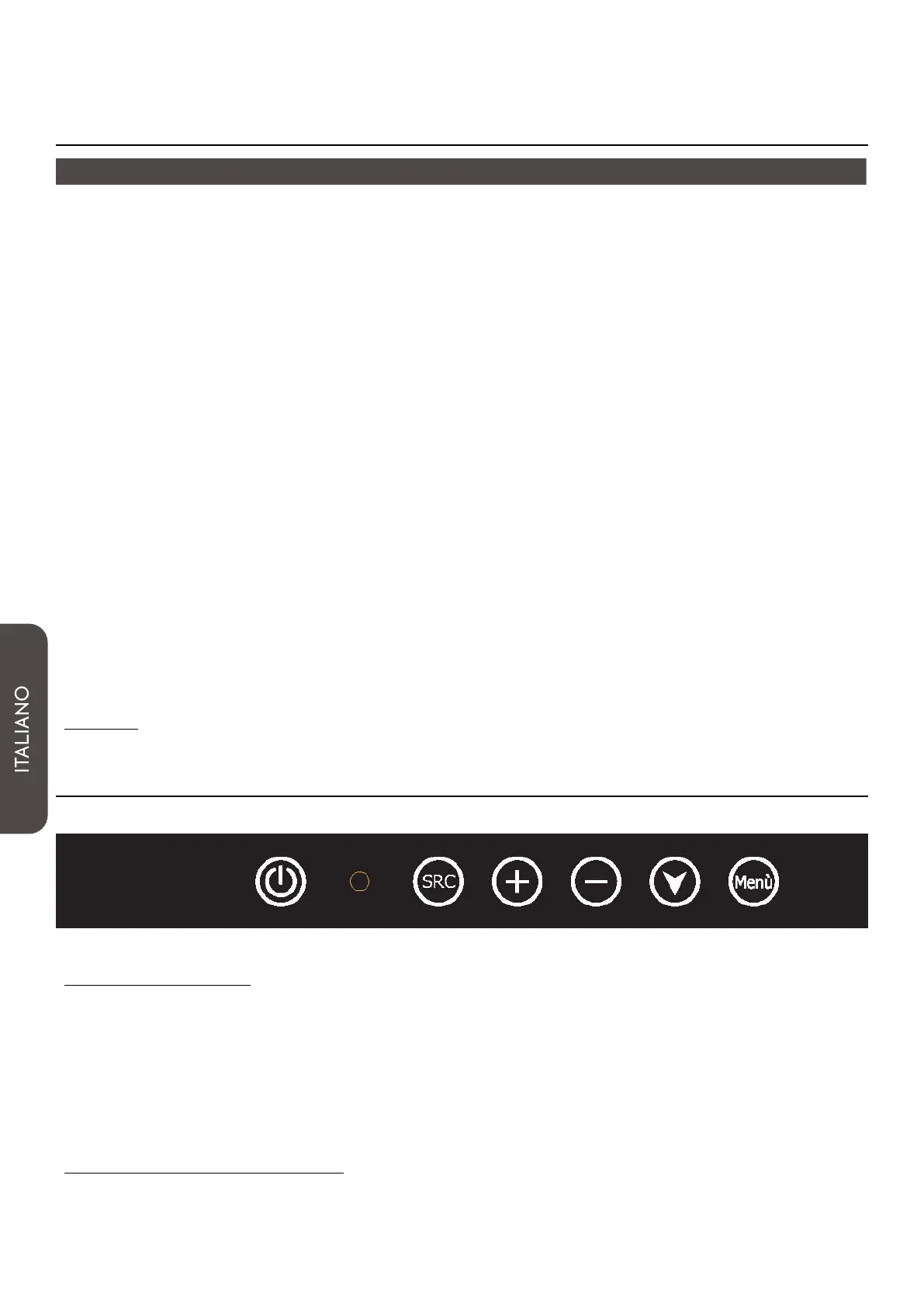
1.10 TASTIERE FUNZIONI
Navigazione menu:
• “Menu/ enter” = Apre il menu principale / conferma il menu scelto;
• “Down” (Freccia in basso)= Scorre il menu scelto nelle varie opzioni;
• “ - ” = Sceglie i sottomenu verso sinistra / decrementa la regolazione;
• “+” = Sceglie i sottomenu verso destra / aumenta la regolazione;
• “SRC / Exit”= Cambia sorgente (RGB / DVI)/ Esce dal menu OSD;
• “Power”= Accende / spegne il monitor.
Settaggi “on screen display”
Per accedere al menù a schermo, premere il tasto “MENU” sulla tastiera posta sul retro del monitor.



 To Next Page