98
Select your Activity Level according to the following guidelines:
Level-1 Sedentary / Very Inactive: little or no exercise
Level-2 Limited Activity: exercise/sports 1-3 days a week
Level-3 Moderate Activity: exercise/sports 4-5 days a week
Level-4 Very Active: exercise/sports 6-7 days a week
Level-5 Extremely Active: physically demanding exercise/sports or athletic training
How To Program Your Personal Data
Couple of Reminders...
• After you programmed your personal data into
memory the scale will recognize by your weight.
• Only reprogram if age, height, or weight has
changed (+/-6.6 lbs/3kgs).
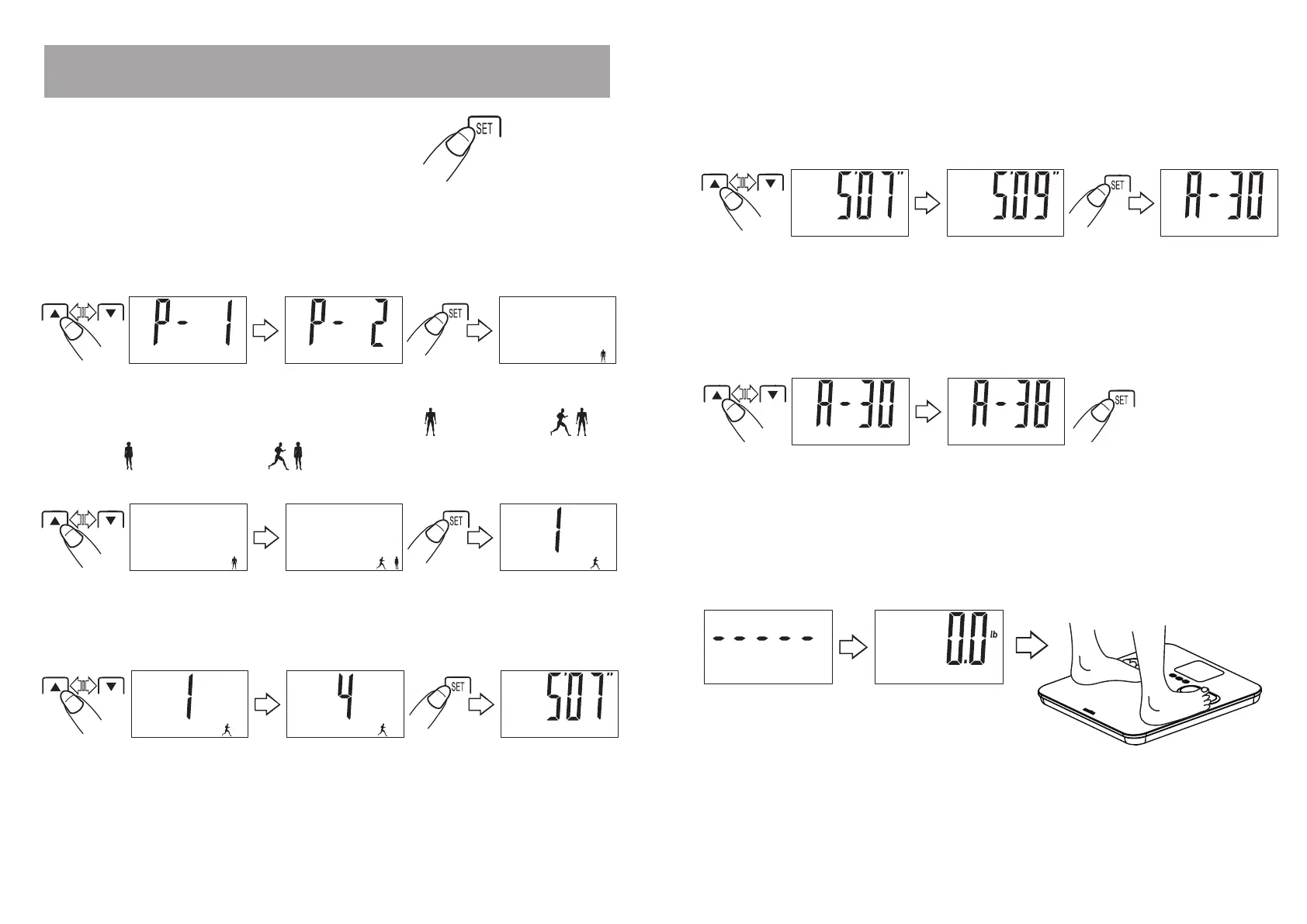
7.
The scale shows a dash pattern (“-----“), then “0.0”. The scale will automatically
shut off after a few seconds. Your personal information is saved in memory. Note:
You may step on the scale for a reading with bare feet when “0.0” appears on the
screen.
1.
Press the “
SET
” button to turn the scale on.
2. Select a Memory
Press the “
s
” or “
t
” button to choose a memory number (P1-P10 users). Press the
“
SET
” button to select the displayed memory number. A gender / athlete mode icon
blinks.
3
. Select Gender/Athlete
Press the “
s
” or “
t
” button to toggle between male ( )/ male athlete (
) /
female (
)
/ female athlete (
).
Press the “
SET” button to confirm. An Activity
Level number blinks.
4. Select an Activity Level
Press the “
s
” or “
t
” button to choose an Activity Level (1-5). Press the
“SET” button to select the displayed activity level. The height digits blink.
5. Enter Your Height
Press the
“
s
” or “
t
”
button to increase/decrease the height digits. Press the “SET”
button to to select the displayed height. The age digits blink.
6. Enter Your Age
Press the
“
s
” or “
t
”
button to increase/decrease the age digits. Press the
“SET” button to to select the displayed age.


 To Next Page