EasyManua.ls Logo

TBB Energier Pro Series - User Manual

TBB Energier Pro Series
60 pages
Print Icon
To Next Page IconTo Next Page
Loading...
User Manual
Energier Pro series
Inverter Charger Combination
TBB Power CO.,ltd.
www.tbbpower.com
A3.4

Table of Contents

Question and Answer IconNeed help?

Do you have a question about the TBB Energier Pro Series and is the answer not in the manual?

Summary

Disclaimer and About this Manual

Disclaimer

Provides legal limitations on warranty and liability for the information in the manual.

About this Manual

Introduction to the user manual for the Energier pro Inverter Charger Combination.

General Safety Instruction

Safety Instruction

Instructions for qualified personnel regarding dangerous voltages and high temperatures.

General Precaution

Precautions for indoor use, ventilation, cable selection, and placement near inflammable goods.

Precaution regarding battery operation

Safety measures for handling batteries, avoiding sparks, and removing metal items.

Description of main functions

General Description

Overview of the Energier pro Inverter Charger Combination and its capabilities.

Inverter

Details on the inverter's pure sine wave output and high surge power capability.

Battery Charger of stationery;service battery

Features of the built-in charger, including powerful charging and temperature compensation.

Slave Charger

Details on the 3-5A floater charger for mobile applications or starter battery charging.

Transfer

Explanation of the AC transfer switch function and UPS capabilities.

Multi battery chemical available

Offers charging profiles for various battery chemistries like AGM, GEL, Flooded, Lithium.

Manual Equalization

Program for improving Flooded battery performance by equalizing cells.

Settable Low voltage disconnect level

User-configurable low voltage disconnect levels for battery protection.

Weak Grid

Mode for handling weak grid supplies with low voltage drops.

Solar mode

Configuration for solar hybrid systems with DC priority.

Gen mode

Configuring the unit for unstable generator inputs.

Power Save Mode (PS mode)

Reduces no-load power consumption by switching off under low load conditions.

AGS (Automatic Generator Start)

Functionality to start the generator automatically based on battery status.

AEA - automatic energy allocation

Allocates power from limited AC sources to avoid overloading.

Vision Lite - control center

Optional remote control panel for monitoring and configuration via RS485.

RCF remote module (optional device)

Remote module for monitoring load, battery state, and system info.

Twin AC inputs

Connects Grid and Diesel Generator as AC input sources, managing seamless transfer.

Dry contact

Features for remote equipment control (input) and load management (output).

Charger only

Mode for charging only, protecting the battery from unintentional discharge.

RS485 communication

Communication port for connecting to Vision Lite or Rapconfig for monitoring and control.

Software configuration

Parameters configurable via PC, including charging, input, and battery modes.

Comprehensive Protection

Hardware and software protections against overload, overheat, and short circuits.

Structure

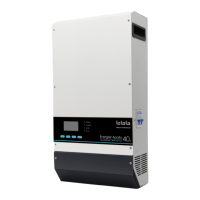
Product drawing

Visual representation of the Energier pro Inverter Charger Combination unit.

RCF remote

Image and identification of the RCF remote module.

Vision Lite

Image and identification of the Vision Lite control center.

AGS

Image and identification of the AGS Automatic Generator Start module.

TAI

Image and identification of the TAI Twin AC input module.

Product size

Dimensional drawings for Energier pro Inverter Charger Combination models.

RCF remote

Dimensional drawings for the RCF remote module.

Vision Lite

Dimensional drawings for the Vision Lite control center.

AGS

Dimensional drawings for the AGS Automatic Generator Start module.

TAI

Dimensional drawings for the TAI Twin AC input module.

Pre-installation Configuration

Front Panel

Identifies connection ports and switches on the front panel of the unit.

Central Panel

Identifies connection ports and configuration options on the central panel.

Battery Capacity

Configuring the charging current based on battery capacity using the clock switch.

Weak Grid mode

Configuration of weak grid mode using DIP Switch 1 for low voltage input quality.

SOLAR mode

Configuration of solar mode using DIP Switch 2 for solar hybrid systems.

Low Voltage disconnect (LVD)

Setting low voltage protection levels using DIP Switch 3 for system safety.

Battery Type

Selecting battery types (AGM, GEL, LFP, Flooded, OPzS, Lead-Carbon) via DIP Switch 4-5.

Equalization (EQ)

Performing equalization charging for Flooded and OPzS batteries using DIP Switch 6.

Power Save mode (PS mode)

Setting power save mode using DIP Switch 7 to reduce standby consumption.

Weak Grid and GEN mode

Configuring weak grid and GEN modes using DIP Switches 1 and 8.

AC input current setting

Setting the AC input current limit via the RCF remote.

Pre-Installation

Material list

List of items included in the product packaging.

Location

Recommended environmental conditions for installing the unit.

Wiring recommendation

Minimum recommended wire sizes for AC and DC connections.

Installation and Connection

General advice

Ensuring correct DC voltage, proximity to batteries, and avoiding parallel AC sources.

Fix the equipment

Steps for securely mounting the inverter unit vertically on a wall.

Connecting the cable

Detailed instructions for connecting DC cables to the unit, including polarity and terminal identification.

Install the temperature sensor

Instructions for connecting the TS temperature sensor.

Install the voltage sensor

Instructions for connecting the VS voltage sensor.

Install the RCF - remote controller

Steps for installing and connecting the RCF remote controller.

Install the Vision Lite

Steps for installing and connecting the Vision Lite control center.

Install the AGS

Wiring guide for installing and connecting the AGS module.

Install the TAI

Instructions for installing and connecting the TAI unit for dual AC inputs.

Operation

Double Checking

Verifying DC input voltage, polarity, and AC connections before operation.

Set the AC input

Procedure for setting the AC input parameters.

Main switch function

Functionality of the main switch for ON and CHG ONLY modes.

Switch on the inverter

Procedure for switching on the inverter and powering loads.

Switch on Charger

Procedure for switching on the charger and operating in bypass mode.

Switch off AC input

Procedure for switching off AC input and transferring to inverter mode.

Battery Charging - Bulk

Details on the bulk charging stage, indicators, and LED status.

Battery Charging - absorption

Details on the absorption charging stage, indicators, and LED status.

Battery charged - floating

Details on the floating charging stage, indicators, and LED status.

Power Saving mode

Setting and operation of the power saving mode.

Standby level adjustment

Adjusting the standby level entry for power saving mode.

Performing De-sulphation Charging

Instructions and precautions for performing de-sulphation charging.

Specification

Trouble Shooting

LED indicator on front panel and audible alarm

Table detailing LED status and audible alarms for various functions and fault conditions.

LED indicator on Remote

Table detailing LED status for AC in, Charger, Inverter, Fault, and other indicators.

Summary

Disclaimer and About this Manual

Disclaimer

Provides legal limitations on warranty and liability for the information in the manual.

About this Manual

Introduction to the user manual for the Energier pro Inverter Charger Combination.

General Safety Instruction

Safety Instruction

Instructions for qualified personnel regarding dangerous voltages and high temperatures.

General Precaution

Precautions for indoor use, ventilation, cable selection, and placement near inflammable goods.

Precaution regarding battery operation

Safety measures for handling batteries, avoiding sparks, and removing metal items.

Description of main functions

General Description

Overview of the Energier pro Inverter Charger Combination and its capabilities.

Inverter

Details on the inverter's pure sine wave output and high surge power capability.

Battery Charger of stationery;service battery

Features of the built-in charger, including powerful charging and temperature compensation.

Slave Charger

Details on the 3-5A floater charger for mobile applications or starter battery charging.

Transfer

Explanation of the AC transfer switch function and UPS capabilities.

Multi battery chemical available

Offers charging profiles for various battery chemistries like AGM, GEL, Flooded, Lithium.

Manual Equalization

Program for improving Flooded battery performance by equalizing cells.

Settable Low voltage disconnect level

User-configurable low voltage disconnect levels for battery protection.

Weak Grid

Mode for handling weak grid supplies with low voltage drops.

Solar mode

Configuration for solar hybrid systems with DC priority.

Gen mode

Configuring the unit for unstable generator inputs.

Power Save Mode (PS mode)

Reduces no-load power consumption by switching off under low load conditions.

AGS (Automatic Generator Start)

Functionality to start the generator automatically based on battery status.

AEA - automatic energy allocation

Allocates power from limited AC sources to avoid overloading.

Vision Lite - control center

Optional remote control panel for monitoring and configuration via RS485.

RCF remote module (optional device)

Remote module for monitoring load, battery state, and system info.

Twin AC inputs

Connects Grid and Diesel Generator as AC input sources, managing seamless transfer.

Dry contact

Features for remote equipment control (input) and load management (output).

Charger only

Mode for charging only, protecting the battery from unintentional discharge.

RS485 communication

Communication port for connecting to Vision Lite or Rapconfig for monitoring and control.

Software configuration

Parameters configurable via PC, including charging, input, and battery modes.

Comprehensive Protection

Hardware and software protections against overload, overheat, and short circuits.

Structure

Product drawing

Visual representation of the Energier pro Inverter Charger Combination unit.

RCF remote

Image and identification of the RCF remote module.

Vision Lite

Image and identification of the Vision Lite control center.

AGS

Image and identification of the AGS Automatic Generator Start module.

TAI

Image and identification of the TAI Twin AC input module.

Product size

Dimensional drawings for Energier pro Inverter Charger Combination models.

RCF remote

Dimensional drawings for the RCF remote module.

Vision Lite

Dimensional drawings for the Vision Lite control center.

AGS

Dimensional drawings for the AGS Automatic Generator Start module.

TAI

Dimensional drawings for the TAI Twin AC input module.

Pre-installation Configuration

Front Panel

Identifies connection ports and switches on the front panel of the unit.

Central Panel

Identifies connection ports and configuration options on the central panel.

Battery Capacity

Configuring the charging current based on battery capacity using the clock switch.

Weak Grid mode

Configuration of weak grid mode using DIP Switch 1 for low voltage input quality.

SOLAR mode

Configuration of solar mode using DIP Switch 2 for solar hybrid systems.

Low Voltage disconnect (LVD)

Setting low voltage protection levels using DIP Switch 3 for system safety.

Battery Type

Selecting battery types (AGM, GEL, LFP, Flooded, OPzS, Lead-Carbon) via DIP Switch 4-5.

Equalization (EQ)

Performing equalization charging for Flooded and OPzS batteries using DIP Switch 6.

Power Save mode (PS mode)

Setting power save mode using DIP Switch 7 to reduce standby consumption.

Weak Grid and GEN mode

Configuring weak grid and GEN modes using DIP Switches 1 and 8.

AC input current setting

Setting the AC input current limit via the RCF remote.

Pre-Installation

Material list

List of items included in the product packaging.

Location

Recommended environmental conditions for installing the unit.

Wiring recommendation

Minimum recommended wire sizes for AC and DC connections.

Installation and Connection

General advice

Ensuring correct DC voltage, proximity to batteries, and avoiding parallel AC sources.

Fix the equipment

Steps for securely mounting the inverter unit vertically on a wall.

Connecting the cable

Detailed instructions for connecting DC cables to the unit, including polarity and terminal identification.

Install the temperature sensor

Instructions for connecting the TS temperature sensor.

Install the voltage sensor

Instructions for connecting the VS voltage sensor.

Install the RCF - remote controller

Steps for installing and connecting the RCF remote controller.

Install the Vision Lite

Steps for installing and connecting the Vision Lite control center.

Install the AGS

Wiring guide for installing and connecting the AGS module.

Install the TAI

Instructions for installing and connecting the TAI unit for dual AC inputs.

Operation

Double Checking

Verifying DC input voltage, polarity, and AC connections before operation.

Set the AC input

Procedure for setting the AC input parameters.

Main switch function

Functionality of the main switch for ON and CHG ONLY modes.

Switch on the inverter

Procedure for switching on the inverter and powering loads.

Switch on Charger

Procedure for switching on the charger and operating in bypass mode.

Switch off AC input

Procedure for switching off AC input and transferring to inverter mode.

Battery Charging - Bulk

Details on the bulk charging stage, indicators, and LED status.

Battery Charging - absorption

Details on the absorption charging stage, indicators, and LED status.

Battery charged - floating

Details on the floating charging stage, indicators, and LED status.

Power Saving mode

Setting and operation of the power saving mode.

Standby level adjustment

Adjusting the standby level entry for power saving mode.

Performing De-sulphation Charging

Instructions and precautions for performing de-sulphation charging.

Specification

Trouble Shooting

LED indicator on front panel and audible alarm

Table detailing LED status and audible alarms for various functions and fault conditions.

LED indicator on Remote

Table detailing LED status for AC in, Charger, Inverter, Fault, and other indicators.

TBB Energier Pro Series Specifications

General IconGeneral
BrandTBB
ModelEnergier Pro Series
CategoryInverter
LanguageEnglish

Related product manuals