EasyManua.ls Logo

TBB Energier Apollo CH4.0S - User Manual

Default Icon
60 pages
Print Icon
To Next Page IconTo Next Page
Loading...
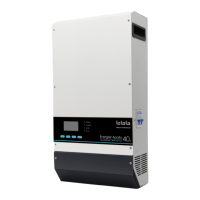
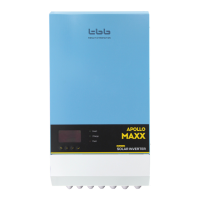
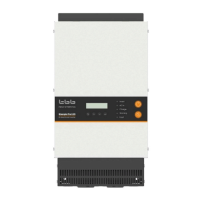
Energier Apollo all in one inverter
User Manual
CH2.0M 24V 2000W 40A MPPT 100V 60A
CH2.0S 48V 2000W 20A MPPT 150V 60A
CH3.0S 48V 3000W 30A MPPT 150V 60A
CH4.0S 48V 4000W 40A MPPT 150V 60A
TBB POWER Co.,Ltd.
A1.1
www.tbbpower.com

Table of Contents

Questions and Answers

  • K
    Kelly GreenAug 12, 2025
    What to do if the alarm LED lights up on my TBB Energier Apollo CH4.0S?
    • M
      Michelle ParksAug 12, 2025
      If the alarm LED is lit, consult the LCD alarm interface for details. This may be due to several reasons: * The DC input is under voltage: Charge the battery or check the battery connections. * The ambient temperature is too high: Place the inverter in a cool and well-ventilated room, or reduce the load. * The load on the inverter is higher than the nominal load: Reduce the load.
  • M
    Michael HoganAug 15, 2025
    Why is my TBB Energier Apollo CH4.0S Inverter AC charger not functioning?
    • M
      Michael HarrisAug 15, 2025
      If the AC charger isn't working, it could be due to several reasons: * AC input wire loose connection: Secure the connection. * Wrong connection of N and PE of AC input: Correct the connection. * Using generator as AC input: Change to weak grid / Gen mode with LCD interface. * The AC input voltage or frequency is out of range: Ensure the input voltage is between 184VAC and 264VAC, and the frequency matches the setting. * The circuit breaker has tripped: Reset the circuit breaker. * AC charger has been disabled: Enable AC charger.
  • J
    Johnny AdamsAug 19, 2025
    What to do if my TBB Energier Apollo CH4.0S Inverter battery is not being charged fully?
    • C
      Catherine DrakeAug 20, 2025
      If the battery isn't charging fully, consider the following: * Incorrect charging current: Set the charging current at between 0.1 and 0.2 times of battery capacity. * A defective battery connection: Check the battery terminals. * The absorption voltage has been set to an incorrect value: Charge the battery or check the battery connections. * The float voltage has been set to an incorrect value: Adjust the float voltage to the correct value.
  • K
    Kathleen CookAug 25, 2025
    What to do if my TBB Inverter battery is overcharged?
    • D
      duncanjuanAug 25, 2025
      If the battery is overcharged, here are some things to check: * The absorption voltage has been set to an incorrect value: Adjust the absorption voltage to the correct value. * The float voltage has been set to an incorrect value: Adjust the float voltage to the correct value. * A defective battery: Replace the battery. * The battery is too small: Reduce the charging current or use a battery with a higher capacity. * The battery is too hot: Connect a temperature sensor.
  • R
    Robert GillespieAug 27, 2025
    Why does the battery charge current drop to 0 when the absorption voltage is reached on my TBB Energier Apollo CH4.0S Inverter?
    • W
      william90Aug 27, 2025
      If the battery charge current drops to 0 when the absorption voltage is reached, it may be due to: * Battery over temperature (> 50°C): Allow battery to cool down, place battery in a cool environment, and check for shorted cells. * Battery temperature sensor faulty: Replace battery temperature sensor.
  • K
    Kyle WilliamsAug 31, 2025
    How to troubleshoot a TBB Energier Apollo CH4.0S MPPT Charger that does not function?
    • T
      Taylor BerryAug 31, 2025
      If the MPPT Charger isn't working, check the following: * Reversed PV connection: Connect PV correctly. * PV input wire loose connection: Secure the connection. * High PV voltage: Check PV voltage. * Overtemperature protection: Check if there is good ventilation on installation site; Check if fan was blocked. * Reverse battery connection: Replace battery fuse.
  • J
    Jennifer RhodesSep 4, 2025
    What causes the TBB Energier Apollo CH4.0S to fail to operate when switched on?
    • M
      Monique PalmerSep 4, 2025
      The inverter might fail to operate if the battery voltage is over or under voltage. To resolve this: * Charge the batteries. * Reduce the load. * Install batteries with a higher capacity. * Use shorter and/or thicker battery cables.
  • B
    Brandon ChungSep 7, 2025
    Why is my TBB Energier Apollo CH4.0S Inverter battery not fully charged?
    • E
      Eric WaltersSep 7, 2025
      If the battery isn't fully charged, it could be due to: * A bad battery connection: Check battery connection. * Cable losses too high: Use cables with larger diameter. * Large ambient temperature difference between charger and battery: Make sure that ambient conditions are equal for charger and battery. * The internal DC fuse is defective: Inverter is damaged.

Summary

Safety Instructions

General

General safety and operation instructions for Energier Apollo.

Precaution regarding battery operation

Precautions and safety measures for handling and servicing batteries with the inverter.

Description of main function

General description

Overview of the all-in-one inverter's integrated functions and capabilities.

Powerful and reliable inverter

Details on high-performance sine wave, surge capability, and uninterrupted AC power.

Smart battery charger

Information on MPPT solar charge controller and AC charger capabilities.

AC charger

In-depth features of the AC charger, including multi-stage algorithm and compensation.

Solar charge controller

Details on charge current, MPPT, conversion efficiency, and protection features.

System level functions

Functions like AC input current limiting and power save mode.

Working principle

Explanation of power backup and solar modes of operation.

Structure

Product drawing

Technical drawing showing the physical dimensions of the Energier Apollo unit.

Wiring area description

Identification and description of various terminals and connection points.

Installation

Pre-installation

Requirements, material list, and location considerations before installation.

Fix Energier Apollo

Guidance on how to mount the unit vertically or horizontally.

Connection of battery cables

Step-by-step instructions for connecting battery cables with specifications.

Connecting to earth

Instructions for connecting the unit to the earth ground terminal.

Connection of AC cabling

Guidelines for connecting AC input and output cables with wire size recommendations.

Connection of PV cabling

Instructions and specifications for connecting photovoltaic (PV) cables.

Auxiliary output contact

Configuring programmable auxiliary output contacts for various applications.

Dry input

Description of the dry input terminal and its default EPO function.

Battery Temperature Sensor (BTS)

How to connect the BTS to the unit for temperature compensation.

Battery Voltage Sensor (VS)

How to connect the VS to the unit for voltage compensation.

Kinergy - TBB data logging stick (optional)

Instructions for installing the optional Kinergy data logging stick.

Operation

Main switch (on;off)

How to turn the Energier Apollo unit on and off.

Working mode

Explanation of power backup and solar mode options.

Display panel

Description of the LCD screen, LED indicators, and buttons.

LCD indications

How to navigate and interpret information displayed on the LCD screen.

Performing equalization charging

Step-by-step guide to performing equalization charging for batteries.

Configuration

Buttons function information in setting

Explanation of button functions used within the setting menus.

Default setting

Overview of default general and advanced settings for the unit.

Basic setting after installation

Configuration of battery parameters, date, and time after installation.

How to set AC input parameters

Setting AC source and current limit parameters for optimal input.

How to set battery charging curve

Adjusting charging parameters like voltage, rate, and compensation.

How to set inverter parameters

Setting inverter parameters like rated voltage, frequency, and low voltage protection.

How to program trigger source of dry output contact

Programming the trigger source for the dry output contacts.

Configurations by computer (Rapconfig)

How to change settings using the Rapconfig software via computer.

Trouble shooting table

Troubleshooting- Inverter;AC charger

Common problems, causes, and solutions for the inverter and AC charger.

Troubleshooting - Solar charge controller

Common issues, causes, and solutions for the solar charge controller.

Maintenance

Technical data

TBB Energier Apollo CH4.0S Specifications

General IconGeneral
BrandTBB
ModelEnergier Apollo CH4.0S
CategoryInverter
LanguageEnglish

Related product manuals