Need help?
Do you have a question about the TBB APOLLO MAXX Series and is the answer not in the manual?
Legal notice regarding the accuracy and use of information in the manual.
Describes product features and installation procedures for the manual.
Provides general instructions and safety points for installing the inverter.
Details safety precautions for opening and repairing the inverter by qualified personnel.
Outlines general precautions for inverter usage, environment, and placement.
Lists safety measures when operating with batteries, including handling acid and sparks.
Provides an overview of the Apollo Maxx inverter's capabilities and applications.
Describes the Apollo Maxx as a new generation off-grid solar inverter for various systems.
Explains the naming convention for different Apollo Maxx models based on capacity and voltage.
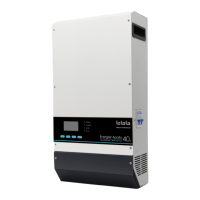
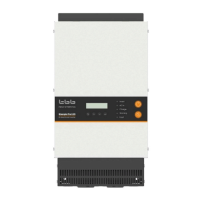
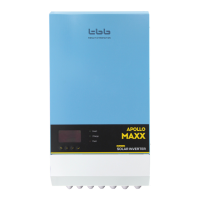
Shows the front view of the Apollo Maxx inverter models, including display and indicators.
Details the control buttons and LED indicators on the inverter's front panel.
Illustrates terminal definitions and signal connections for various Apollo Maxx models.
Explains setting up a DC Couple system with an external MPPT solar control charger.
Describes parallel and three-phase system configurations for system expansion.
Details power control and assist functions for limited grid or generator supply.
Lists various programmable system working modes like power backup and solar hybrid.
Explains the two AC outputs and their configuration options for critical and secondary loads.
Highlights pure sine wave output and high surge power capability for demanding appliances.
Describes the multi-stage charging algorithm for lead-acid and other battery types.
Explains the importance of battery temperature sensing for optimal charging.
Lists supported battery chemistries including AGM, GEL, Lead-Carbon, and Lithium.
Explains the uninterrupted AC power transfer and UPS capability with near 0ms transfer time.
Describes the function of the ground relay for connecting the neutral to earth when AC is absent.
Lists the hardware and software protection functions ensuring stable and reliable operation.
Explains battery temperature monitoring and low voltage/SOC protection mechanisms.
Outlines communication interfaces and protocols like dry contact, RS485, and CAN.
Lists recommended DC cable sizes, minimum wire size, and torque specifications.
Lists essential checks to perform before powering on the inverter for operation.
Details the step-by-step procedure for performing the power ON test.
Explains the steps for safely powering off the inverter and its components.
Describes the LCD display, operation buttons, and LED indicators for status monitoring.
Explains the meaning of the LED indicators (Invert, Charge, Fault) and their states.
Details various icons and their meanings displayed on the LCD screen.
Explains icons indicating AC and PV input sources for the inverter.
Describes icons for setting programs, warnings, and fault codes.
Explains output parameters and battery level indicators on the LCD.
Explains load level indicators and icons for operating modes.
Details how to navigate and change settings via the LCD interface.
Configuration settings for output voltage, frequency, and parallel modes.
Configuration settings for AC input source selection, power assist, and voltage limits.
Detailed settings for AC input current, voltage, frequency, and connection delays.
Configuration settings for battery type, charging current, and voltage thresholds.
Further settings for battery parameters including charging voltages and times.
More settings for battery parameters like temperature compensation and SOC thresholds.
Configuration settings for various operating modes like neutral line and bypass control.
Lists fault codes displayed by the inverter and their corresponding solutions.
Details inverter-specific fault codes and troubleshooting steps.
Lists MPPT fault codes and their solutions for the solar charger.
Lists warning codes displayed by the inverter and their corresponding solutions.
Details inverter warnings and troubleshooting steps for various operational issues.
Lists MPPT warnings such as current limitation and fan errors.
Lists warnings related to the Battery Management System and lithium modules.
Lists warnings related to BGK modules, including voltage, temperature, and communication errors.
 General
| Rated Power | 5.5kW |
|---|---|
| DC Voltage | 48V |
| AC Voltage | 230 V |
| AC Output Frequency | 50/60 Hz |
| Battery Compatibility | Lithium-ion, Lead-acid |
| Communication | Wi-Fi (optional) |
| Continuous Power | 5.5 kW |
| Protection Features | Overload, Short Circuit, Over Voltage |
| Cooling | Fan cooling |
| Peak Power | 11000VA (for 5 seconds) |

 To Next Page