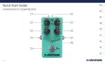
Need help?
Do you have a question about the TC Electronic HyperGravity Compressor and is the answer not in the manual?
Any changes not approved in manual could void authority to operate.
All service must be performed by qualified personnel.
Reduce risk of fire/shock; do not expose to rain/moisture.
Equipment tested and found to comply with FCC rules for digital devices.
Explains lightning bolt and exclamation point warning symbols.
Guide on how to use the manual and download it from the website.
Instructions on how to get help from TC Support.
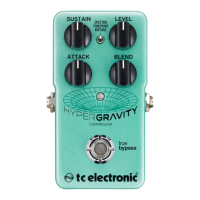
Describes the pedal's features and advanced multiband dynamics algorithm.
Explains the True Bypass feature and its benefits for tone clarity.
Explains the concept of TonePrints and signature sounds.
Describes how artists create custom sounds for the pedal.
Details how to use the app to load TonePrints onto the pedal.
Explains how to create custom sounds using the TonePrint Editor.
Instructions on downloading the TonePrint Editor for computer and iPad.
Lists items included in the pedal box and inspection advice.
Instructions for connecting the power supply and instrument cables.
Details power input socket, voltage, current, and footswitch operation.
Explains the mono audio input and output jacks and cable connections.
Describes the USB port's function for TonePrints and firmware updates.
Introduces effect controls, compressor basics, and multiband compression.
Explains how to use the Sustain knob to set the compression threshold.
Details how Sustain interacts with auto make-up gain and noise.
Explains how to use the Level knob for overall signal level adjustment.
Describes the Attack knob for defining compression speed and transient handling.
Explains using the Blend knob for parallel compression and tone shaping.
Discusses parallel compression techniques like "New York style".
Specific advice for using the pedal in a parallel effects loop.
Explains how Level and Blend knob settings influence each other.
How to select compression modes: Spectra, TonePrint, Vintage.
Steps for updating the pedal's built-in software.
Steps to prepare computer and pedal for firmware update.
Instructions for running the updater app and transferring firmware.
Procedure for replacing the pedal's battery.
Explains True Bypass vs Buffered Bypass and how to switch modes.
Defines True Bypass and Buffered Bypass and their impact on tone.
Answers common questions about TonePrint pedals' analog/digital nature and connectivity.
Links to TonePrint, products, app, and editor resources.
Links to TC Electronic support, software, manuals, and user forum.
Links to TC Electronic's web presence on social media and web.
Specifies True Bypass and optional Buffered Bypass.
Physical dimensions of the pedal.
Specifies the type of input connector.
Specifies the type of output connector.
Details the power input requirements.
Mentions the battery option.
Specifies the input impedance.
Specifies the output impedance.
Specifies the USB port type and function.
 General
| Brand | TC Electronic |
|---|---|
| Model | HyperGravity Compressor |
| Category | Music Pedal |
| Language | English |





 To Next Page