6
Contacts
Use Contacts to view your saved contacts or create a
new contact. Synchronize your contacts from your email
account(s) and other applications to your phone.
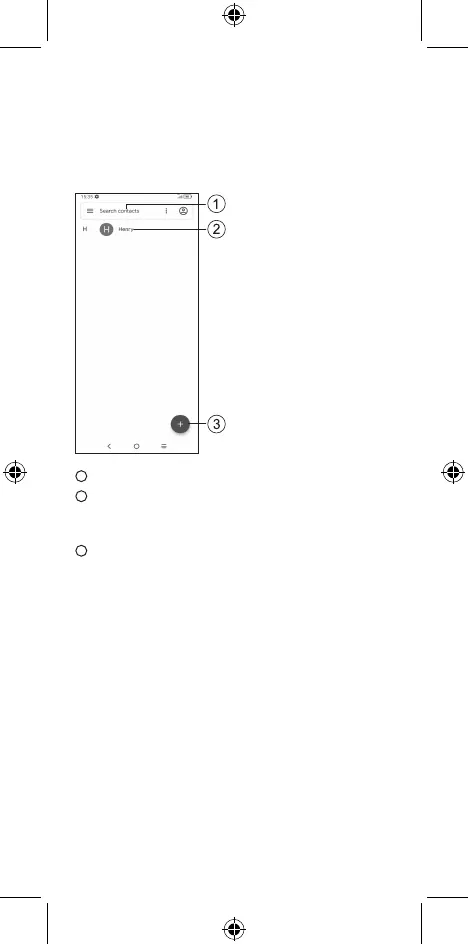
1
Tap to search Contacts.
2
Tap on the contact name or icon to open the contact card,
where you can edit their information, call them, and more.
Touch and hold to share or delete the selected contact(s).
3
Tap to create a new contact.



 To Next Page