41
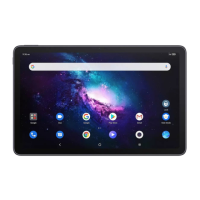
8.4 Home screen & lock screen
Wallpapers & style: you can choose the default pictures
or use photos as wallpaper.
Home settings: you can set Home screen style, Home
screen grid. Enable or disable Fill empty cells, that is,
when apps are removed the empty cells will be filled
automatically. Enable Google feed, you will enjoy the
news feed service when swiping right from Home
screen. Enable Recent app, and the recently used
applications will be displayed in drawer. Enable App
icon badge, you can choose shown with number or
show without number when there are notifications.
Home app: you can customize your home app.
Notifications on lock screen: you can set to show all
notifications or don't shown any notification.
Lock screen message: you can set the message displayed
as the screen is locked.
Wake screen for notifications: enable it , when
screen is dark, it turns on for new notifications.
Control from locked device
Control external devices without unlocking your phone
or tablet if allowed by the device controls app.
Skip lock screen



 To Next Page
 Loading...