37
11
Security
11.1 Lock/Unlock your screen
To protect your phone and privacy, you can lock the phone screen by creating a
password.
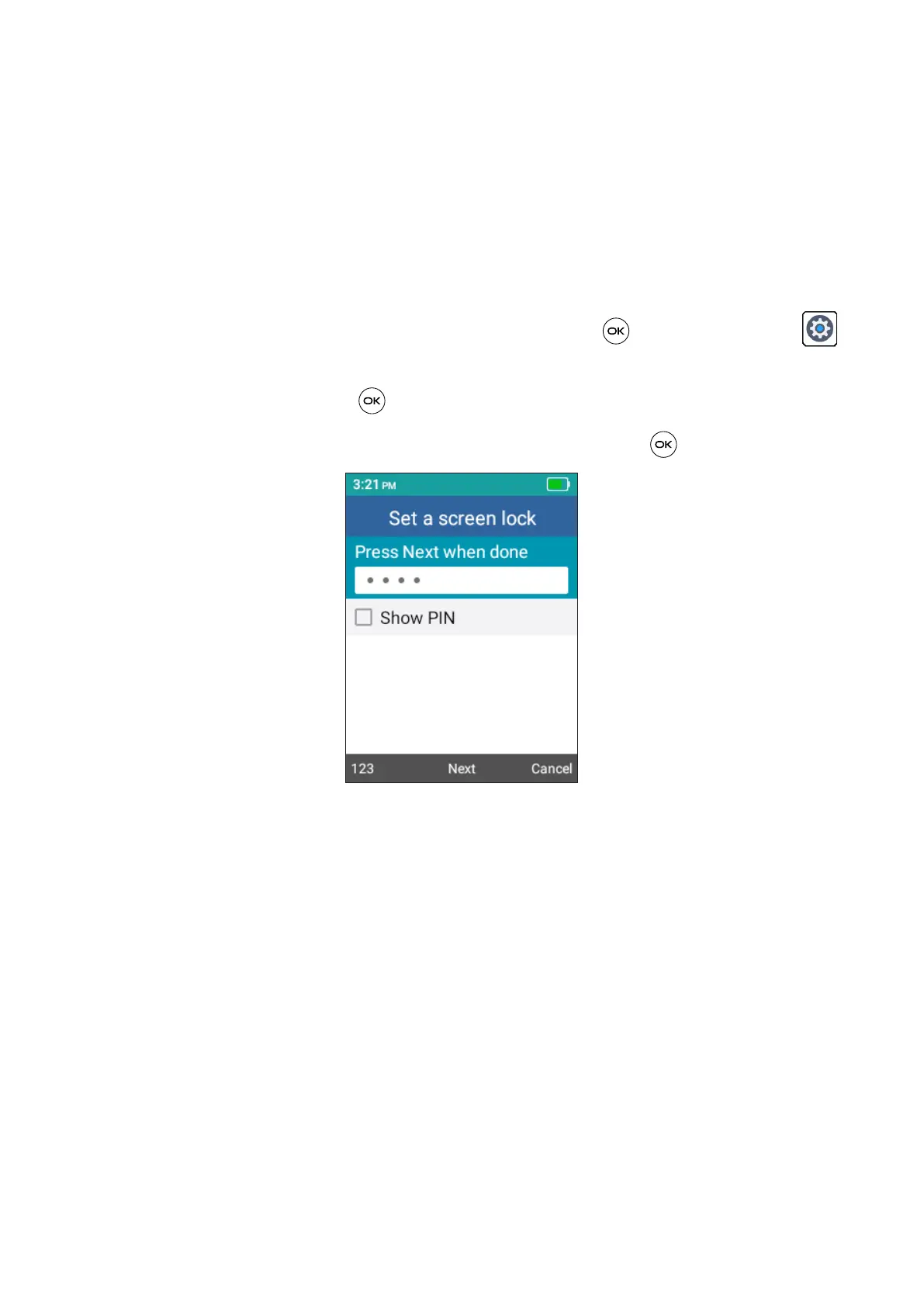
• From the Home screen, press the Center Soft Key , select Settings >
Phone settings > Security > Screen lock.
• Press the Center Soft Key and select On to enable screen lock.
• Enter the passcode twice and press the Center Soft Key to create.


 To Next Page