8
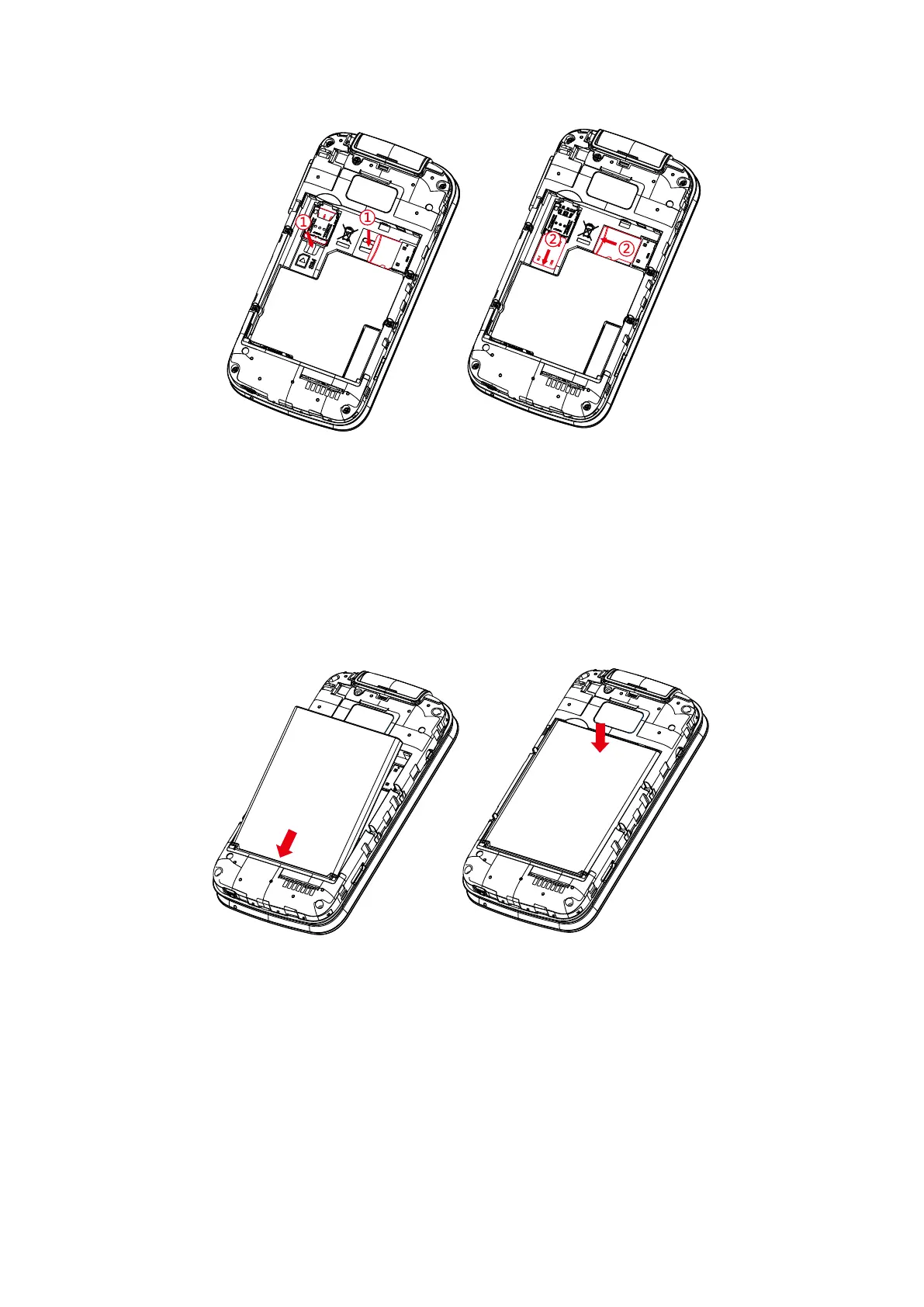
To remove the SIM card or microSD
TM
card, press down on the small plastic tab
(①), then slide out the card (②). Do not use force or use any sharp objects.
SIM card
SD card
SIM card
SD card
Your phone only supports Nano SIM cards. Inserting other SIM types may damage
your phone.
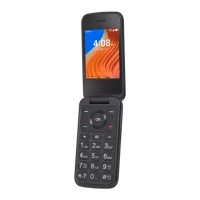
Insert the battery
Insert the battery by aligning the gold contact points of the battery with the gold
contact points of the device. It only fits one way. Press down to snap in place.


 To Next Page