EasyManua.ls Logo

TD Systems K40DLM8FS - User Manual

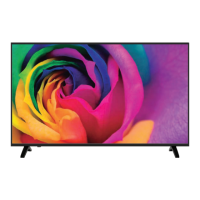
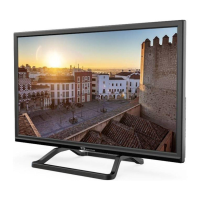
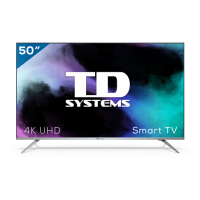
TD Systems K40DLM8FS
41 pages
Print Icon
To Next Page IconTo Next Page
Loading...
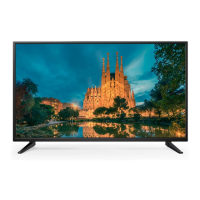
TELEVISOR LED 32”/40”/50”
K32DLM8HS
K40DLM8FS
K50DLM8FS
Lea atentamente este manual antes del uso y consérvelo
como referencia en el futuro.
MANUAL DEL USUARIO
www.tdsystems.es
EN
USER MANUAL ............................................................................ 40
FR
MANUEL UTILISATEUR ............................................................... 79
DE
BENUTZERHANDBUCH ..............................................................118
PT
MANUAL DO USUÁRIO ...............................................................157
ES
MANUAL DEL USUARIO .................................................................1
ITA
MANUALE DELL'UTENTE ...........................................................196


Questions and Answers

  • M
    michaelyoungAug 9, 2025
    How to turn on my TD Systems LED TV?
    • M
      Michael RogersAug 9, 2025
      First, ensure the power cable is securely connected. Then, press the POWER button on your remote control. If the TV still doesn't turn on, the batteries in the remote might be dead. Try replacing them.
  • W
    wriceAug 19, 2025
    Why is the sound not working on my TD Systems K40DLM8FS?
    • L
      ljohnsonAug 19, 2025
      The sound might be muted. Press the MUTE button on your remote control. If that doesn't work, press the VOL+ button to increase the volume.
  • R
    rsmithAug 28, 2025
    How to fix a bad image on my TD Systems LED TV?
    • B
      Brian TaylorAug 28, 2025
      Check the cable connecting your TV to the antenna. If the issue persists, try changing the channel, as the problem might be with the broadcast. You can also adjust the Brightness/Contrast options in the PICTURE menu.

Summary

1. WARNINGS AND CAUTIONS

1.1 Important Safety Instructions

General safety measures for device setup, use, and maintenance.

1.2 Antenna Safety Instructions

Cautions for connecting and installing an external antenna safely.

2. LED TV OVERVIEW

2.4 Remote Control

Instructions for installing batteries and using the remote control.

3. LED TV SET UP

3.1 Cable TV or Antenna Connection

Guides on connecting cable TV or an external antenna to the TV.

3.2 Connecting an AV Device via YPbPr

Steps for connecting an AV device using YPbPr cables.

3.3 Connecting an AV Device via HDMI

Instructions for connecting an AV device using HDMI cables.

6. TROUBLESHOOTING

7. SPECIFICATIONS

TD Systems K40DLM8FS Specifications

General IconGeneral
Screen Size40 inches
Resolution1920 x 1080 pixels
Display TypeLED
Smart TVYes
HDMI Ports3
USB Ports2
Wi-FiYes
Ethernet PortYes
Refresh Rate60Hz
Audio Output20W

Related product manuals