Need help?
Do you have a question about the TD Systems K50DLJ12US and is the answer not in the manual?
Key safety measures for device setup, usage, and maintenance to prevent accidents and hazards.
Recommendations for using earphones to protect hearing from high volumes and potential damage.
Cautions for external antenna installation to avoid electrical contact and ensure safety.
Lists all the components and accessories included with the LED TV package for initial setup.
Explanation of the TV's single control button functionality for menu navigation and operation.
Digital coaxial output for connecting to external amplifiers and audio systems.
Connection for headphones, which disables the TV's internal speakers.
Input for connecting an antenna to receive DVB-T, DVB-C, DVB-S2 broadcasts.
Network port for wired internet connection, supporting 10/100 Mbps.
Ports for connecting various devices via HDMI, supporting CEC and ARC features.
USB 2.0 ports for media playback, recording, and connecting external storage up to 1TB.
Composite video and analog stereo audio input for connecting older A/V devices.
Input for three-component video signals for enhanced analog video quality.
Interface for conditional access modules (CAM) to access pay-per-view channels.
Controls for turning the TV on/off, navigating menus, and selecting input sources.
Buttons for adjusting volume, picture settings, and sound modes.
Buttons for accessing system menus, exiting screens, and displaying information.
Controls for playing media, accessing teletext, and managing subtitles.
Buttons for controlling playback (play, pause, stop, fast forward/backward) in USB mode.
Functionality for recording programs and accessing the electronic program guide.
Buttons for accessing favorite channels and switching between TV/Radio modes.
Instructions for connecting the TV to cable television or an antenna system.
Specifics on connecting cable TV, including the use of converters/decoders.
Guide for connecting audio/video devices using standard AV composite connections.
Instructions for linking external devices using HDMI cables for high-quality A/V signals.
Steps for connecting devices with DVI output using HDMI-to-DVI cables.
Process for choosing the primary language for the TV's on-screen menus and interface.
Procedure for selecting the country or region for optimal TV tuning and broadcast reception.
Guide for setting the correct time zone to ensure accurate time display and scheduling.
Steps for setting up the TV's network connection, including wired and wireless options.
Detailed instructions for connecting the TV to a wireless Wi-Fi network.
Option to choose between Home, Office, or Store display modes.
Final setup screen to select the TV's operating mode (e.g., TV Zone, Smart Launcher).
Option to select the country for tuning and region-specific settings.
Guides the automatic scanning of TV channels and frequencies for broadcast reception.
Instructions for manually searching and tuning specific TV channels based on frequency.
Explains the LCN option for logically organizing TV channels.
Process for tuning channels via cable TV, covering DVB-C standards.
Accesses the electronic program guide for viewing broadcast schedules and show details.
Allows reordering, deleting, skipping, and marking channels as favorites.
Functions for scanning channels automatically or tuning them manually.
Options for recording TV programs using connected external storage devices.
Enables selection and configuration of subtitle languages for broadcasts.
Settings for channel organization (LCN) and conditional access modules (CI).
Enables specific subtitle types, including those for deaf people with sound action indicators.
Adjusts image quality including picture mode, brightness, contrast, and colour.
Controls screen backlight and adjusts colour temperature for optimal viewing.
Features for noise reduction, cinematic viewing, and screen aspect ratio adjustment.
Configures audio equalization, speaker balance, and surround sound effects.
Manages surround sound, automatic volume leveling, and digital audio output settings.
Selects program audio language and enables audio description for visually impaired users.
Enables communication between devices via HDMI using the CEC protocol.
Manages the display duration of on-screen menus and sets a sleep timer for the TV.
Configures the TV to automatically power off after a period of inactivity.
Activates system locks and prevents access to specific input sources.
Restricts access to selected channels and activates parental controls for broadcasts.
Procedure for changing the default system lock code.
Customizes the language for on-screen menus and teletext character sets.
Switches between Home/Store modes and sets the default input source.
Restores the TV to its original factory settings, erasing all custom configurations.
Explanation of HbbTV for accessing enhanced internet-based television content.
Introduction to the smart desktop interface displaying applications and shortcuts.
Details on using the E-share app for mobile control and screen mirroring.
Screens and features of the E-share application for managing TV interactions.
Enables sharing the screen content from iOS devices to the TV.
Description of the built-in web browser for accessing online content.
Allows mirroring the screen content from Android or Windows devices to the TV.
Information on accessing the app store to download and install applications.
Guides configuring Wi-Fi connections and activating Bluetooth for external device pairing.
Configures the TV's date and time automatically via antenna or internet signal.
Allows manual setting of time zone, date, and time for accurate display.
Manages language, input methods, wallpaper, apps, updates, and system recovery.
Provides detailed hardware and software specifications of the TV.
Lists all factory-installed applications available on the TV.
Instructions for using the search function and controlling media playback within Netflix.
Guides for selecting audio language and subtitle preferences for Netflix content.
Procedure for navigating and selecting episodes or seasons within Netflix series.
Details on navigating the Netflix application menu using the remote control.
Process for selecting episodes from a season preview screen in Netflix.
Lists supported video codecs, profiles, maximum resolution, and frame rates.
Lists supported audio codecs and their compatibility with the TV.
Lists supported image file formats, containers, and data types.
Steps to diagnose and resolve problems when the TV does not turn on.
Troubleshooting guide for issues related to no picture or sound output.
Solutions for poor image quality while the sound remains functional.
Solutions for poor sound quality while the image remains clear.
Identification of potential external factors causing sound interference.
Provides the TV's model number, panel size, brightness, contrast, and resolution.
Details all available input/output ports including HDMI, USB, AV, and Antenna.
Specifies TV dimensions, weight, wall mounting compatibility (VESA), and stand details.
Indicates the required power source specifications and the TV's power consumption.
 General
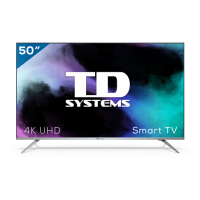
| Screen Size | 50 inches |
|---|---|
| Resolution | 3840 x 2160 (4K UHD) |
| Display Type | LED |
| Smart TV | Yes |
| HDMI Ports | 3 |
| USB Ports | 2 |
| Wi-Fi | Yes |
| HDR | Yes |
| Operating System | Android TV |
| Bluetooth | Yes |
| Refresh Rate | 60 Hz |
| Audio Output | 20W |

 To Next Page