EasyManua.ls Logo

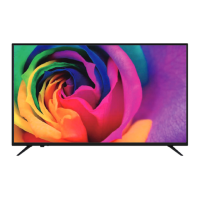
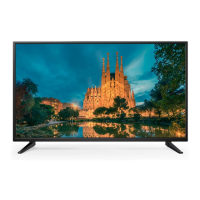
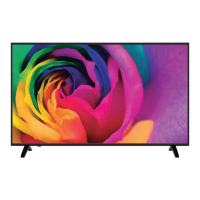
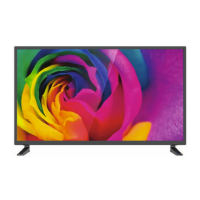
TD Systems K49DLM8U - User Manual

TD Systems K49DLM8U
40 pages
Print Icon
To Next Page IconTo Next Page
Loading...
MANUAL DE INSTRUCCIONES
www.tdsystems.es
K49DLM8U
K55DLM8U
TELEVISOR LED 49”/55”
EN
USER MANUAL ................................................................................40
FR
MANUEL UTILISATEUR....................................................................79
DE
BENUTZERHANDBUCH.................................................................118
PT
MANUAL DO USRIO..................................................................157
ES
MANUAL DE USUARIO ......................................................................1
Question and Answer IconNeed help?

Do you have a question about the TD Systems K49DLM8U and is the answer not in the manual?

Summary

WARNINGS AND CAUTIONS

Important safety instructions

Safety measures to avoid accidents during setup, use, and maintenance of the device.

Antenna safety instructions

Cautions for connecting external antennas to prevent electrical hazards and ensure proper installation.

LED TV OVERVIEW

Whats In the Box

Lists all components included with the LED TV, such as the unit, remote control, and batteries.

LED TV Support Installation

Instructions for installing the TV support or stand using screws, with a warning about hanging.

TV Views and Button Functions

Describes the front, left, and right views of the TV and details the button functions on the unit.

Remote Control Operation

Guides on inserting batteries and understanding the functions of the remote control buttons.

LED TV SETUP

Cable TV or Antenna Connection

Explains how to connect the TV to cable TV or an antenna using an IEC type connector.

Connecting an AV device via YPbPr

Guides on connecting AV devices using YPbPr cables for audio and video signals.

Connecting an AV device via HDMI

Instructions for connecting devices via HDMI, supporting audio and video signals.

Connecting an AV device via DVI;HDMI

Details on connecting devices using DVI/HDMI cables, including audio cable requirements.

Connect a PC

Steps to connect a PC to the TV using VGA and audio cables for display and sound.

INPUTS

Input Sources and Selection

Lists the TV's 8 signal input connectors and how to select the desired source.

First Tuning Steps

Guides through the initial setup process, including language, country, and energy mode selection.

MAIN MENU

Main Menu Overview

Explains how to access the main menu and its six icons: Channel, Picture, Sound, Time, Settings, and Lock.

Channel Management

Details on channel control, including searching, editing, and managing channels.

Auto Channel Search

Instructions for performing an automatic channel search using the TV's tuning setup menu.

Manual DTV Tuning

Steps for manually tuning DTV channels by searching for signals.

Manual ATV Tuning

Guides through manual tuning for ATV channels, including color system and fine-tune settings.

Programme Editing

Explains how to edit TV programs, including deleting, renaming, moving, skipping, and marking favorites.

PVR File System Configuration

Describes how to configure the PVR file system, including formatting and timeshift size settings.

Settings

Picture Settings

Details picture settings like mode, contrast, brightness, color, and color temperature.

Sound Settings

Covers sound settings including sound mode, treble, bass, balance, and audio guide options.

Time Settings

Explains time-related settings such as clock, time zone, sleep timer, and auto standby.

Lock Settings

Details lock settings including system lock, password, parental control, and hotel mode.

General Settings

Covers language settings for menus, audio, and subtitles, plus aspect ratio.

Quick Menus

Subtitle Language Selection

Instructions on how to access and change the subtitle language options using the SUB key.

EPG Program Guide

Explains how to use the EPG (Electronic Program Guide) to view TV program schedules.

Multimedia Player Functions

Movie Playback

Guides on selecting and playing movie files from a USB drive using the multimedia player.

Music Playback

Instructions for selecting and playing music files from a USB drive using the multimedia player.

Photo Viewing

Steps to select and view photo files from a USB drive using the multimedia player.

Text File Playback

Instructions for playing text files from a USB drive, typically with a TXT extension.

Resolution Specifications

TROUBLESHOOTING

SPECIFICATIONS

Summary

WARNINGS AND CAUTIONS

Important safety instructions

Safety measures to avoid accidents during setup, use, and maintenance of the device.

Antenna safety instructions

Cautions for connecting external antennas to prevent electrical hazards and ensure proper installation.

LED TV OVERVIEW

Whats In the Box

Lists all components included with the LED TV, such as the unit, remote control, and batteries.

LED TV Support Installation

Instructions for installing the TV support or stand using screws, with a warning about hanging.

TV Views and Button Functions

Describes the front, left, and right views of the TV and details the button functions on the unit.

Remote Control Operation

Guides on inserting batteries and understanding the functions of the remote control buttons.

LED TV SETUP

Cable TV or Antenna Connection

Explains how to connect the TV to cable TV or an antenna using an IEC type connector.

Connecting an AV device via YPbPr

Guides on connecting AV devices using YPbPr cables for audio and video signals.

Connecting an AV device via HDMI

Instructions for connecting devices via HDMI, supporting audio and video signals.

Connecting an AV device via DVI;HDMI

Details on connecting devices using DVI/HDMI cables, including audio cable requirements.

Connect a PC

Steps to connect a PC to the TV using VGA and audio cables for display and sound.

INPUTS

Input Sources and Selection

Lists the TV's 8 signal input connectors and how to select the desired source.

First Tuning Steps

Guides through the initial setup process, including language, country, and energy mode selection.

MAIN MENU

Main Menu Overview

Explains how to access the main menu and its six icons: Channel, Picture, Sound, Time, Settings, and Lock.

Channel Management

Details on channel control, including searching, editing, and managing channels.

Auto Channel Search

Instructions for performing an automatic channel search using the TV's tuning setup menu.

Manual DTV Tuning

Steps for manually tuning DTV channels by searching for signals.

Manual ATV Tuning

Guides through manual tuning for ATV channels, including color system and fine-tune settings.

Programme Editing

Explains how to edit TV programs, including deleting, renaming, moving, skipping, and marking favorites.

PVR File System Configuration

Describes how to configure the PVR file system, including formatting and timeshift size settings.

Settings

Picture Settings

Details picture settings like mode, contrast, brightness, color, and color temperature.

Sound Settings

Covers sound settings including sound mode, treble, bass, balance, and audio guide options.

Time Settings

Explains time-related settings such as clock, time zone, sleep timer, and auto standby.

Lock Settings

Details lock settings including system lock, password, parental control, and hotel mode.

General Settings

Covers language settings for menus, audio, and subtitles, plus aspect ratio.

Quick Menus

Subtitle Language Selection

Instructions on how to access and change the subtitle language options using the SUB key.

EPG Program Guide

Explains how to use the EPG (Electronic Program Guide) to view TV program schedules.

Multimedia Player Functions

Movie Playback

Guides on selecting and playing movie files from a USB drive using the multimedia player.

Music Playback

Instructions for selecting and playing music files from a USB drive using the multimedia player.

Photo Viewing

Steps to select and view photo files from a USB drive using the multimedia player.

Text File Playback

Instructions for playing text files from a USB drive, typically with a TXT extension.

Resolution Specifications

TROUBLESHOOTING

SPECIFICATIONS

TD Systems K49DLM8U Specifications

General IconGeneral
Screen Size49 inches
Display TechnologyLED
Smart TVYes
HDMI Ports3
USB Ports2
Wi-FiYes
Audio Output20W
BluetoothYes
Refresh Rate60 Hz
HDRYes
Resolution3840 x 2160 (Ultra HD 4K)
Operating SystemAndroid

Related product manuals