HDMI3
HDMI1 HDMI2 PC AUDIO VGAAuriculares
2.0
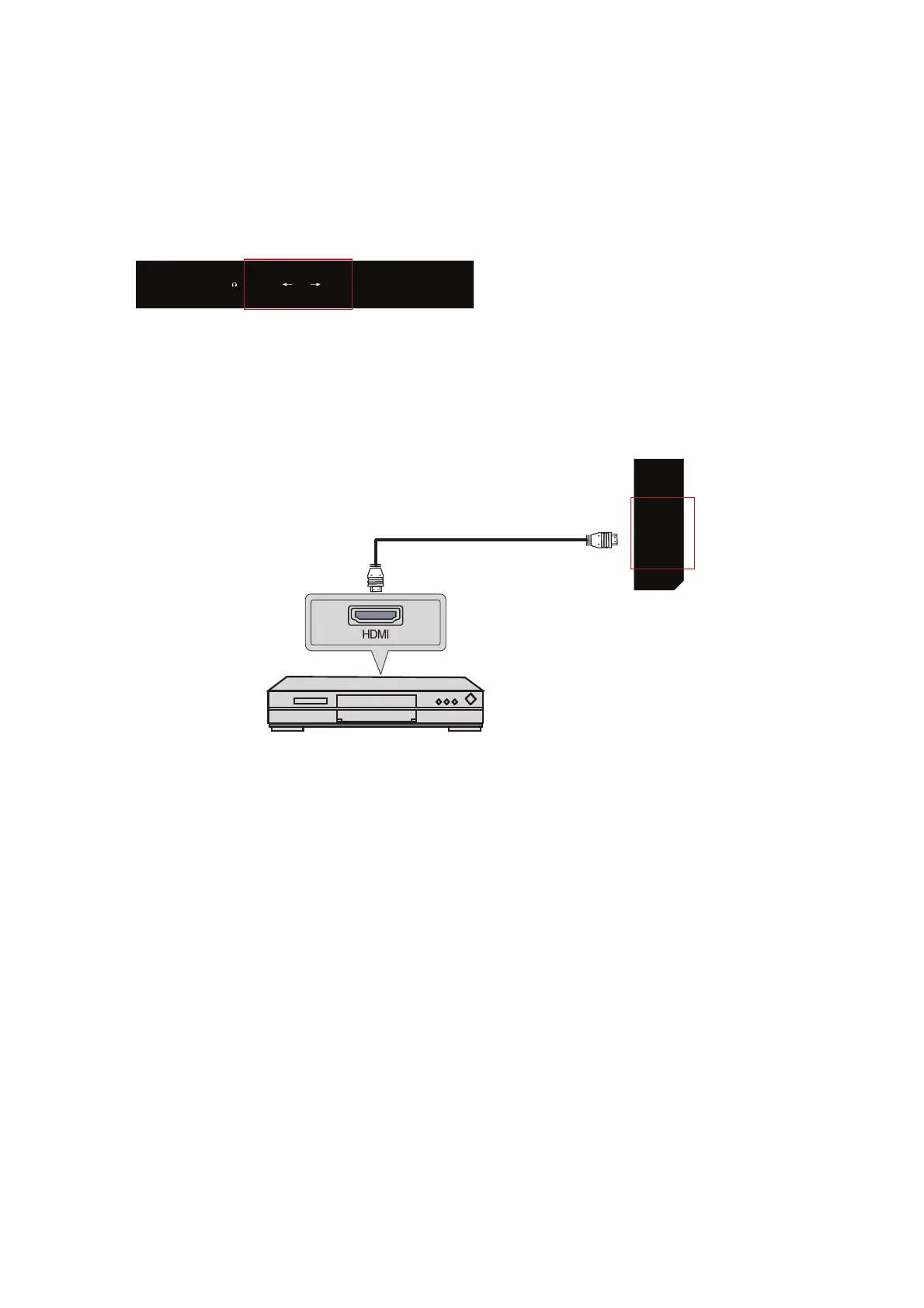
3.3 Connecting an AV device via HDMI (cable not included)
HDMI Cable
Rear part of the DVD or VCR
DVD or VCR
1. Use an HDMI cable to connect the HDMI output connectors of your device to
the HDMI connection of your LED TV.
2. Connect all connections before powering on your LED TV or another
connected device.
3. Press the power button on your remote control to power on the LED TV.
3UHVVWKH(175$'$NH\RQWKHUHPRWHFRQWURODQGXVHWKHŸRUźEXWWRQV
to select HDMI, and press OK.
The HDMI connector provides audio and video signals, there is no need to
connect the audio cable.
54


 To Next Page