72
5.5.2.Music
Move the cursor to select MUSIC in the USB options menu. Press the [OK]
key to enter.
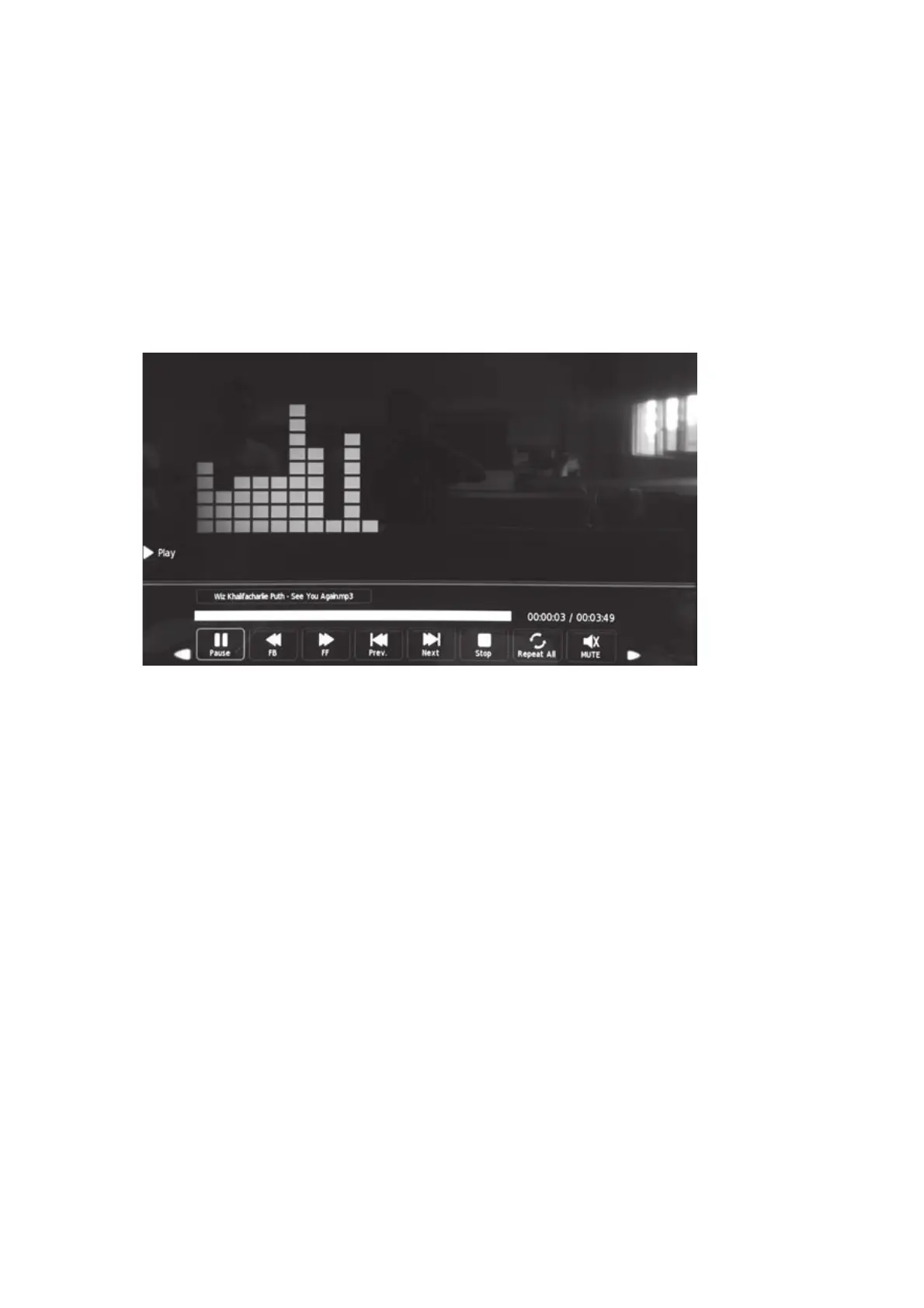
To play, press [PLAY/PAUSE] and you will enter the sound player full
screen.
3UHVVWKHŻŹNH\WRPRYHWKHFXUVRU6HOHFWWKHGHVLUHGDFWLRQZLWKWKH
OK key.
5.5.3.Photo
Move the cursor to select PHOTO in the USB options menu. Press the
[OK] key to enter the submenu.
6HOHFWWKHGHVLUHGILOHSUHVVLQJWKHŻŹNH\V3UHVV>3/$<3$86(@WR
see the photo full screen.


 To Next Page