18
The last step in making a recording is the finalization process. Unless
this step is completed, the disc will not work in other players or the
DA-5700’s TRAY I. Once finalized, CD-R discs will play in virtually
any CD player. CD-RW discs will play in this unit and other CD-RW
compatible players. Check the specifications of your CD player if
you have questions about compatibility with CD-RW discs.
Once a CD-R disc has been finalized, it cannot be unfinalized.
A finalized CD-RW disc can be unfinalized, allowing you to erase
or add songs.
Unfinalized CD-R and CD-RW discs can only be played in the
DA-5700’s TRAY II. Unfinalized discs will not play in the unit’s TRAY I.
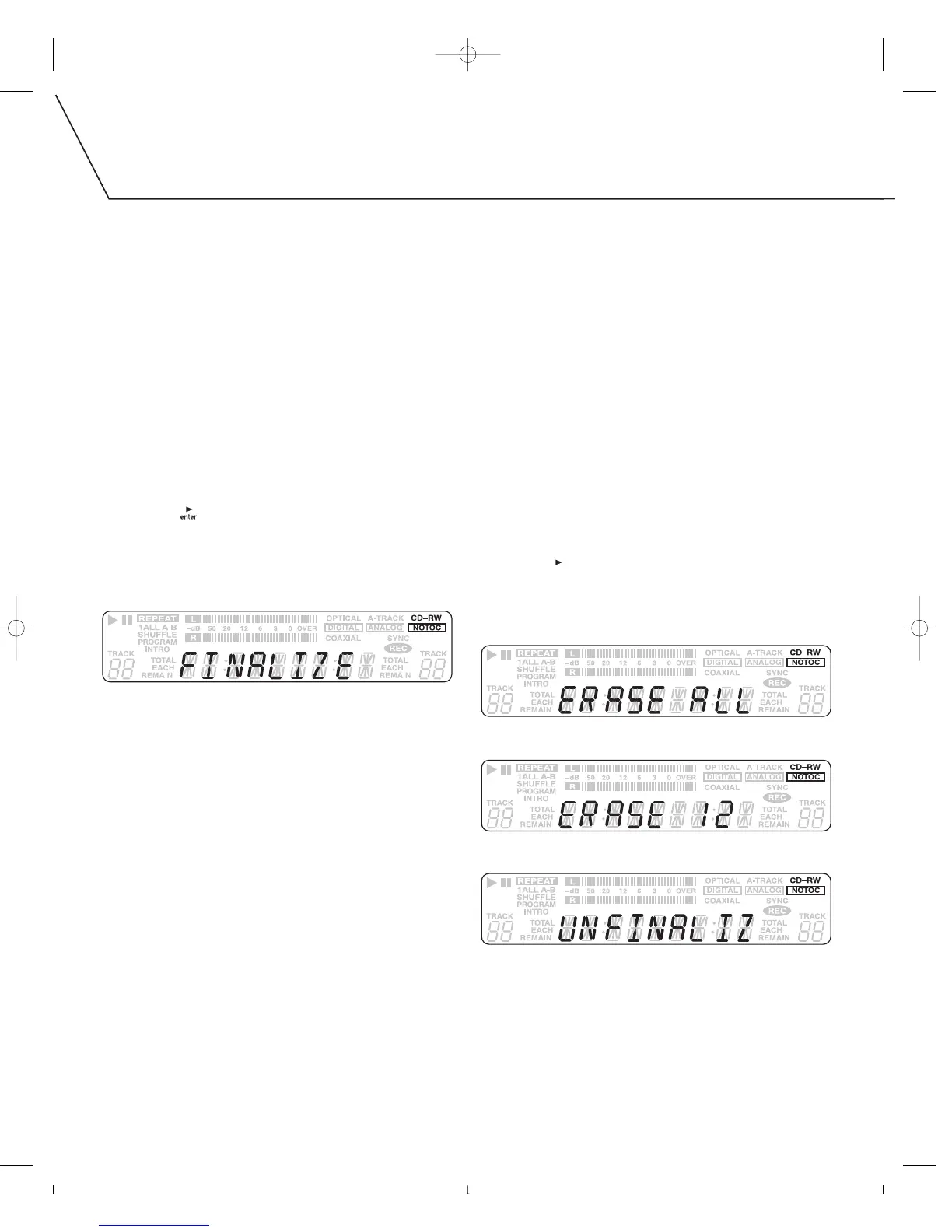
To finalize a disc:
1. Load an unfinalized disc in TRAY II.
2. With playback stopped, press FINALIZE. If for some reason
you wish to cancel the finalize process, press STOP [
■
].
3. Press PLAY [ ] to start finalizing.
• When the operation is finished, COMPLETE will appear briefly
on the display, then the display will return to its track/time
display mode.
• During the finalization process, all buttons are disabled.
Never turn the power off or unplug the power cord.
ERASING OR UNFINALIZING A CD-RW
The following information only applies to CD-RW type discs. It does
not apply to CD-R discs.
• It is possible to erase the last recorded track. It is also possible
to erase a whole disc.
• Erase procedures are possible only on an unfinalized CD-RW disc.
If a CD-RW disc has been finalized, you must unfinalize it before it
can be erased.
To unfinalize and/or erase a CD-RW:
1. Load a recorded CD-RW into TRAY II.
2. With playback stopped, press the ERASE button until the desired
option is selected.
You can:
• erase the last track (option only available when an unfinalized
disc is inserted)
• erase all the tracks
• unfinalize the disc (option only available when a finalized
disc is inserted)
3. Press PLAY [ ]. When the operation is finished, COMPLETE will
appear briefly on the display, then the display will return to its
track/time display.
Erase all the tracks.
Erase the last track. In this example, track 12 is the disc’s last track.
Unfinalize the disc.



 To Next Page