8
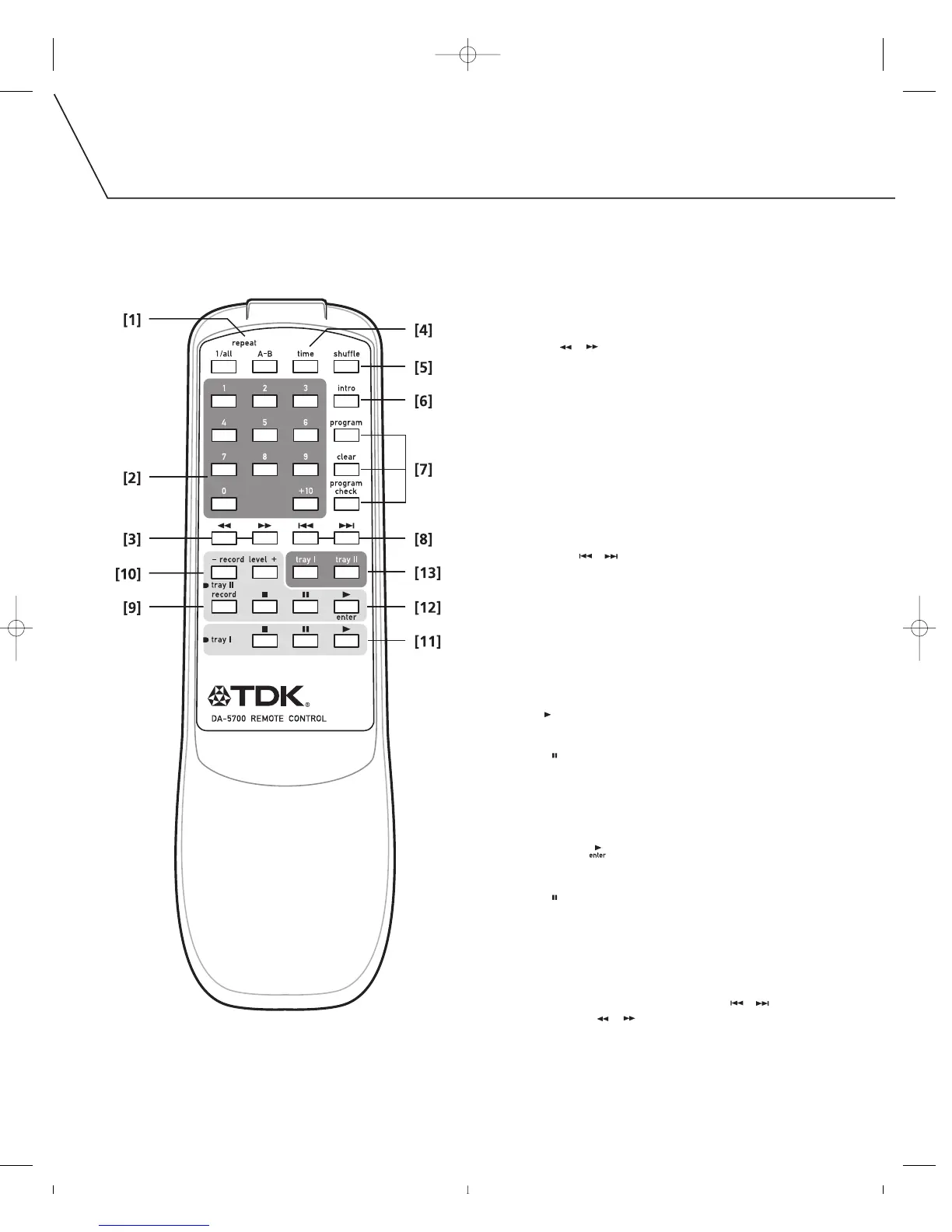
[1] REPEAT 1/ALL, A-B
Press to set a repeat mode.
[2] NUMERIC BUTTONS
Press to select track numbers.
[3] SEARCH [][]
Hold down to scan through a track.
[4] TIME
Press to change the time display.
[5] SHUFFLE
Press to set shuffle playback.
[6] INTRO
Press to turn on INTRO CHECK function. The beginning of
each track is played for 10 seconds when this mode is ON.
[7] PROGRAM, CLEAR, PROGRAM CHECK
These buttons are used for programmed playback.
[8] TRACK SKIP [][]
Press to skip tracks.
[9] RECORD
Press to enter record pause mode. (Recording is armed,
but does not start.)
[10] RECORD LEVEL
Adjust to set the recording level for external sources.
[11] TRAY I PLAYBACK CONTROLS
PLAY [ ]
Press to start playback.
PAUSE [ ]
Press to pause playback.
STOP: [
■
]
Press to stop playback.
[12] TRAY II PLAYBACK CONTROLS
PLAY (ENTER) [ ]
Press to start playback, recording, finalizing or erasing.
PAUSE [ ]
Press to pause playback or recording.
STOP: [
■
]
Press to stop playback or recording.
[13] TRAY I / TRAY II
These buttons are used to select TRAY I or TRAY II. Before
pressing the remote control’s TRACK SKIP [ ][ ],
MUSIC SEARCH [ ][ ] or numeric buttons, press either
the I or II button to select which tray those buttons will control.



 To Next Page