21
ENGLISH FRANÇAIS
Radio Reception (4) R
éce
ption de la radio (4)
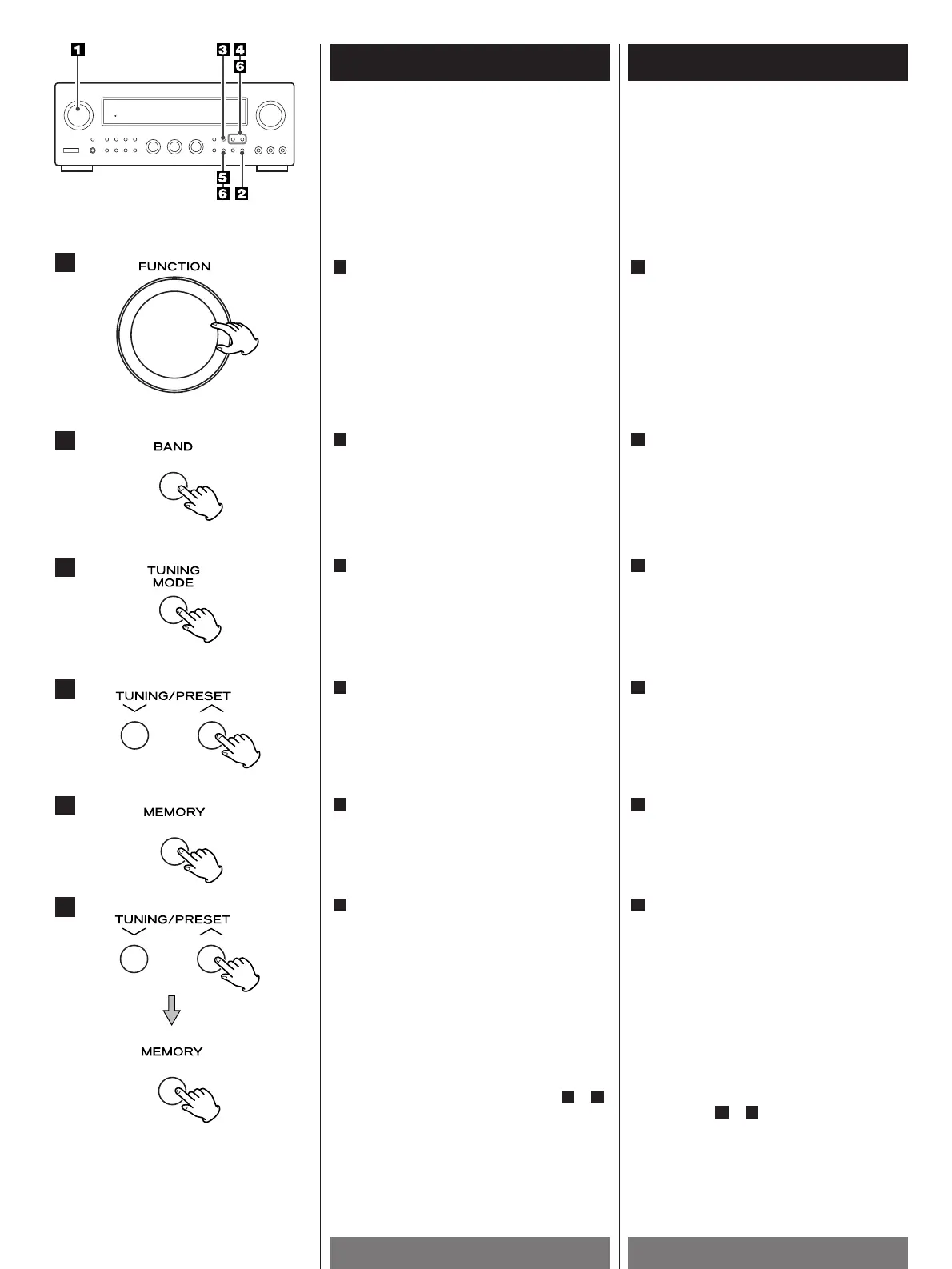
Select the TUNER mode by turning the
FUNCTION selector.
1
Sélectionner le mode TUNER en tournant
le sélecteur FUNCTION.
1
Préréglage manuel de la mémoire
Manual Memory Presetting
2
3
1
4
5
6
To store more stations, repeat steps to .
64
Pour mémoriser d'autres stations, répétez
les étapes à .
64
While the "MEMO" indicator is lit, select
a preset channel to store the station using
the PRESET buttons, and then press the
MEMORY button.
6
Alors que l'indicateur "MEMO" est
allumé, sélectionnez un canal préréglé
pour mémoriser cette station à l'aide de
la touche PRESET; puis appuyez sur la
touche MEMORY.
6
Press the MEMORY button briefly.
5
Appuyer brièvement sur la touche
MEMORY.
5
Select the frequency you want to preset
by pressing the PRESET button.
4
Sélectionner la fréquence que vous
voulez prérégler en appuyant sur la
touche TUNING/PRESET UP ou DOWN.
4
Press the TUNING MODE button to
change the tuning mode from preset to
manual.
The PRESET CH. indicator disappears from
the display.
3
Appuyer sur la touche TUNING MODE
pour passer en mode TUNING.
L'indicateur PRESET CH. disparaît de
l'affichage.
3
Select the AM or FM by pressing the
BAND selector button.
2
Sélectionner AM ou FM en appuyant sur
la touche de sélection de gamme (BAND).
2


 To Next Page