
 Need help?
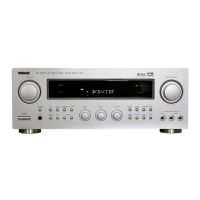
Do you have a question about the Teac AG-D7900 and is the answer not in the manual?
Comprehensive safety instructions to prevent hazards like electric shock, fire, and damage.
Details on FCC rules and potential radio/TV interference from the device.
Crucial advice on unit placement, ventilation, cleaning, and safe handling before operation.
Details on memory preservation, prevention of erasure, and reset switch usage.
How to connect speakers, including impedance checks and terminal identification.
Connecting the power cord and using switched AC outlets safely.
Optimal positioning of front, center, rear, and subwoofer speakers for best surround effect.
Connecting VCR and DVD/DBS players using RCA and digital audio cables.
Connecting digital sources via coaxial or optical cables for optimal sound quality.
Connecting CD players and recorders using RCA pin cords.
Connecting digital sources and recorders to digital IN/OUT terminals.
Installing indoor and outdoor FM antennas for US/Canada models.
Installing FM antennas for European models.
Connecting AM loop and outdoor antennas for US/Canada models.
Connecting AM antennas for European models.
Guide to installing batteries and safety measures for the remote control unit.
Using the remote to operate other TEAC devices directly.
Selecting and playing sources, adjusting volume, and basic playback controls.
Instructions for recording audio sources onto CD-R or cassette tape.
Explanation of key operational buttons like Power, Speaker On/Off, Tone, Balance, and Muting.
Using the headphone jack and the NIGHT MODE feature for sound compression.
How to set the sleep timer for automatic power-off.
Selecting AM/FM, tuning modes, and auto/manual station tuning.
Using FM MODE for stereo/mono reception and direct frequency input.
Storing and selecting preset radio stations automatically.
Manually storing preferred radio stations into memory channels.
Selecting and playing video sources, viewing picture and hearing sound.
Connecting video cameras to the AUX/VIDEO 4 input.
Copying audio/video signals from one source to VCR/VIDEO 1.
Replacing VCR sound with audio source sound during video dubbing.
Explanation of the DTS digital surround sound mode and its features.
Explanation of the Dolby Digital surround sound mode for 5.1 channels.
Details on Dolby Pro Logic surround sound and improved channel separation.
Description of the 3 STEREO mode for enhanced imaging without rear speakers.
Explains Theater, Hall, Stadium, Disco surround modes and stereo switching.
Step-by-step guide to configure speaker settings using front panel controls.
Setting options for front, center, and surround speaker sizes (Large/Small/None).
Configuring subwoofer output (ON/OFF) and Super Bass (SBSS) levels.
How to set and adjust delay times for surround channels in Dolby Digital/Pro Logic.
Using the test tone to balance speaker volume levels for optimal sound.
Guide to diagnosing and resolving common operational problems with the unit.
Technical data for amplifier, tuners, audio, video, power, dimensions, and accessories.
 General
| Brand | Teac |
|---|---|
| Model | AG-D7900 |
| Category | Av receiver |
| Language | English |

 To Next Page
