ENGLISH FRANÇAIS
20
Radio Reception (3) R
éce
ption de la radio (3)
Preset Tuning
Syntonisation préréglée
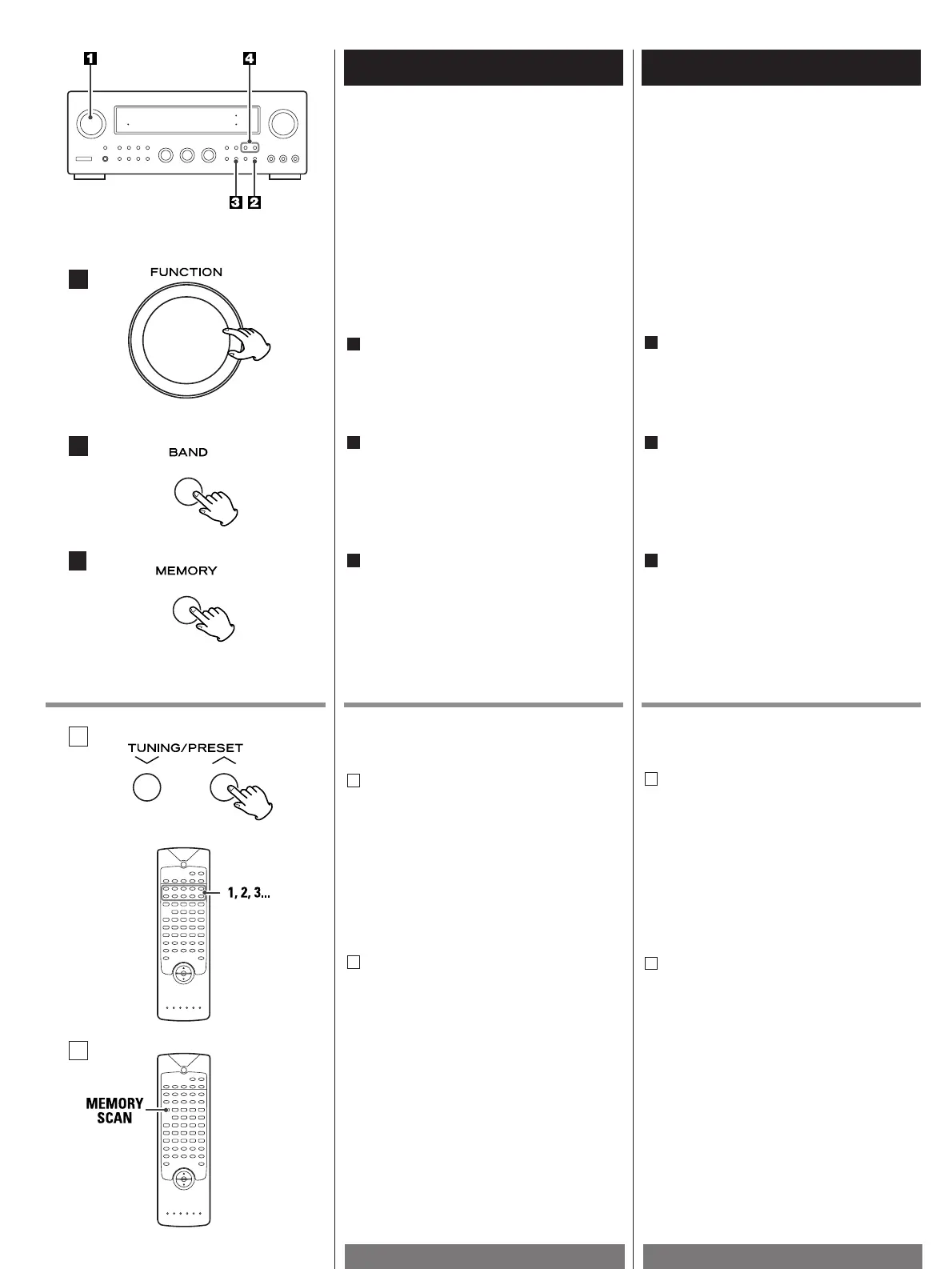
Select the TUNER mode by turning the
FUNCTION selector.
1
Sélectionner le mode TUNER en tournant
le sélecteur FUNCTION.
1
Préréglage automatique de la
mémoire
Automatic Memory Presetting
1
2
3
About MEMORY SCAN
You can scan the preset stations by this
function.
Press the MEMORY SCAN button. The
preset stations will be selected for 5
seconds each. When you find the station
you want to listen to, press the MEMORY
SCAN button again.
See next page to store the preset stations.
B
Au sujet de MEMORY SCAN
Vous pouvez balayer les stations
préréglées avec cette fonction. Enfoncez
le bouton MEMORY SCAN. Les stations
préréglées apparaîtront 5 secondes
chacune. Quand vous trouvez la station
que vous souhaitez écouter, pressez à
nouveau le bouton MEMORY SCAN.
Voir page suivante pour les stations
préréglées
B
Press the MEMORY button for more than
1.5 second.
Up to 30 of the best received stations in
your erea will be automatically stored.
3
Appuyez sur le bouton MEMORY pendant
plus d’1,5 seconde.
Cette bande est automatiquement
sélectionnée. Toutes les stations qui
peuvent être captées seront
automatiquement mises en mémoire l'une
après l'autre à partir du Canal 1.
3
A
Cette fonction est utilisée pour ranger des
émissions FM, AM respectivement du canal
1 à 30.
This facility is used to store FM, AM
broadcasting from Channel 1 to 30
respectively.
How to select preset stations
Press the PRESET buttons or the numeric
key(s) of the remote control unit to select
a preset channel.
A
Sélection des stations préréglées
Pour sélectionner un canal préréglé,
appuyez sur les touches PRESET ou sur
les touches numériques de la
télécommande.
A
B
Select the AM or FM by pressing the
BAND selector button.
2
Sélectionner AM ou FM en appuyant sur
la touche de sélection de gamme (BAND).
2


 To Next Page