ENGLISH
FRANÇAIS
22
Video Operations (1) Fonctionnement Vid
é
o (1)
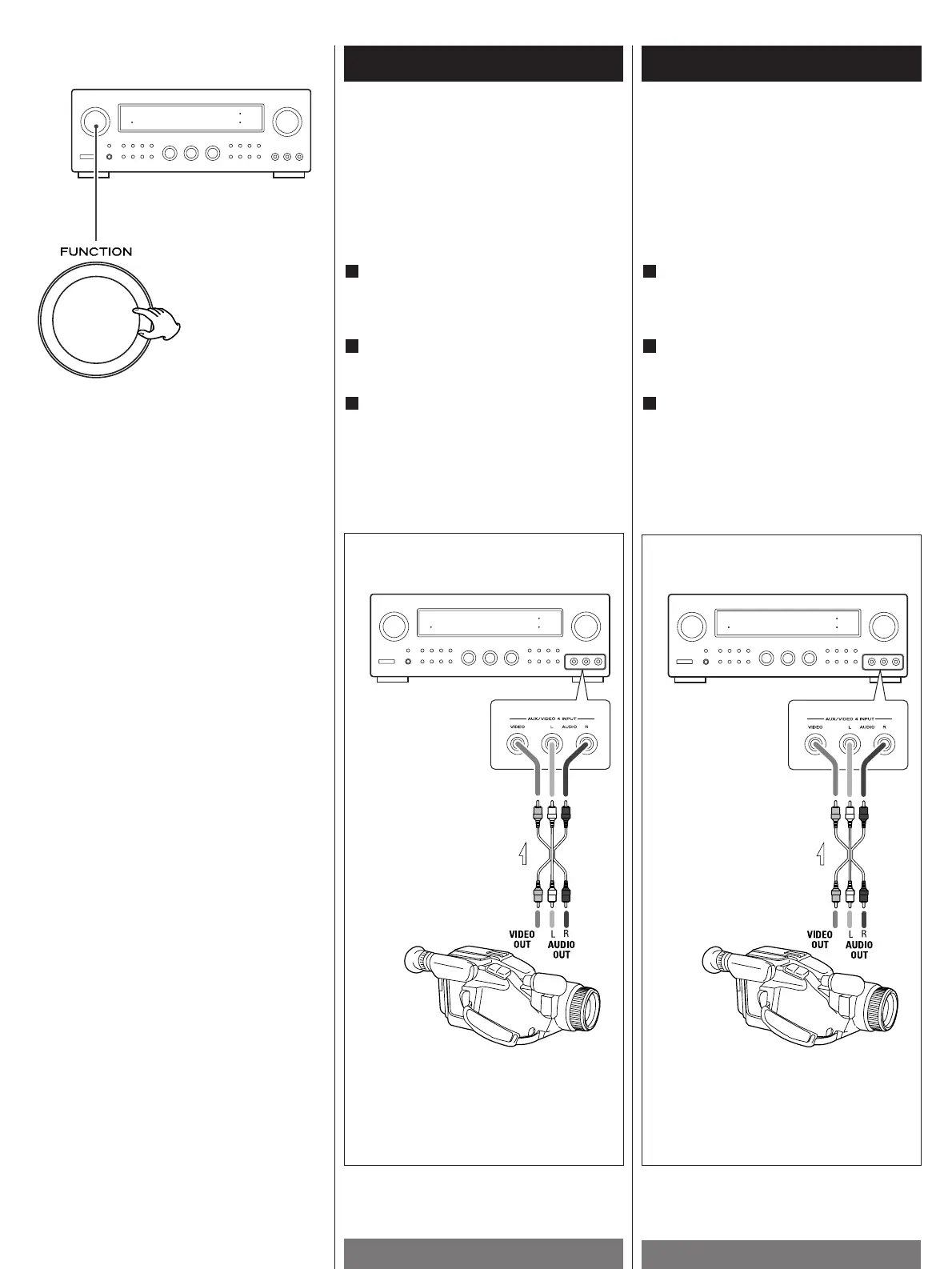
Select the VCR/VIDEO 1, DBS/VIDEO 2,
DVD/VIDEO 3 or AUX/VIDEO 4 mode by
turning the FUNCTION selector.
Play the component corresponding to the
FUNCTION selected.
The picture from the video source can be
seen on the TV and the sound from the
video source will be heard from the
speakers.
3
2
1
Sélectionner le mode VCR/VIDEO 1,
DBS/VIDEO 2, DVD/VIDEO 3 ou AUX/VIDEO
4 en tournant le sélecteur FUNCTION.
Lire l'appareil correspondant à la fonction
(FUNCTION) sélectionnée.
L'image de la source vidéo peut être vue
sur le téléviseur et le son de la source
vidéo peut être écouté à partir des haut-
parleurs.
3
2
1
Lecture de sources vidéoPlaying Video Sources
Note:
When playing videos that feature surround
sound, refer to "Available Surround
Modes".
Remarque:
Pour lire des programmes vidéo utilisant
une certaine fonction d'effet Surround, se
reporter à la section "Modes Surround
disponibles.
Video Camera Connections
Connect the video camera recorder's
AUDIO OUTPUT to the AUDIO (L)/(R) jacks
and VIDEO OUT to the VIDEO jack of the
AUX/VIDEO 4 INPUT.
Raccorder la sortie audio du camescope
aux prises AUDIO (L)/(R) et la sortie vidéo à
la prise VIDEO de AUX/VIDEO 4 INPUT.
VCR, Video Camera Recorder, etc.
VCR, Camescope, etc.
Branchement de camescope


 To Next Page