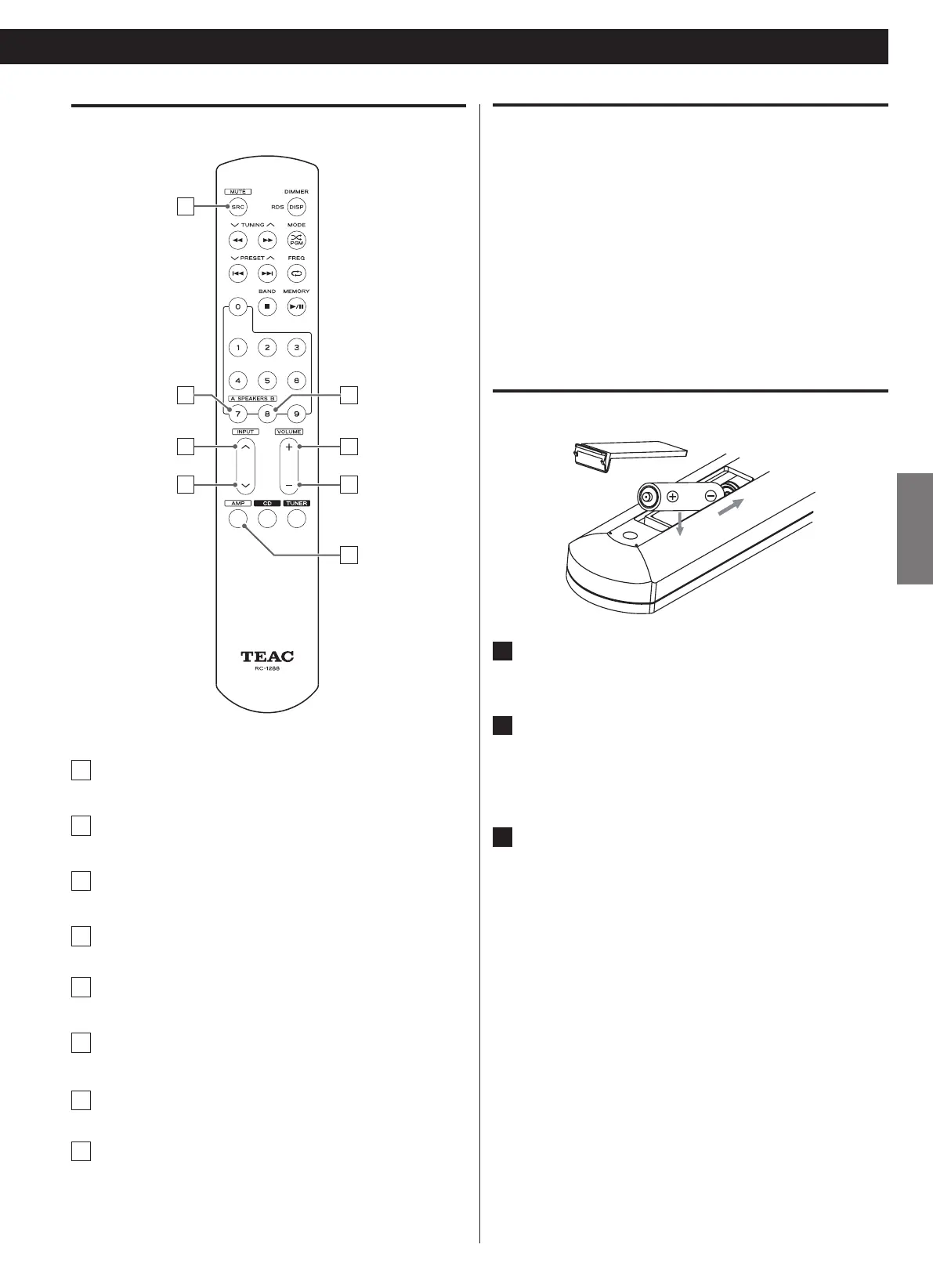
Remote control
a
MUTE
b
SPEAKER selector (group A)
c
INPUT k (Next input selector)
d
INPUT j (Previous input selector)
e
SPEAKER selector (group B)
f
VOLUME +
g
VOLUME -
h
AMP
Note before using the remote control
Press the AMP button to switch to the AMP mode before operating o
the unit by using the remote control.
The effective range of the remote control is no greater than 10m o
and an angle no greater than 30 degrees.
Buttons that are not listed or mentioned in the remote control o
diagram are not used for this unit. It is normal that there will be no
response when you press them.
Battery installation
1
Open the cover of the remote control unit.
2
Insert two AAA batteries. Make sure that the batteries are
inserted with their positive ¥ and negative ^ poles
positioned correctly.
3
Close the cover.



 To Next Page