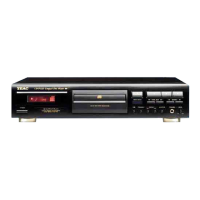
Troubleshooting Specifications
Frequency response .......................20 Hz - 20 kHz (±0.5 dB)
Dynamic range .................................98 dB or more (CD)
110 dB or more (SACD)
Signal noise ratio....................................110 dB or more
Total harmonic distortion ...........................0.003 % or less
Stereo separation ...................................110 dB or more
Analog output level......................................2.30 Vrms
Digital output...............................Coaxial (0.5 Vp-p 75 Ω)
Power supply
Europe model ...................................AC 230 V, 50 Hz
USA/Canada model ............................. AC 120 V, 60 Hz
Power consumption (nominal)
Europe model ..............................................10 W
USA/Canada model ........................................14 W
Dimensions (W x H x D) ........................435 x 116 x 366 mm
Weight.......................................................7.2 kg
Operating temperature ...............................+5˚C - +35˚C
Operating humidity.................. 5 % - 85 % (no condensation)
Storage temperature................................. –10˚C - +55˚C
Accessories
Power cord x 1
Remote control x 1
AAA battery x 2
Warranty card x 1
Owner's manual x 1
Design and specifications are subject to change without notice. o
Weight and dimensions are approximate. o
Illustrations may differ slightly from production models. o
If you experience any problems with the unit, please take a moment
to look through this chart before asking for repairs. If you still have
a problem, contact your dealer or TEAC customer service/technical
support (stated on the back cover).
No power
e Check the connection to the AC outlet. Check and make sure
the AC source is not a switched outlet and that, if it is, the switch
is turned on. Make sure there is power to the AC outlet by
plugging another item such as a lamp or fan into the outlet.
Remote control doesn't work.
e Press the POWER button of the main unit to turn it on.
e If the batteries are dead, change the batteries.
e Within the specified range of 10 m, point the remote control
directly at the unit's front panel.
e Clear any obstacle between the remote control and the main
unit.
No sound
e Check the connection to the amplifier.
e Check the operation of the amplifier.
e Depending on the disc, etc. it may not be possible to play back
CD-R/RW discs. Try again with another disc.
e You cannot play back unfinalized CD-R/RW discs. Finalize such a
disc in a CD recorder and try again.
Will not play
e Load a disc with the playback side facing down.
e If the disc is dirty, clean the surface of the disc.
e Depending on the disc, etc. it may not be possible to play back
CD-R/RW discs. Try again with another disc.
e You cannot play back unfinalized CD-R/RW discs. Finalize such a
disc in a CD recorder and try again.
Sound skips
e Place the unit on a stable place to avoid vibration and shock.
e If the disc is dirty, clean the surface of the disc.
e Never use scratched, damaged or warped discs.



 To Next Page