The clock setting of this unit is automatically adjusted
according to the CLOCK TIME data of an RDS broadcast.
If you adjust the clock manually, follow the following
steps.
1
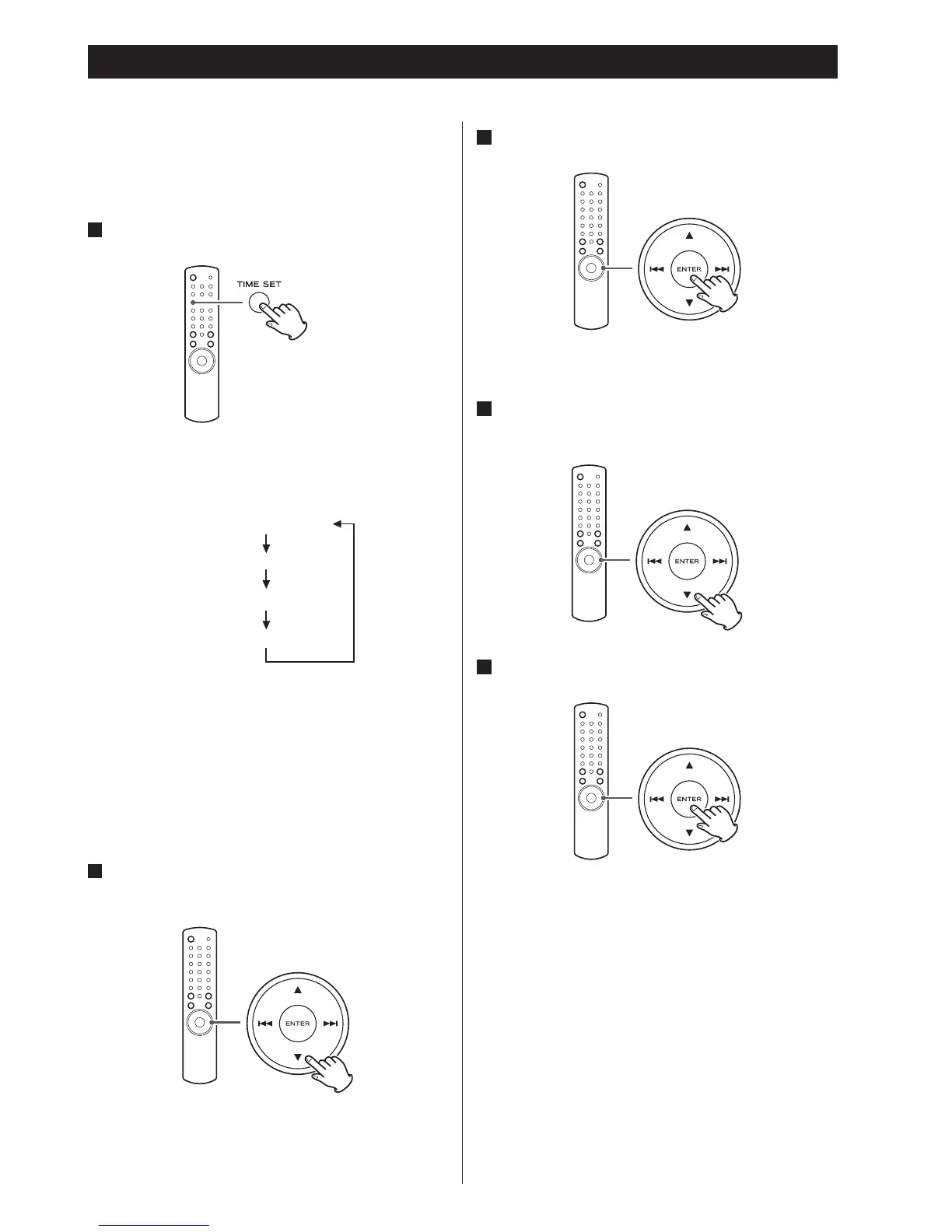
Press the TIME SET button.
Each time the TIME SET button is pressed, the mode is
changed as follows.
< For Europe, the unit uses the 24-hour “military” clock.
For North America, the unit uses the 12-hour clock.
< When no action is taken for 10 seconds, the time
adjust mode will be cancelled.
<
Press the stop button (H) to cancel the time setting.
2
Press the scroll buttons (˙/¥) to set the current
hour.
Setting the Clock
3
Press the ENTER button.
The “minute” value blinks.
4
Press the scroll buttons (˙/¥) to set the current
minute.
5
Press the ENTER button.
The clock starts from 00 seconds.
< The clock setting will not be saved when the AC
power cord is pulled out.


 To Next Page