35
ENGLISH FRANÇAIS
Initial Setup Operation (5)
Opération de mise en place initiale (5)
Resetting SETUP
All of the items in the SETUP menu will be
reset to the default.
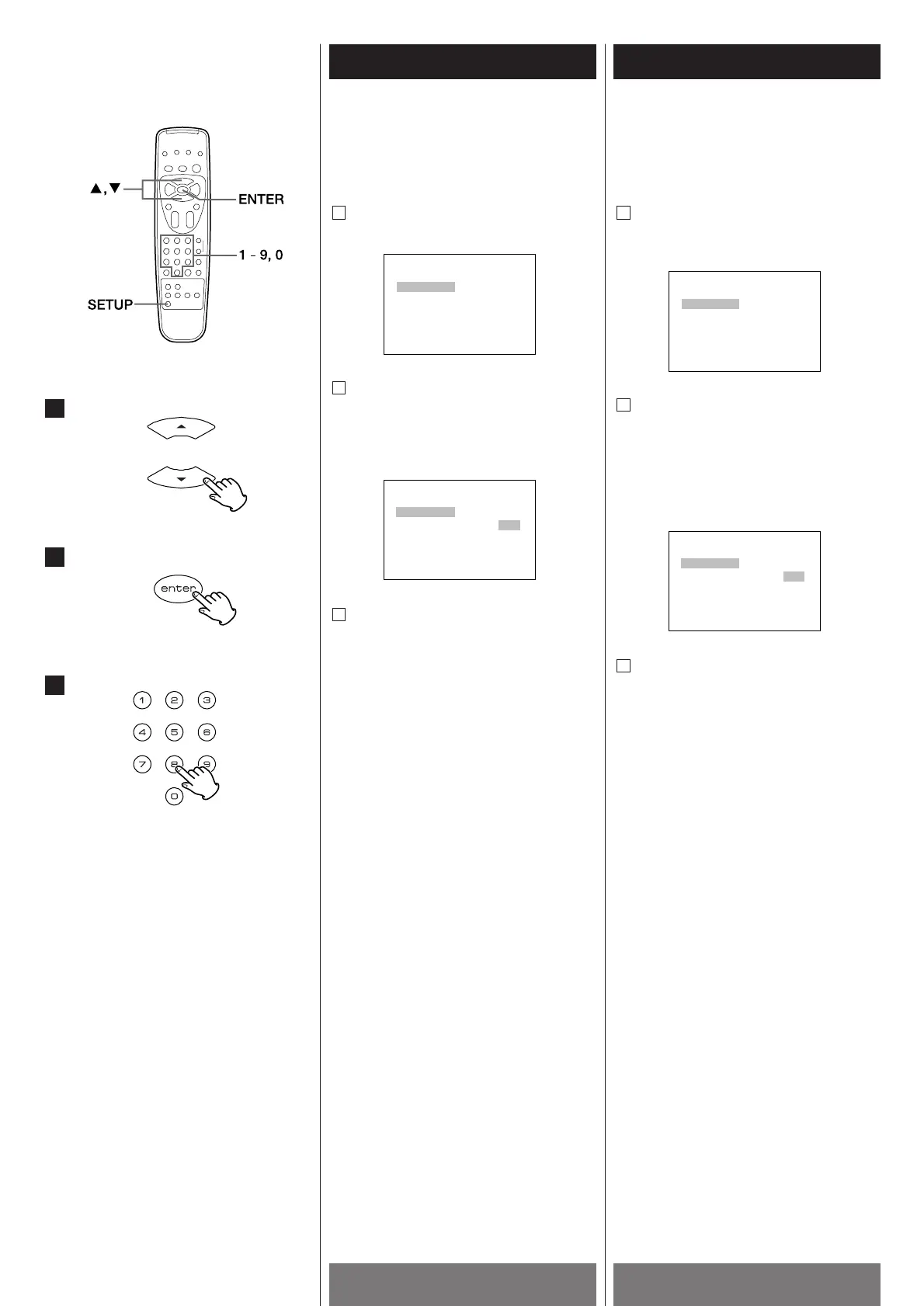
Press the 5/b buttons to select
"RATING" from the SETUP MENU.
Press the ENTER button to get "INPUT:
----" displayed.
If you cannot do this, you need to first exit
then get back to the SETUP MENU
screen using the SETUP button.
Press 2, 5, 8, and 0, then press the
ENTER button.
To exit the SETUP MENU, press the SETUP
button.
3
1
Mise à zéro du SETUP
Tous les items dans le menu SETUP sont
remis à leur défauts.
Appuyez sur les touches 5/b pour
sélectionner l'option "RATING" du
menu SETUP.
Appuyez sur la touche ENTER jusqu'à
ce que l'indication "INPUT:----"
s'affiche.
Si vous n'y parvenez pas, vous devez
sortir du menu SETUP pour entrer à
nouveau dans celui-ci à l'aide de la
touche SETUP.
Appuyez sur les touches 2,5,8 et 0 puis
sur la touche ENTER.
Pour quitter le menu SETUP, appuyez sur la
touche SETUP.
3



 To Next Page