PANEL AND REMOTE OPERATION
9
LEFT navigation button
During play back, fast rewind (scan backwards) on the current
track
UP navigation button
During playback, go to a previous track/chapter
In Menu Setup, return to the previous page
RIGHT navigation button
Fast forward (scan forwards) on the current track
Confirm the selected item
DOWN navigation button
During playback, go to the next track/chapter
In Menu Setup, go to the next page
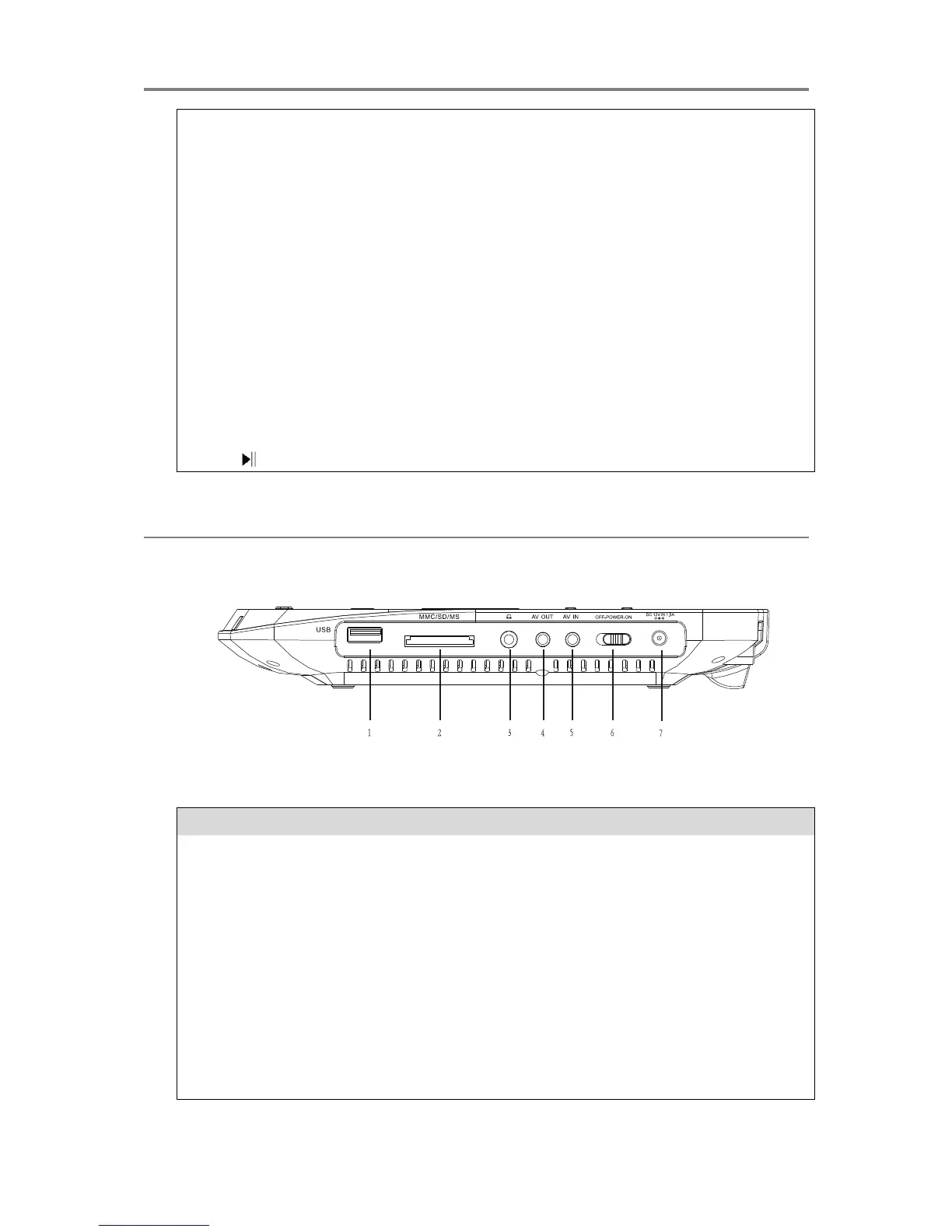
Insert a SD/MMC/MS memory card
Connect earphones/headphones for private listening. The
unit‟s speakers are muted while this jack is in use.
AV output terminal to connect external media devices
AV input terminal to connect external media devices
Turn on/off power to the unit completely.
Connect the DC 12V power adaptor to power and charge the
unit


 To Next Page