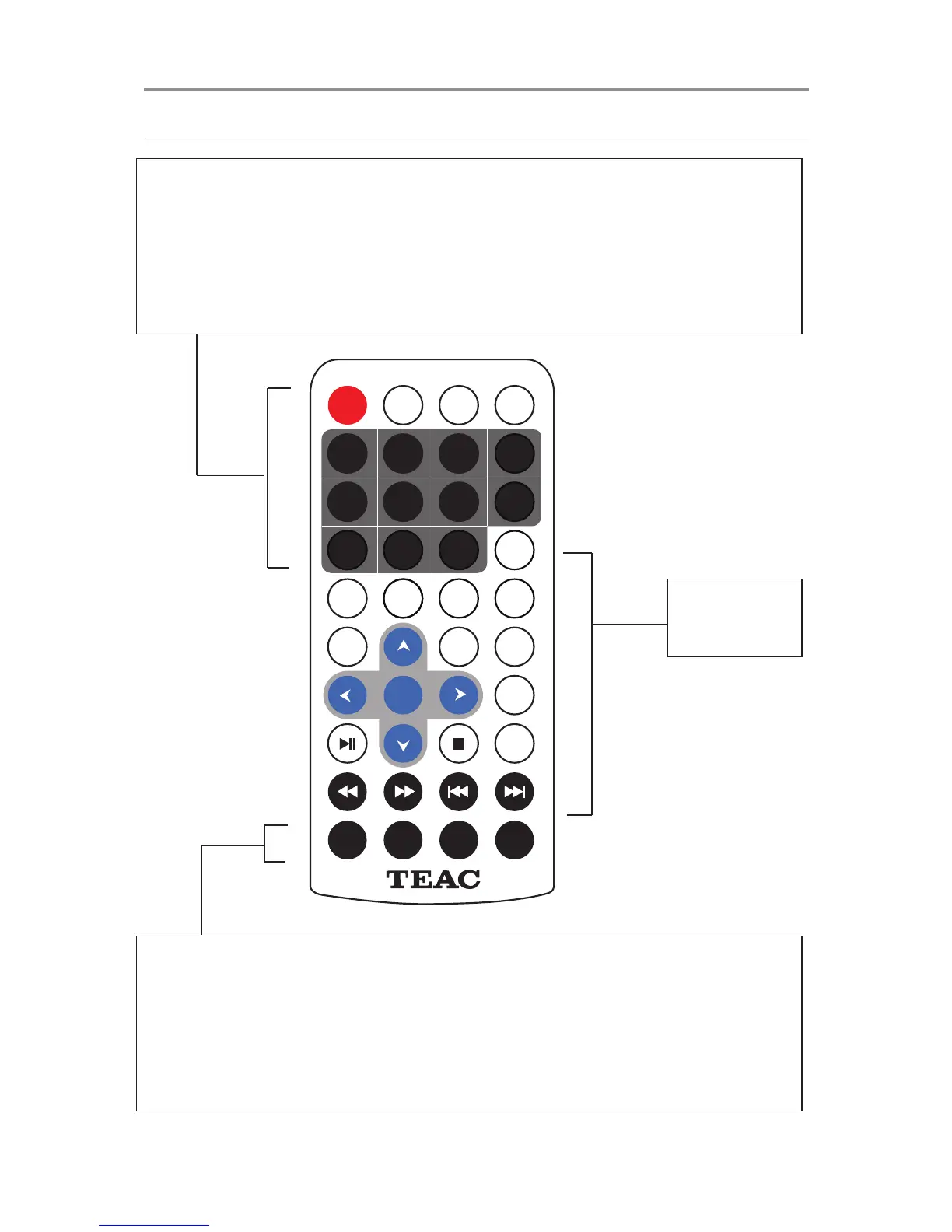
STANDBY: Turns unit on or back to Standby
DVD/SD/USB: Press to cycle through DVD>SD>USB Modes
DISPLAY: Display/hide detailed information about the current played media
MUTE: Turn sound on/off
1-10+: Number buttons for numerical input. For numbers 10 and above, use the 10+
button
MODE: Switch between TV Mode and DVD Mode
ANGLE/PROGRAM: While playback is stopped, press to enter the PROGRAM function.
During DVD playback, press to select from available camera angles. (Depends on
availability on disc)
GOTO: Press to input a specific title/chapter on the DVD to jump to.
ZOOM: Press repeatedly to cycle through different Zoom views.


 To Next Page