BASIC OPERATION
17
DVD Mode Setup
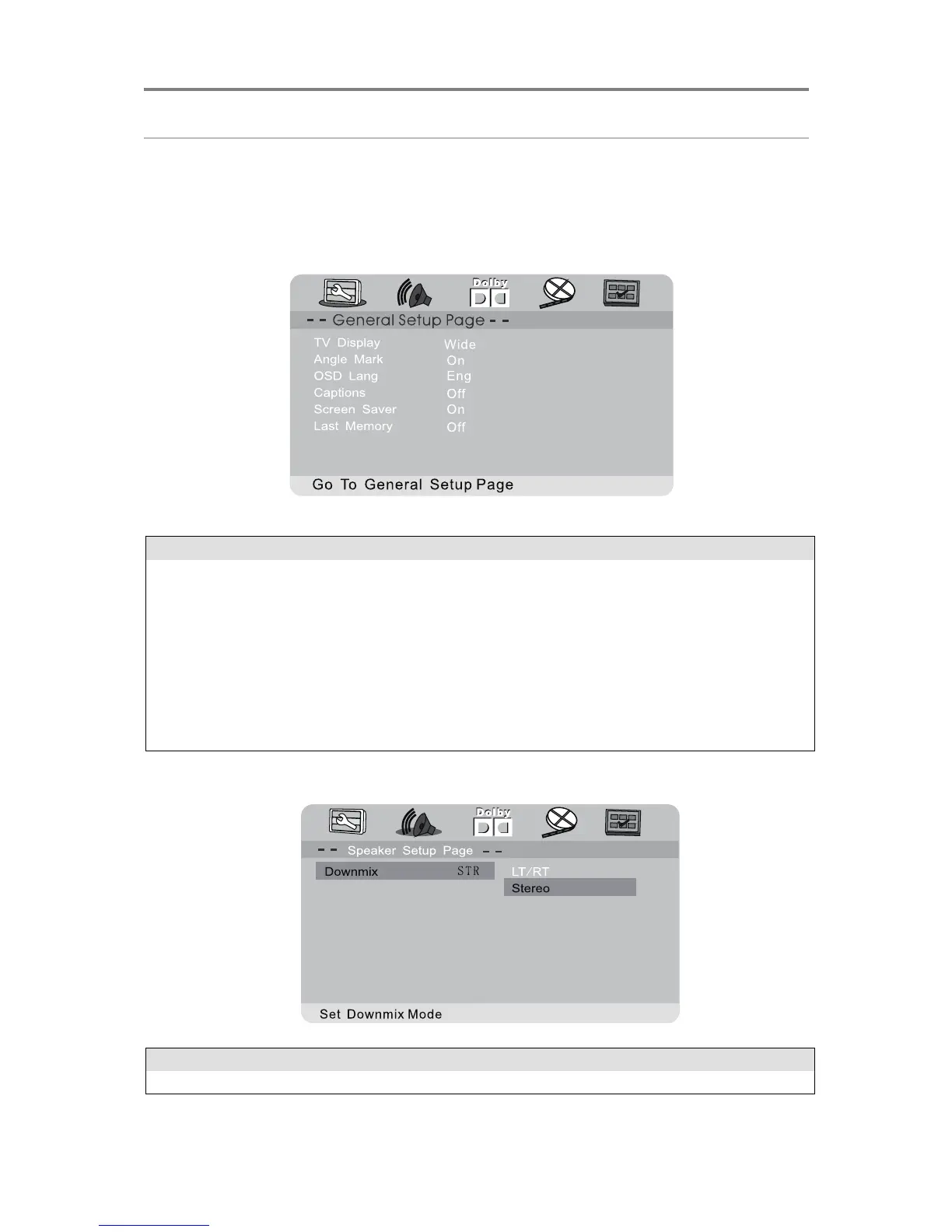
Press the SETUP button to show this menu. Adjust system and playback settings for this
unit using the Setup Menu. The Setup Menu is divided into tabs showing submenus with
options for different features.
General Setup
Set screen aspect ratios (4:3, 16:9 etc)
Enable/disable alternate camera angle viewing. Availability of this
feature depends on the DVD content.
Set the language used in the OSD menu
Enable/disable alternate subtitle viewing.
Turn screen saver On/Off. When turned on, the screen saver activates
after the unit is idle for 3 minutes.
Enable/disable memorising of last viewed track position for quick
playback resuming.


 To Next Page