BASIC OPERATION
16
Ripping Music CDs
1. Start in DVD Mode.
2. Load an Audio CD.
3. Connect a compatible USB flash drive.
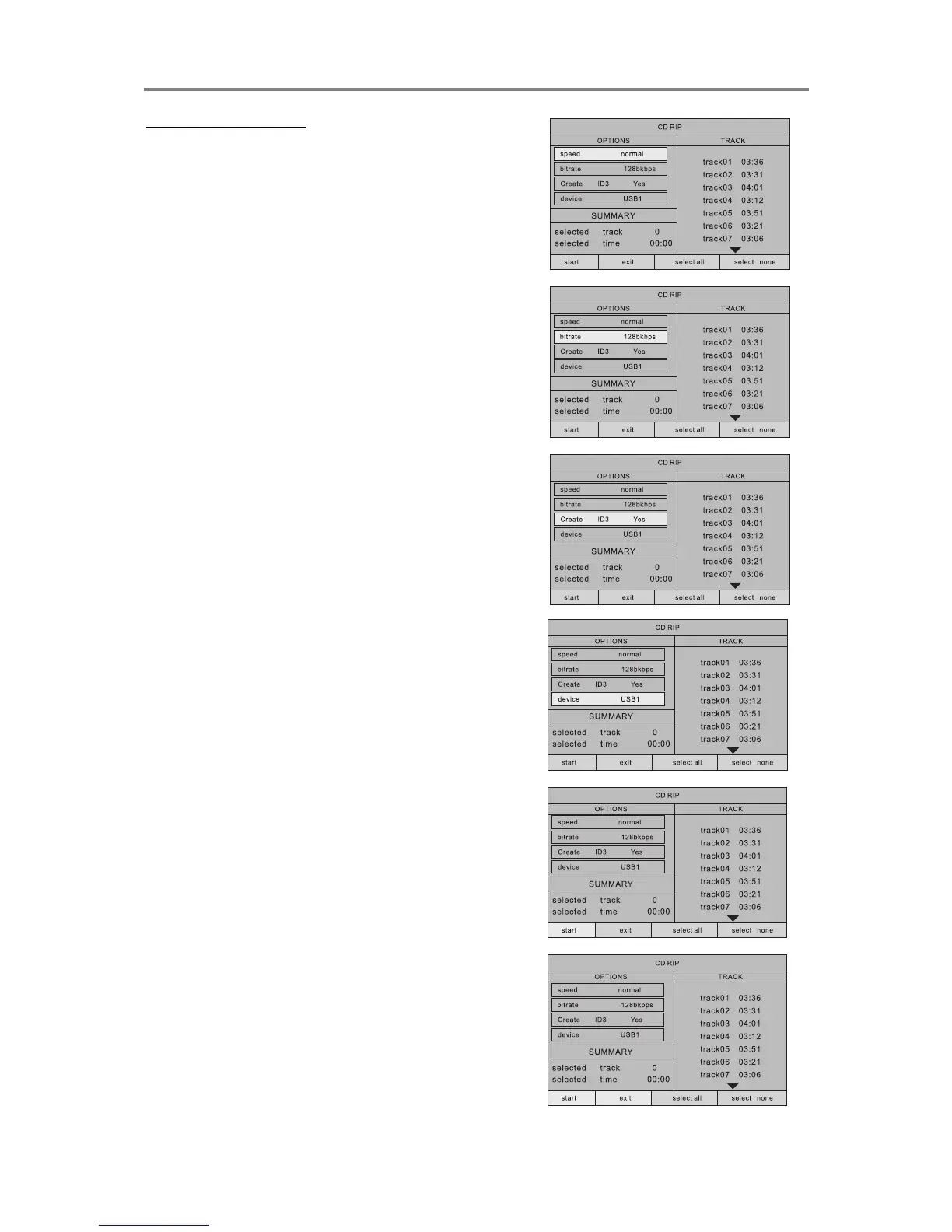
4. Press the CD RIPPING button to access
the conversion function.
5. Adjust the available options to your
preference (described below).
a. SPEED: ripping speed 1x or 4x
b. BITRATE: higher bitrate for higher
quality, lower bitrate for smaller files.
c. ID3 TAG: Create tag On/Off
d. Device: Select USB or CARD to rip to.
6. In the TRACKS column, select desired
tracks from the list of available tracks
and confirm with the OK button.
7. Select „START‟ to start ripping.
8. When ripping is complete, the unit
returns to the ripping menu. To exit the
menu, select EXIT.


 To Next Page