BASIC OPERATION
19
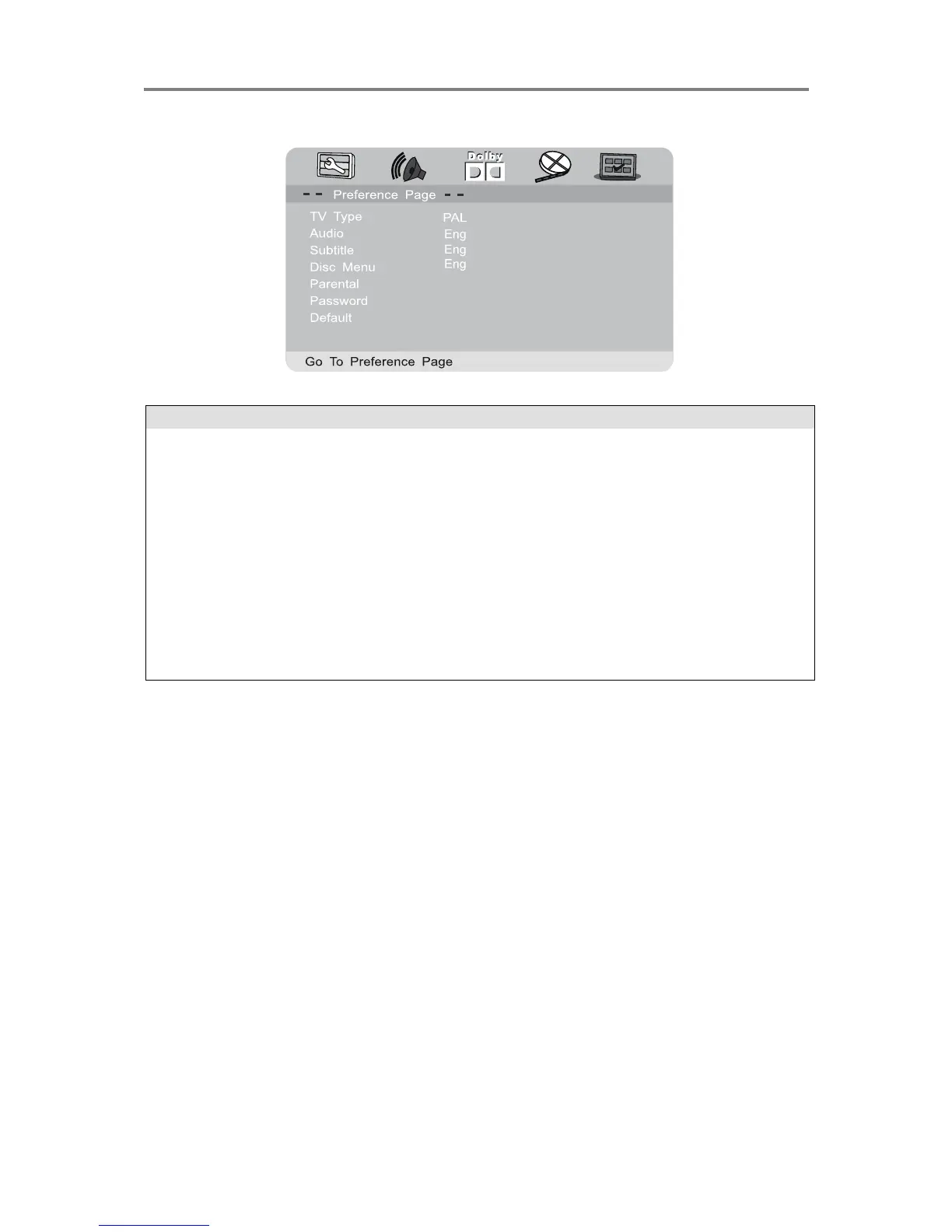
DVD Preference Setup
Set a preferred track language to activate if the disc has the
corresponding track language available
Set a preferred subtitle language to activate if the disc has the
corresponding subtitle language available
Set a preferred menu language to activate if the disc has the
corresponding menu language available
Password protect according to rating
Customise password. The default password is “0000”. To change the
password, input the old password once and then the new password
twice.
Reset all settings back to factory default.
Note: If the customised password has been forgotten, use the super password “0000” to
access the password setup option again.


 To Next Page